
Video Content Security: Protecting Media in 2026

A lecturer notices that a recorded assessment has appeared in a private group outside the university. The original LMS permissions were correct. The student had authenticated normally. Yet the file was downloaded, re-recorded, or shared through a link that the teaching team can no longer control. A corporate L&D manager faces the same problem when an internal compliance module is copied into an external channel, complete with an executive's image and voice.
That's the operational reality of video content security in 2026. Passwords and basic permissions still matter, but they only govern the first playback event. They don't prove that a recording is authentic, preserve a defensible chain of custody, or stop someone from manipulating and reposting the content. UK education and corporate platforms now need layered protection that combines secure delivery, identity controls, auditability, rights management, and verification.
Why Video Content Security Demands a New Approach
The incident usually begins with a reasonable workflow. An instructor records a lecture, uploads it to the institution's video platform, embeds it in Moodle or Canvas, and limits access to an enrolled cohort. A student watches it from a laptop, captures the screen, and sends the recording to a friend. Another user downloads the file through an exposed endpoint, trims the introduction, and reposts it with a misleading title.
The platform may still show a successful login. Its access policy may still look perfect. That doesn't mean the organisation has retained control of the media.
Access is only the first control
Traditional access control answers a narrow question: who can start playback? A modern video security programme must also answer:
Can the viewer download or capture the material?
Can the organisation revoke access after distribution?
Can investigators identify the account or session associated with a leak?
Can the organisation prove that the file used in an assessment or dispute is the original?
Can staff distinguish an authentic recording from an AI-generated impersonation?
Those questions matter because a video has several lives. It exists as an uploaded master, an encoded stream, a cached segment, a captioned derivative, a live recording, and sometimes a downloaded or screen-recorded copy. Each stage creates a different exposure.
Practical rule: Treat every video workflow as a chain of custody, not just a playback journey.
Deepfakes make the gap more serious. An altered recording can impersonate an instructor, change the apparent meaning of a statement, or make a student assessment look different from the submitted original. Moderation can remove a harmful copy from a platform, but removal alone doesn't establish which version is genuine.
The effective model is layered. Authentication and role-based permissions reduce inappropriate access. Encryption and DRM protect delivery. Tokenised sessions limit link sharing. Watermarks and audit logs support investigation. Retention rules, staff training, and incident procedures determine whether the controls work under pressure. Organisations that deploy only one layer usually create a false sense of security, because attackers and ordinary users can bypass the boundary that the layer doesn't cover.
The Evolving Threat Landscape for Video Media
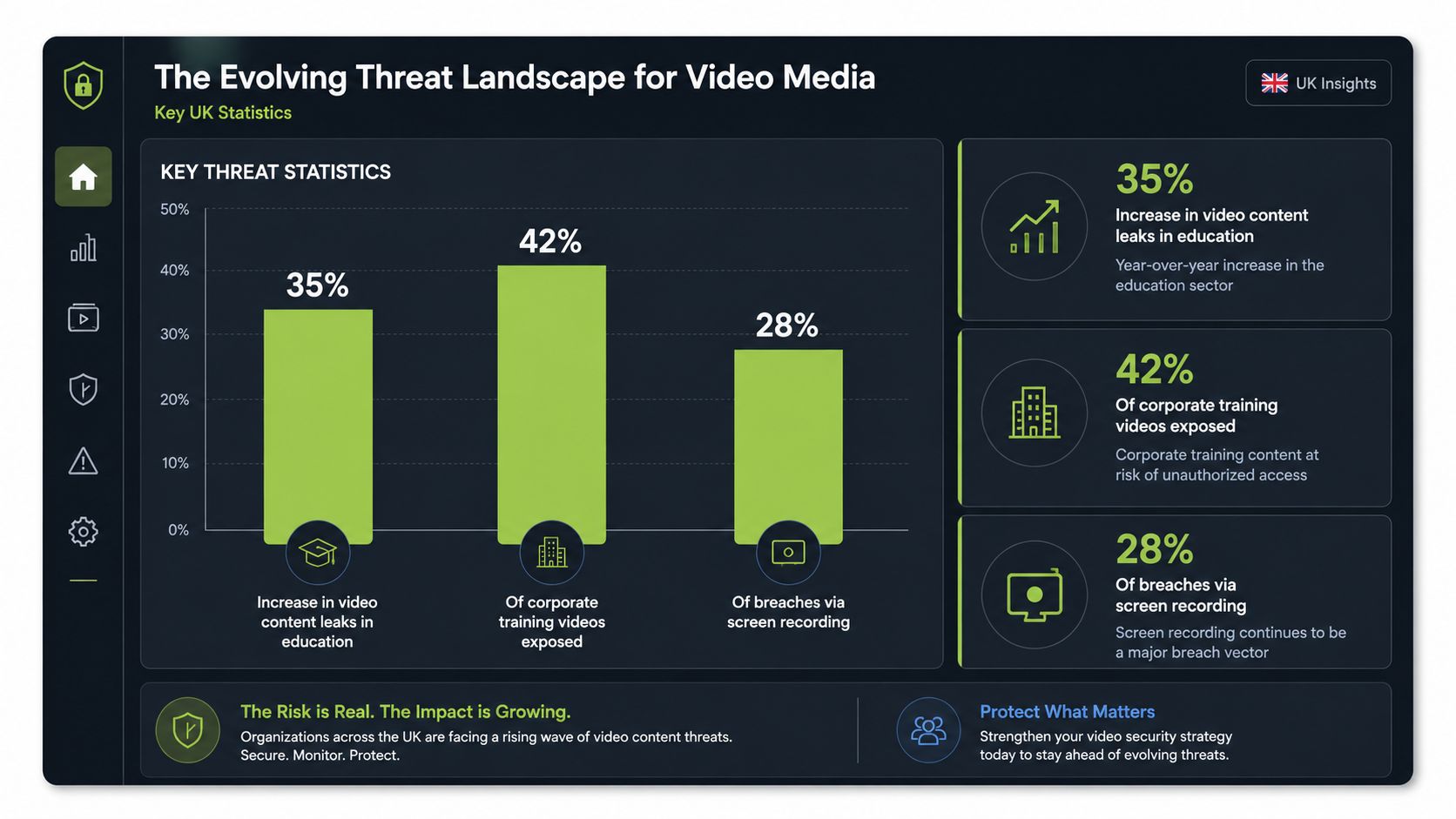
UK organisations still face conventional piracy, but the commercial and operational threat has broadened. The UK government's Online Copyright Infringement Tracker summary recorded infringement across online content categories rising from 25% in Wave 11 to 32% in Wave 12. That means nearly one in three respondents had accessed content illegally.
The same summary identified TV programmes as the most affected content type, with infringement at 23% among TV consumers, followed by films at 19%, sports content at 21%, and music at 18%. BitTorrent use among infringers fell from 11% in 2017 to 7% in the 2018 wave, while Kodi use remained at 12%, showing that unauthorised access methods change rather than disappear.
Volume creates governance pressure
Scale changes the type of work security teams must perform. A government-backed EY study reported that UK consumers watched over 213 billion videos in 2020, while average adult viewing across platforms reached 32 minutes per week, increasing by 8% per year and by 8 minutes since 2017. Ofcom later estimated that UK users watched about 245 billion videos in 2021, a 13% increase from 2020, and around a quarter of users said they had encountered potentially harmful content on video-sharing platforms in the previous three months, as documented in the EY UK video consumption report.
For universities and businesses, the lesson isn't that every lecture or training clip will become public. It's that video governance can't depend on manual review of every upload, comment, link, or derivative. The platform needs policy-driven moderation, reliable reporting, and controls that operate consistently at distribution scale.
Synthetic media changes the impact
The UK government estimates that around 8 million deepfakes were shared in 2025, compared with 500,000 in 2023, according to a UK Parliament written question on deepfakes. The threat isn't limited to celebrity impersonation. A convincing fake of a finance director, lecturer, chief executive, or public official can trigger a payment, damage trust, or distort an academic process.
Fraud is becoming a higher-value concern than piracy alone. UK Finance data cited in coverage of the UK's deepfake-enabled scams reported nearly £100 million lost to investment scams in the first half of 2025, with deepfake videos helping make fraud more convincing. The same coverage reported that seven in 10 adults failed to distinguish all real and fake videos in an experiment, while half of social-media users said they encountered deepfake videos at least daily.
A security review should therefore ask not only whether users can access a video. It should ask whether they can trust its origin, whether edits are recorded, and whether staff know how to verify a high-risk instruction delivered through video.
Core Technical Controls for Video Protection
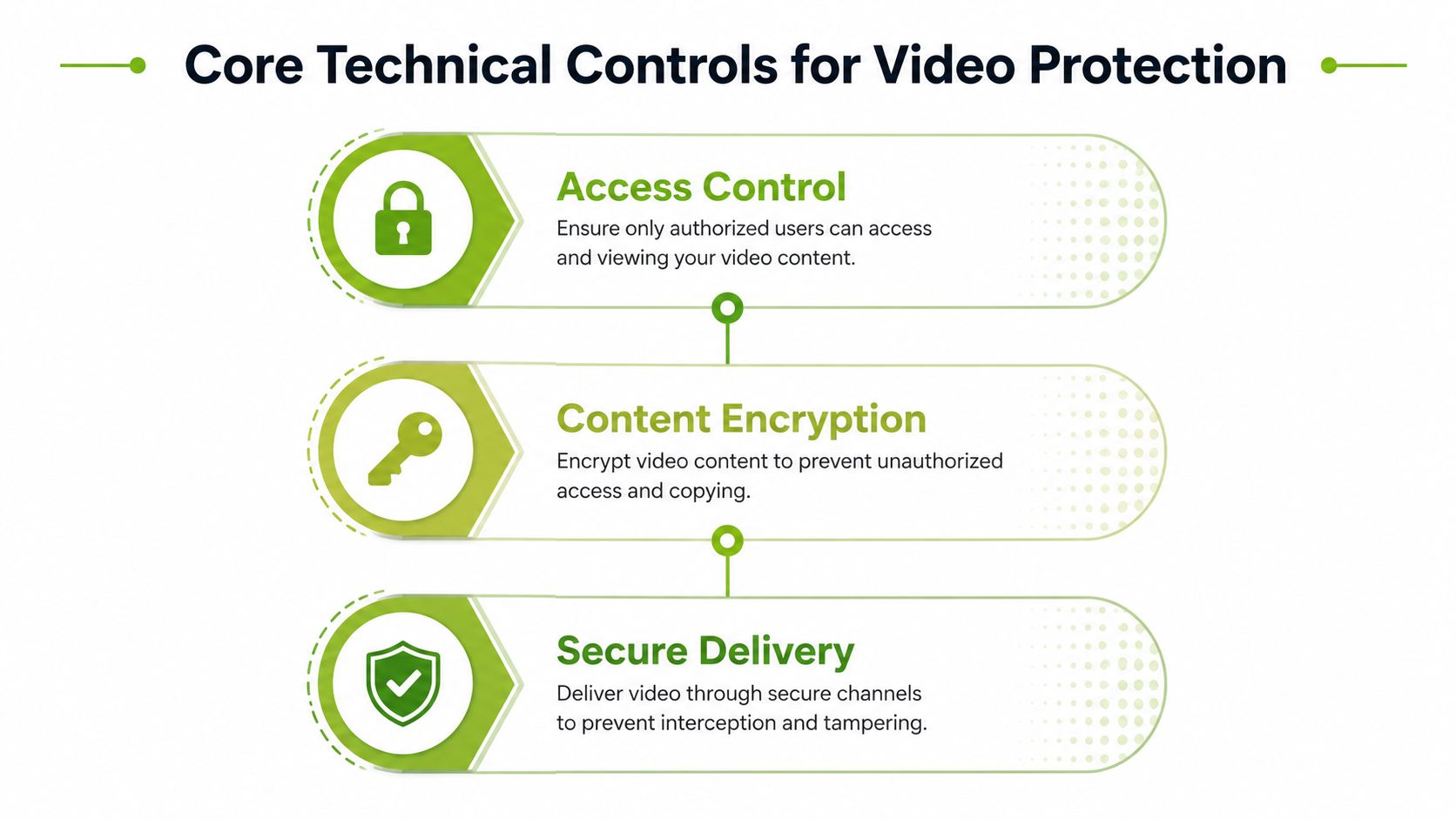
No single control protects a video from every form of misuse. DRM can restrict playback of encrypted streams, but it can't prevent a user from filming a screen. A watermark can help trace a leak, but it doesn't replace authentication. Tokenised delivery can expire a link, but it won't establish that an edited file is genuine.
Build protection around the media lifecycle
DRM acts like a digital bouncer. It encrypts the stream and requires an authorised player to obtain a licence before playback. For premium recordings, restricted assessments, and commercially sensitive training, DRM is useful because a copied stream remains difficult to play without the required licence and device support. The trade-off is implementation complexity, browser compatibility work, and a less forgiving experience when licence requests fail.
Encryption protects content at rest and in transit. Stored masters, encoded segments, caption files, and metadata should use appropriate encryption controls. For data in transit, the ICO recommends TLS 1.2 or above and points security teams towards standards including FIPS 140-2 and FIPS 197, as set out in its encryption guidance for organisations. That baseline applies to sign-ins, upload APIs, caption workflows, and LMS-integrated streaming sessions.
Tokenised streaming uses short-lived, session-bound tickets. Instead of exposing a permanent media URL, the service issues a token tied to a user, session, domain, or expiry rule. This makes casual link sharing much less useful. It does create operational dependencies, so administrators need a clear fallback for clock differences, interrupted playback, mobile apps, and legitimate users moving between devices.
Add traceability for sensitive content
Forensic watermarking works like a hidden serial number. It embeds an identifier into the delivered stream so an investigation can associate a leak with a viewer or session. Use it for exam briefings, regulated training, executive communications, or content whose disclosure would create material harm. Watermarking can add processing overhead and may affect encoding workflows, so apply it selectively rather than automatically to every low-risk clip.
A practical architecture combines these controls. Encrypt the master and delivery segments, require authenticated playback, issue a token for the session, and apply a forensic watermark to high-risk material. Then record the decision that granted access, the content version delivered, and any relevant playback or download event.
For a wider implementation view, review this guide to data security.
A short visual demonstration can help non-specialist stakeholders understand why the controls work together:
Access Controls and LMS Integration Strategies
The strongest access policy is the one staff and learners can use without creating workarounds. A separate video username encourages password reuse, duplicate accounts, and forgotten permissions. Integrating the media platform with the organisation's identity provider and LMS keeps access tied to existing enrolment, employment, or group membership.
Map permissions to real responsibilities
Role-based access control should reflect how the organisation works. Students may view course media but shouldn't edit or publish it. Instructors may manage content for their modules or departments. Corporate trainers may create and revise learning assets, while administrators need oversight without automatically receiving unrestricted access to every sensitive recording.
Use the smallest useful permission set. Separate rights to view, upload, edit, publish, download, share, moderate, and delete. A teaching assistant who can caption a recording doesn't necessarily need permission to export the original file. A contractor who needs to review a training module shouldn't retain access after the engagement ends.
Approach | Best For | Key Advantage | Limitation |
|---|---|---|---|
Shared passwords | Temporary, low-risk demonstrations | Fast to arrange | No accountable identity or reliable revocation |
Platform-local accounts | Small teams with limited integrations | Straightforward administration | Duplicates identity management and can drift from LMS status |
Single sign-on | Universities and corporate environments | Connects playback to institutional identity | Requires careful session, role, and offboarding configuration |
LMS-linked roles | Courses, cohorts, assignments, and departments | Uses enrolment and course context | Poorly maintained LMS data can produce incorrect access |
Role-based access with audit trails | Sensitive assessments and regulated training | Combines least privilege with investigation evidence | Needs governance, retention rules, and regular review |
Make the LMS the policy context
Moodle, Canvas, Blackboard, and D2L Brightspace can provide the context that a standalone media portal lacks. An embedded player can check the user's authenticated session, course membership, assignment relationship, or corporate group before requesting a playback token. The platform should still enforce the rule server-side, because hiding a link or relying on an iframe alone isn't a security boundary.
Audit trails complete the model. Record who uploaded a file, who changed its visibility, who published a new version, and who accessed or exported it. Keep administrator activity distinct from learner playback, and make retention periods match institutional policy rather than storing everything indefinitely.
MEDIAL is one example of an LMS-integrated video platform that lets educators manage, edit, and distribute video assets in the browser while retaining controlled access and audit information. Its role model should be evaluated against the organisation's own identity groups and segregation-of-duties requirements, as explained in this overview of role-based access.
Navigating UK Compliance and Regulatory Requirements
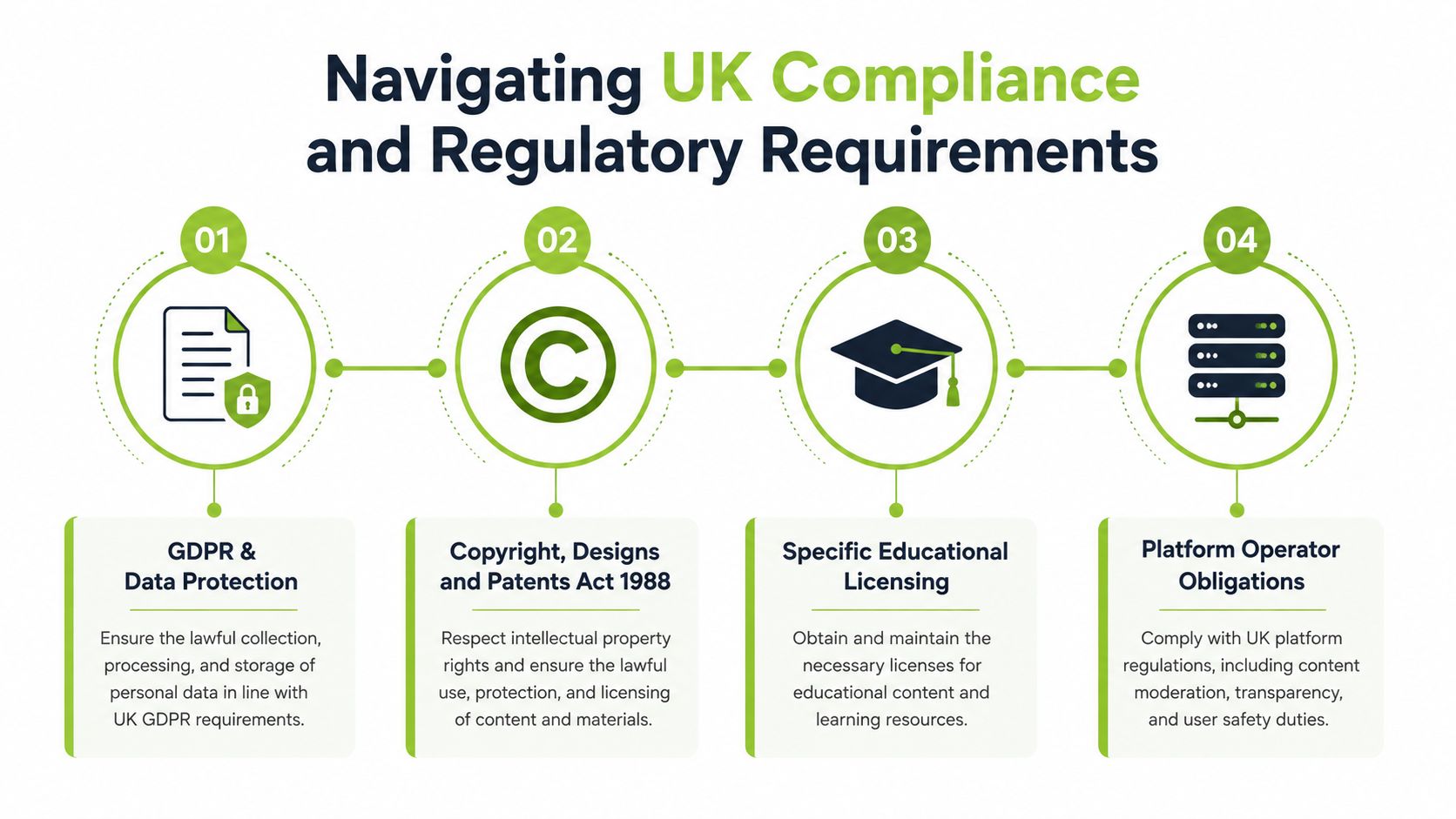
Compliance becomes practical when it changes configuration decisions. A video platform serving UK users needs to know whether it hosts user-generated material, supports comments or search, allows explicit content, processes personal data, and retains recordings that may later be disputed.
Treat age assurance as an engineering workflow
Under the Online Safety Act, services that allow pornography must have highly effective age assurance in place by 25 July 2025, according to Ofcom's guidance on age checks. Ofcom lists methods including open banking, photo ID matching, facial age estimation, mobile network operator checks, credit card checks, digital identity services, and email-based age estimation.
The correct implementation isn't a checkbox labelled “over 18”. The platform should prevent playback before the media starts, record the verification decision, identify the method used, and limit access when the check fails or expires. User-to-user and search services likely to be accessed by children also had to complete a risk assessment by 24 July 2025 and take action from 25 July 2025, as described in Ofcom's age-assurance requirements.
Design for investigation, not just inspection
Ofcom states that non-compliant sites and apps can face fines of up to £18 million or 10% of qualifying worldwide revenue, whichever is greater, in its user guidance on online safety age checks. That exposure makes evidence important. Keep logs showing which rule applied, what decision the system made, which verification route was used, and whether an administrator overrode the outcome.
The Data (Use and Access) Act 2025 also created a new offence for non-consensual creation of sexually explicit deepfakes, while UK government sources say deepfakes shared on in-scope services are regulated under the Online Safety Act. Institutions handling recorded assessments, lectures, and internal training should preserve the original file, version history, consent records, and access events so a later investigation doesn't rely on an exported copy from an unknown source.
Keep policy separate from the media pipeline
The UK government expects new child-protection regulations to be laid before the end of the year, with implementation in Spring 2027, according to its fact sheet on new online child-safety rules. Build policy as configurable rules. Separate age gates, moderation queues, reporting routes, retention settings, and access decisions from encoding and storage services, so a regulatory change doesn't require a complete platform rebuild.
For secure delivery principles that connect these decisions to streaming architecture, see this guide to secure video streaming.
Implementing Layered Security in a Video Platform
A workable deployment starts with risk classification, not with a product feature list. A public orientation clip may need basic authenticated access and copyright controls. A recorded exam briefing, board communication, or regulated training module may require encryption, DRM, watermarking, restricted embedding, and detailed investigation records.
A deployment checklist for administrators
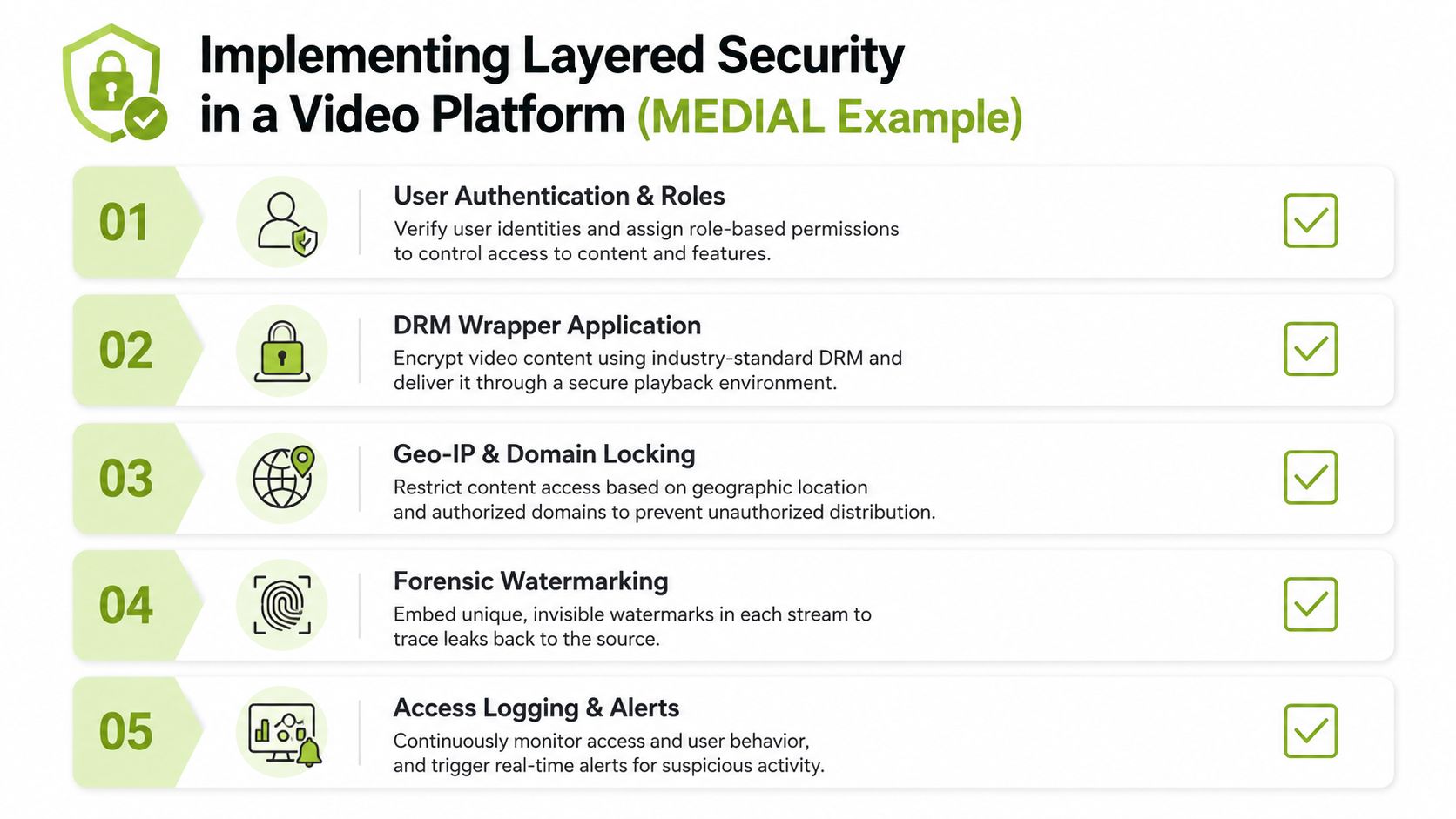
Classify the asset. Mark whether the video contains personal data, assessment material, licensed content, confidential information, or public communications. The classification should determine retention, sharing, download, and watermarking rules.
Connect authentication to the LMS or identity provider. Test enrolment changes, staff departures, guest accounts, delegated administration, and session expiry. A successful login shouldn't automatically grant access to every library.
Apply role and content permissions. Separate viewing from editing, exporting, publishing, moderation, and deletion. Review inherited permissions on shared categories and course spaces.
Protect delivery. Encrypt stored assets and streaming segments, use TLS 1.2 or above for transit, and add DRM where the content risk justifies the implementation effort. Tokenise playback requests and restrict embedding to approved domains.
Trace high-risk playback. Use forensic watermarking for sensitive materials and record the viewer, content version, policy decision, and relevant session details. Alerts should identify unusual access patterns without creating a flood of false positives.
Secure operational workflows. Caption files, upload APIs, live sessions, exports, and integrations with tools such as Zoom and Microsoft Teams need the same identity and transport protections as on-demand playback.
Test the failure path. Disable an account, revoke a token, remove a course enrolment, and investigate a simulated leak. Controls that work only during normal playback won't help much during an incident.
Use MEDIAL as a working reference point
MEDIAL can serve as one implementation example for an LMS-integrated environment, with a secure portal for managing and controlling video and audio, browser-based editing, live streaming, and media workflows connected to learning systems. The important evaluation question isn't whether a platform has a long security feature list. It's whether administrators can apply those controls consistently without making legitimate teaching and training work impractical.
Start with a small high-risk collection. Apply the policy, test playback on supported devices, review the audit events, and ask instructors and learners where the workflow causes friction. Then expand the model to broader libraries, keeping exceptions documented rather than allowing informal sharing to become the default.
The Future of Video Authenticity and Verification
The next video security requirement won't be limited to stopping unauthorised playback. UK universities, corporate security teams, and LMS administrators increasingly need to prove that a recording is authentic, unaltered, and admissible for the decision at hand.
The Online Safety Act addresses deepfakes on in-scope services, and the Data (Use and Access) Act 2025 addresses non-consensual sexually explicit deepfake creation. Neither development removes the institution's operational responsibility to preserve evidence. A moderation record may show that a copy was removed. It doesn't necessarily prove which file was recorded first, who edited it, or whether the submitted assessment matches the original.
Build provenance into the workflow
Prioritise controls that work together:
Cryptographic signing for original files and approved versions.
Immutable audit logs for uploads, edits, exports, permissions, and playback decisions.
Forensic watermarking to associate distributed copies with authorised sessions.
Rights records that document consent, ownership, licensing, and permitted reuse.
Controlled review procedures for disputed or suspicious recordings.
The practical shift is from “can this person watch the video?” to “can we demonstrate where this video came from and what happened to it?” Administrators who design that evidence trail now will be better prepared for synthetic media, regulatory investigations, assessment disputes, and internal fraud attempts.
MEDIAL provides LMS-integrated video management, controlled streaming, browser-based editing, live recording, caption workflows, and access governance for education and corporate training environments. Visit MEDIAL to review how its platform can support a layered video content security strategy and arrange a product demonstration.
Comments