
Online Compliance Training: A UK Guide to Best Practice

Among UK employers that provided training, 70% funded or arranged online training or e-learning, according to the Employer Skills Survey 2024. Digital delivery is mainstream, but a completion tick is still weak evidence that someone can work safely, protect personal data or recognise a suspicious request.
Why Online Compliance Training Became the Default
A fire drill isn't useful just because someone circulated the evacuation instructions. People need to participate, know where to go and appear on the attendance register. Online compliance training needs the same combination of instruction, application and records.
Say a university assigns its data-protection course to everyone with an account. Staff finish the slides, collect a certificate and return to work. The dashboard looks reassuring, but it doesn't tell the university whether a lecturer knows how to share student records safely or whether an administrator would escalate a misdirected attachment.
Digital courses suit repeatable subjects such as health and safety, cybersecurity and data protection. Administrators can assign a consistent baseline, update it centrally and make it available across locations and shifts. The mistake is treating that distribution mechanism as proof of competence.
Practical rule: Separate evidence that training was delivered from evidence that someone understood what to do.
Three pressures deserve attention: limited training time, the gap between completion and understanding, and records that can withstand scrutiny. Saving time by removing irrelevant material helps. Saving time by removing practice doesn't.
Ask your course owner:
Current content: Can you show who encountered the policy that's in force?
Timing: Can you establish when each learner encountered it?
Application: Can you show whether they made a sound decision in a realistic situation?
A defensible programme connects its legal duties, course design, assessments, accessible media and deployment rules. Its records should explain the training decision, not merely confirm that a browser reached the final slide.
Which Compliance Topics Need Training and What the Law Requires
Core compliance topics, legal basis and refresh triggers
Topic | Legal basis (UK) | Typical audience | Refresh trigger |
|---|---|---|---|
Health and safety | Health and Safety at Work etc. Act 1974; Management of Health and Safety at Work Regulations 1999 | All staff, plus managers for supervision duties | Induction, changed equipment or systems, new risks, periodic refresher |
Data protection | UK GDPR; Data Protection Act 2018 | All staff who handle personal data | Annual refresher in many organisations, plus new systems or a breach |
Cybersecurity | UK GDPR security principle, Article 5(1)(f); Data Protection Act 2018 | All staff with system access | New tools, new threat patterns, at least annually as an organisational baseline |
Equality and diversity | Applicable equality and anti-discrimination law in Great Britain or Northern Ireland | All staff; managers for recruitment and conduct decisions | Policy change or a case that exposes a gap |
Anti-bribery and corruption | Applicable bribery law and organisational prevention procedures | Procurement, finance, sales and senior leaders | Role change, new supplier or market, annual refresher as an organisational baseline |
AI use at work | UK GDPR and Data Protection Act 2018 where personal data is processed | Staff using generative AI tools | New tool approval or change to acceptable-use policy |
Start with the risk register, not a catalogue of courses. Match each identified exposure to an audience, policy owner and training intervention. The refresh schedules above are planning baselines where described, not a claim that every topic has a universal statutory annual deadline.
Connect safety instruction to the risk assessment
The HSE's legal guidance explains employers' duties to provide necessary information, instruction, training and supervision, and states that businesses with five or more employees must record the significant findings of their risk assessments. Keep training evidence alongside the relevant assessment reference so a reviewer can connect the hazard, control and instruction.
For a warehouse, separate pedestrian routes, manual handling and equipment-specific instruction. An online explanation can prepare someone for a practical assessment, but it can't establish that they can operate equipment safely.
Check recruitment first, then transfers, altered equipment, new technology and changed systems of work. Those are useful assignment triggers; refresher decisions should also reflect changed risks and demonstrated gaps rather than the calendar alone.
Match coverage to actual exposure
Remote workers need instruction relevant to home-office risks. A generic office module that assumes an adjustable desk, a managed building and an on-site first aider won't answer every home-working question.
Specialist responsibilities need additional coverage. Procurement staff should practise handling supplier hospitality and conflicts of interest; recruitment managers need decision-making scenarios, not just definitions of discrimination.
Treat the table as a planning starting point, not legal advice. Check current regulator guidance for your sector and UK nation, particularly where legislation, operational hazards or professional requirements differ.
Designing Courses That Change Behaviour
Build each module around a behaviour someone must perform, not a policy chapter someone must read. A focused lesson might ask staff to verify a supplier's changed bank details, then practise the steps in the organisation's procedure. Keep the explanation brief enough to hold attention, but complete enough for learners to act without guessing.
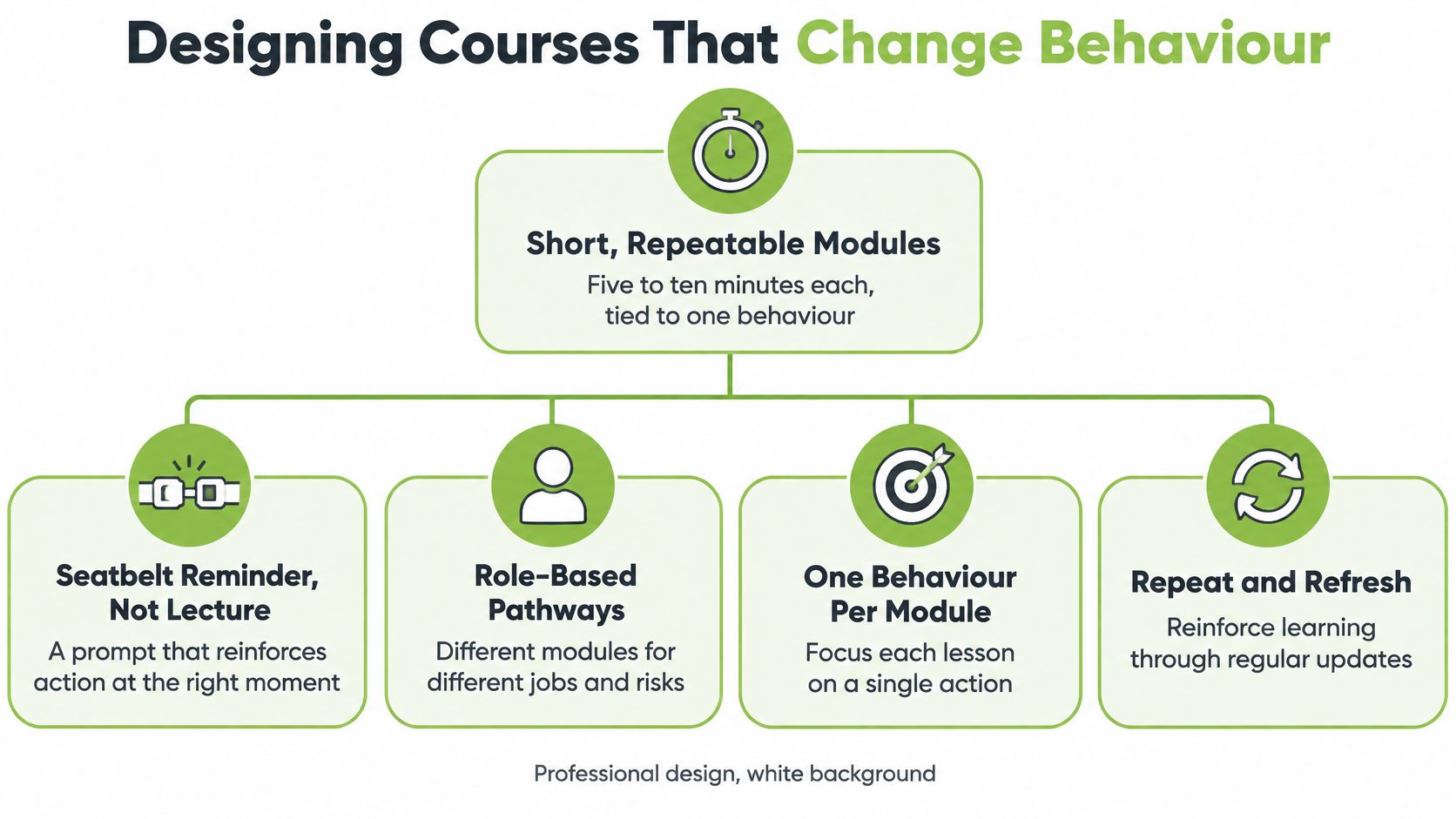
Personalisation remains uncommon among the organisations covered by a December 2025 poll reported by Workplace Journal. Treat that finding as a prompt to examine your own course design, not as a measure of every UK employer. Tailor pathways to job decisions and exposure, while keeping a shared policy framework where it applies.
Build pathways around decisions
A warehouse operative needs to recognise an unsafe route and stop work appropriately. A line manager needs to respond to a concern and arrange supervision. A finance approver needs to resist pressure to bypass verification. One generic course may explain the policy to all three, but it should not assume they face the same decisions.
For finance staff, present a supplier email requesting new bank details. Offer plausible options: reply to the email, call the number in its signature, or use independently held contact details. Ask learners to choose and explain their response. Feedback should point to the organisation's actual verification procedure, so the scenario rehearses the action expected at work.
Use assessment results to avoid repeating material learners already understand. A confident self-rating alone should not exempt anyone from safety-critical learning. Apply adult learning principles by recognising existing knowledge and using practice to address gaps, while retaining required instruction where the risk demands it.
Protect learning time
HSE's health-services guidance states that health-and-safety training must be free to employees and take place during working hours. Schedule protected time and provide asynchronous access for shift workers. Otherwise, a mandatory module can become unpaid homework or be rushed between duties.
Before publishing, check:
Scope: One focused behaviour and a realistic completion time.
Audience: A relevant role and an explicit risk.
Practice: A credible scenario with feedback tied to the procedure.
Remediation: A clear route back to the explanation when a learner struggles.
Ownership: A named policy owner responsible for approving changes.
Shorter content can reduce time away from work, but only if it still teaches the required action. Cut repetition, not the explanation learners need to make the right decision.
Assessment and Tracking Evidence in Your LMS
Assessment methods and the evidence each produces
Assessment method | Best for | Evidence produced | Main limitation |
|---|---|---|---|
Completion tick | Awareness only | Completion timestamp | Shows recorded completion, not understanding |
Pass-mark quiz, for example a hypothetical 80% threshold | Factual rules such as reporting deadlines | Score, attempt number, question-level data | Can be guessed or memorised; overall score can hide a critical gap |
Scenario-based question | Judgement, such as data-breach escalation | Chosen response and the learner's reason | Takes longer to write well |
Practical sign-off | Equipment use and physical tasks | Signed assessor record | Needs assessor time and calibration |
Manager follow-up | Application during normal work | Dated observation against defined criteria | Inconsistent unless managers use a shared standard |
Simulated phishing test | Cybersecurity behaviour | Click and report rates over time | Must be run transparently and with care for staff |
Combine methods according to the risk. Use a quiz for factual knowledge, a scenario for judgement and an observed check for workplace application. A practical sign-off is more expensive to administer than a quiz, but substituting a quiz for physical competence doesn't remove the risk.
Learning and Work Institute's analysis reports that 58% of UK training episodes last one day or less. Short delivery makes careful assessment design more important, not less: passive viewing shouldn't consume the entire learning opportunity.
Record the learning event, not just the certificate
Configure the LMS to retain the learner identifier, assignment reason, course owner, policy version, completion timestamp, attempt number and question-level result. Protect historical timestamps from routine editing and retain an audit log for corrections.
Consider a hypothetical policy update from version three to version four. The report should preserve earlier completions while identifying which employees need the revised module. Overwriting the course title and leaving old completion statuses untouched creates an ambiguous record.
Set a documented retention period with your data-protection and records teams. Don't keep detailed learner responses indefinitely because storage is available.
A certificate is a convenient summary. The underlying record must explain what was assessed and which content applied.
Make failures actionable
An overall pass mark can conceal a dangerous answer. Mark critical decisions as pass-or-retake, so someone can't compensate for choosing the wrong incident-reporting route by answering easier questions correctly.
When a department repeatedly misses the same scenario, check the wording, policy and local workflow before blaming learners. If renewals are overdue, distinguish missing assignments from employees who lacked protected training time.
A sound evaluation and assessment approach also specifies who acts on those findings. Give the course owner a question-level report and the line manager a clear follow-up task.
For an audit request, aim to produce a coherent evidence pack in an afternoon: owners, versions, assignment reasons, dates, results and exceptions. Test that export before anyone urgently needs it.
Video and Captions for Accessibility and Audit Trails
Use video when movement, context or demonstration matters. A lifting demonstration can reveal posture and sequence more clearly than a paragraph. A recorded explanation of a local policy can also replace repeated manager briefings, provided someone keeps it current.
Use this checklist to distinguish useful media from another narrated slide deck.
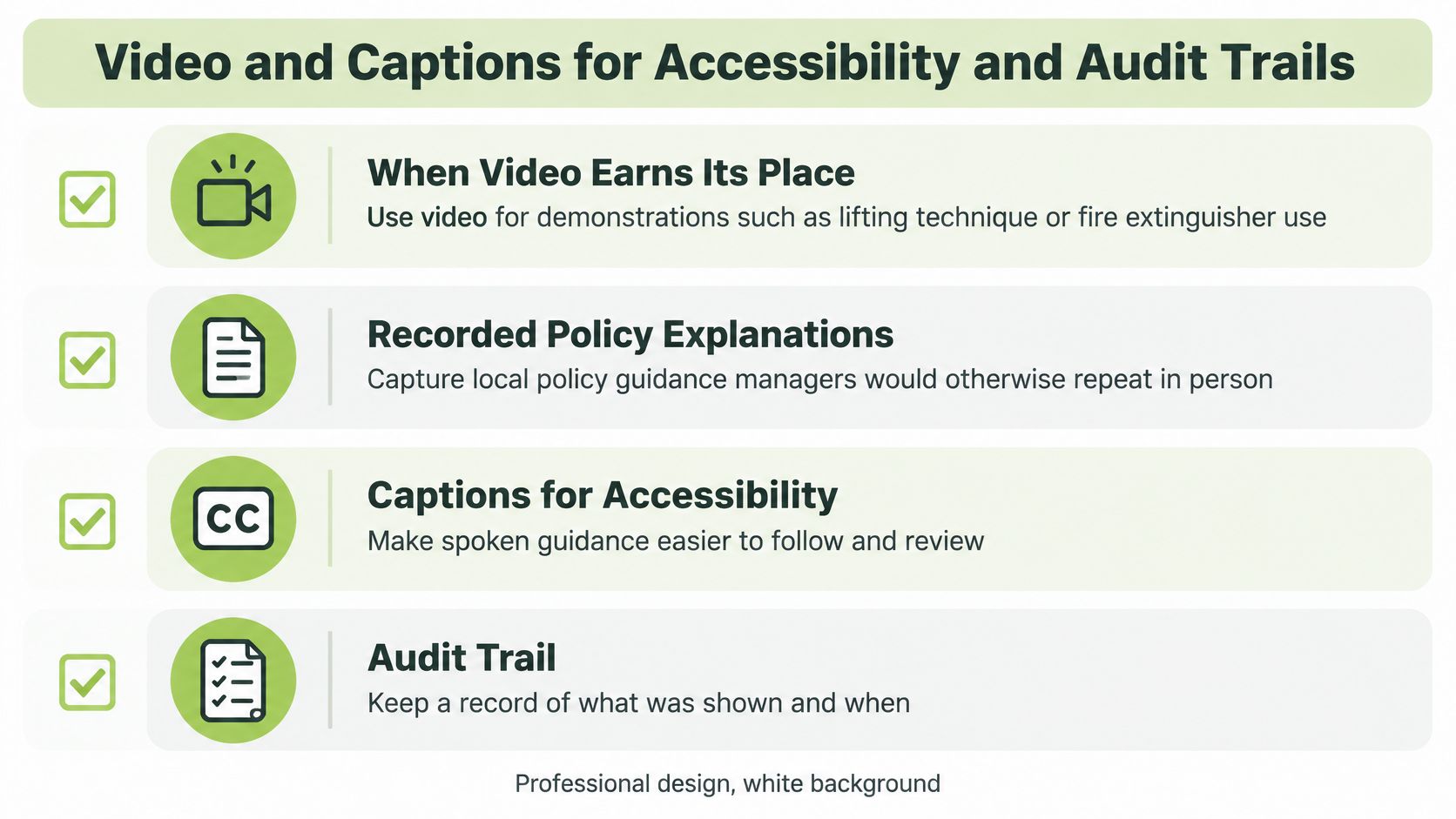
Make every explanation usable
Keep clips focused and add chapter markers for revisits. For a hypothetical local-policy recording, a three-to-seven-minute clip could explain the reporting route without reproducing the entire policy. A demonstration of fire-extinguisher use should support, not replace, any practical instruction required for the person's role.
Closed captions support deaf and hard-of-hearing learners and people listening in noisy environments. Accessible transcripts provide a text alternative for review and screen-reader access; include relevant visual information rather than transcribing speech alone.
Check automatic captions manually, especially policy terms, names and figures. Use WCAG 2.2 AA as a practical accessibility benchmark, checking keyboard operation, visible focus, contrast and player controls as well as captions. The discussion of closed-captioning requirements can support that review.
This video provides an additional reference point for considering the media workflow.
Preserve what the learner actually watched
Give each asset a version identifier matched to the policy it explains. Publish a revised file as a new version instead of replacing the original behind historical completion records.
Before release, confirm:
Access assets: Checked caption file and accessible transcript.
Identity: Video version, language and linked policy.
Navigation: Chapter markers and usable player controls.
Approval: Named reviewer and publication status.
Budget for caption review and updates, not just recording. A polished video becomes a liability when its spoken procedure no longer matches the approved policy.
Worked Examples From Induction to Incident Response
Compliance scenarios, triggers and evidence
Scenario | Training format | Trigger | Evidence to keep |
|---|---|---|---|
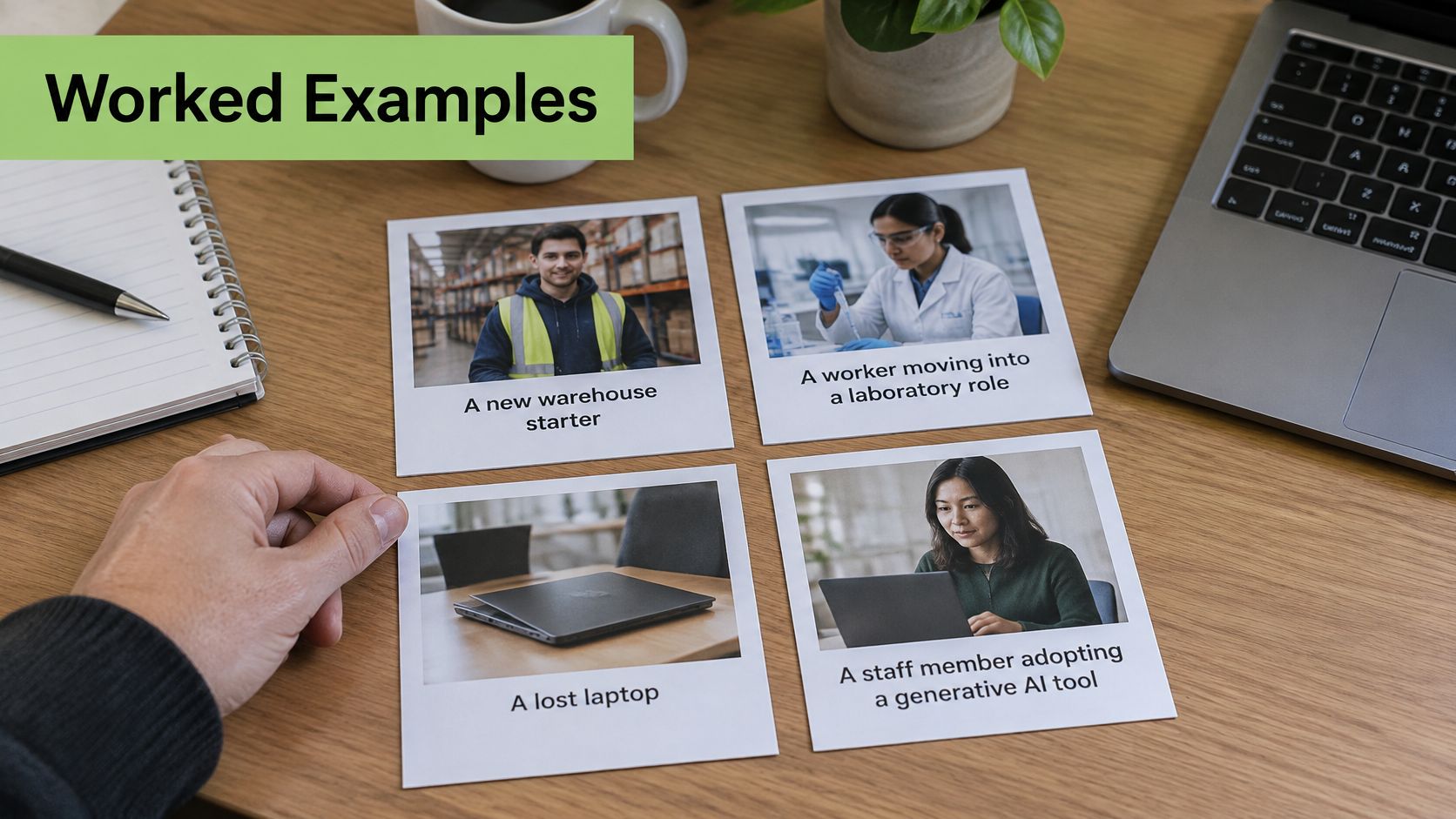
New warehouse starter | Induction, workstation module and supervised local walkthrough | Start date | Completion record linked to the risk assessment reference |
Worker moving into a laboratory role | Chemical-handling module with practical sign-off | Change of role | Signed sign-off and module version |
Lost laptop reported | Hypothetical five-minute incident-reporting refresher | Incident report | Escalation timestamp and Data Protection Officer log reference |
Staff member adopting a generative AI tool | Branching scenario on confidential data | Tool approval | Pass result and acceptable-use policy version |
From starting work to changing responsibilities
Say a warehouse schedules a hypothetical 45-minute induction and assigns a workstation module on the starter's first day. The learner reviews local procedures, completes the relevant checks and joins a supervised walkthrough. The administrator links the resulting record to the warehouse risk assessment.
A laboratory transfer needs a different endpoint. Completing chemical-handling content prepares the employee, but an assessor must still observe the relevant task and record whether the employee can perform it safely.
These scenarios illustrate why the training format should follow the decision or task.
Responding to a lost laptop
An employee discovers a work laptop is missing. The useful assessment asks which internal channel they contact immediately, what information they provide and what they mustn't delay while investigating.
A UK government data-protection policy assigns regulatory reporting to the DPO team, requires notification to the ICO within 72 hours of awareness where reporting is required, and requires notification to affected individuals without undue delay where the breach presents a high risk to their rights and freedoms. Teach employees the internal escalation route; don't ask them to make the regulator's notification decision themselves.
The evidence is the employee's escalation choice and timestamp, connected to the incident log. A refresher completed afterwards isn't evidence that the original incident was handled correctly.
Deciding whether an AI use is acceptable
A lecturer wants to paste a student's essay into a public generative AI tool. The branching scenario should require a decision and explanation addressing approved tools, personal data, confidentiality, copyright and human oversight.
A KPMG survey of UK attitudes to AI found that 48% believed they could use AI tools effectively, while 36% felt they had the skills and knowledge to use them appropriately. Confidence isn't a substitute for judgement.
A hypothetical university can share core reporting and acceptable-use content while faculties add local scenarios. Research staff might assess unpublished material; teaching staff might assess student work. Each route should end with an explicit decision, not a general promise to be careful.
Choosing a Deployment and Integration Path
Deployment and integration paths compared
Deployment path | Best fit | Strength | Watch-out |
|---|---|---|---|
LMS-native packages | Small teams with text-led courses | Built-in completion tracking | Limited video handling and captioning workflow |
LMS with a video plug-in | Universities and employers with video-heavy courses | Video and assignments sit inside the course | Confirm caption support and plug-in version compatibility |
Standalone secure video platform linked to the LMS | Organisations with confidential or sensitive content | Central library, access control and analytics | Needs a data-processing review and single sign-on set-up |
Meeting-recording integration | Live sessions turned into compliance records | Recordings reach the course without re-upload | Retention and captioning must be settled before publication |
Choose the simplest arrangement that preserves access control, accessibility and reliable reporting. An LMS-native package may be sufficient for a text-led policy course. A video-heavy programme needs a workable media library, not a collection of large attachments.
Test the complete learner journey
Establish where video is stored and who can access it, whether captions and transcripts remain available inside the course, and how results return to the LMS. Test with a normal learner account, including an interrupted session and a retake. Administrator previews can hide permission problems.
Our fully managed SaaS runs in the cloud and can connect in minutes to Moodle, Blackboard, Canvas or D2L Brightspace. Confirm compatibility with your own LMS version and configuration before committing, particularly where an older installation restricts plug-ins.
We commit to operating in line with the UK GDPR, UK Data Protection Act 2018 and EU GDPR. Your implementation review should still document processing responsibilities, retention and deletion arrangements, and the named data-protection contact. Platform commitments don't replace your organisation's decisions about learner records.
Automate assignments without losing the reason
The Management of Health and Safety at Work Regulations 1999 require adequate training on recruitment and exposure to new or increased risks, including changed responsibilities, equipment, technology or systems of work, with repetition where appropriate. Translate those events into enrolment rules rather than relying solely on renewal emails.
For a laboratory transfer, the administrator maps the destination role to the required module and checks that the personnel-system change triggers assignment. Reports should distinguish induction, change-related and refresher training.
Automation is only defensible when someone can explain the rule that created the assignment.
Include configuration, caption checking, migration, support and assessor time in the cost comparison. For Teams or Zoom recordings, settle retention and participant-information questions before publication; a live meeting recording isn't automatically suitable permanent course content.
Confirm Your Rollout Before the Next Renewal Cycle
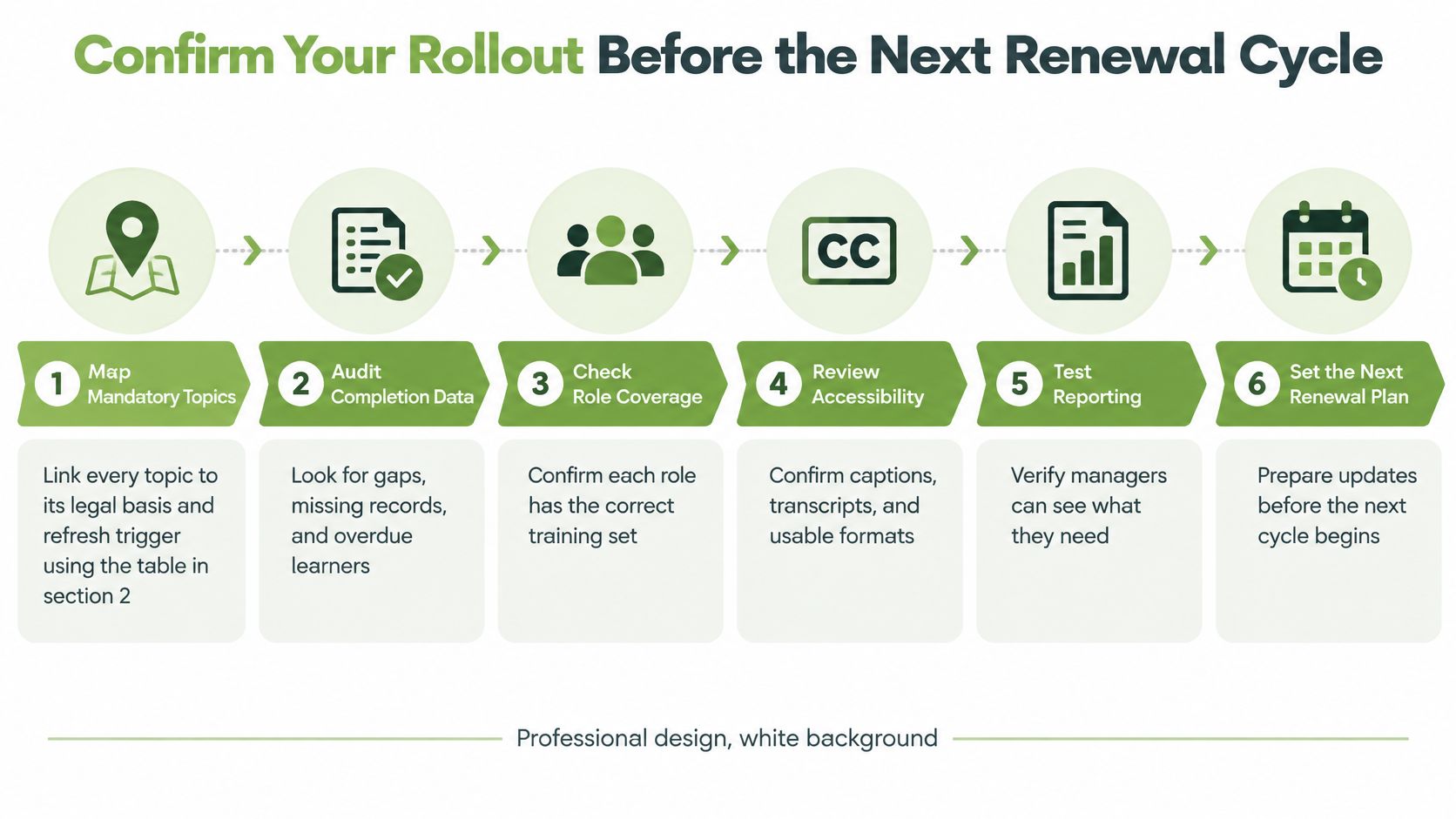
Use a proposed 90-day rollout to fix evidence gaps before rebuilding the whole catalogue.
Map mandatory topics. Give every topic a legal basis, audience, policy owner and refresh trigger. Resolve unclear responsibilities first.
Audit completion data. Identify missing versions, absent dates and courses that record nothing beyond a completion tick. Preserve a baseline export.
Rebuild the highest-risk courses. Start with a pair of courses where poor decisions have serious consequences. Add scenarios and pass-or-retake critical questions.
Repair video accessibility. Add checked captions, transcripts, version identifiers and chapter markers to the relevant assets.
Configure event-triggered assignments. Test new starters, role changes, equipment changes and approved new tools using realistic personnel records.
Pilot and compare. In a hypothetical 60-day pilot with a team, compare completion, assessment results and manager observations against the baseline before expanding.
Keep the rollout checklist visible during implementation.
Make the next procurement conversation a working test. Bring questions about LMS integration, caption workflow, retention settings and report access, and require the demonstration to follow your own learner and administrator journeys.
We offer a free trial and the option to schedule a demo through MEDIAL. Bring a compliance module and your reporting requirements so you can test the LMS connection, caption workflow, retention settings and access to reports in your own environment before committing.
Comments