
Mastering Live Stream Events with MEDIAL

Running a successful live stream isn't just about hitting the 'go live' button and hoping for the best. It’s a carefully orchestrated process, moving from the initial spark of an idea to the final, polished delivery within your learning platform. The real magic happens when you blend smart planning with the right tech to give your audience—whether they're students in a virtual class or colleagues in a training session—a genuinely engaging and professional experience.
Why You Can't Just Wing It with Live Events
In a world where over 30% of daily viewers tune into live content, the bar is set high. A smoothly run live event looks effortless to the viewer, but that simplicity is born from meticulous preparation. Without a solid plan, you're opening the door to technical hiccups, dwindling engagement, and a brand message that feels all over the place. That’s a quick way to undermine the very reason you’re broadcasting in the first place.
This process flow gives you a bird's-eye view of the key stages for pulling off a great live stream.
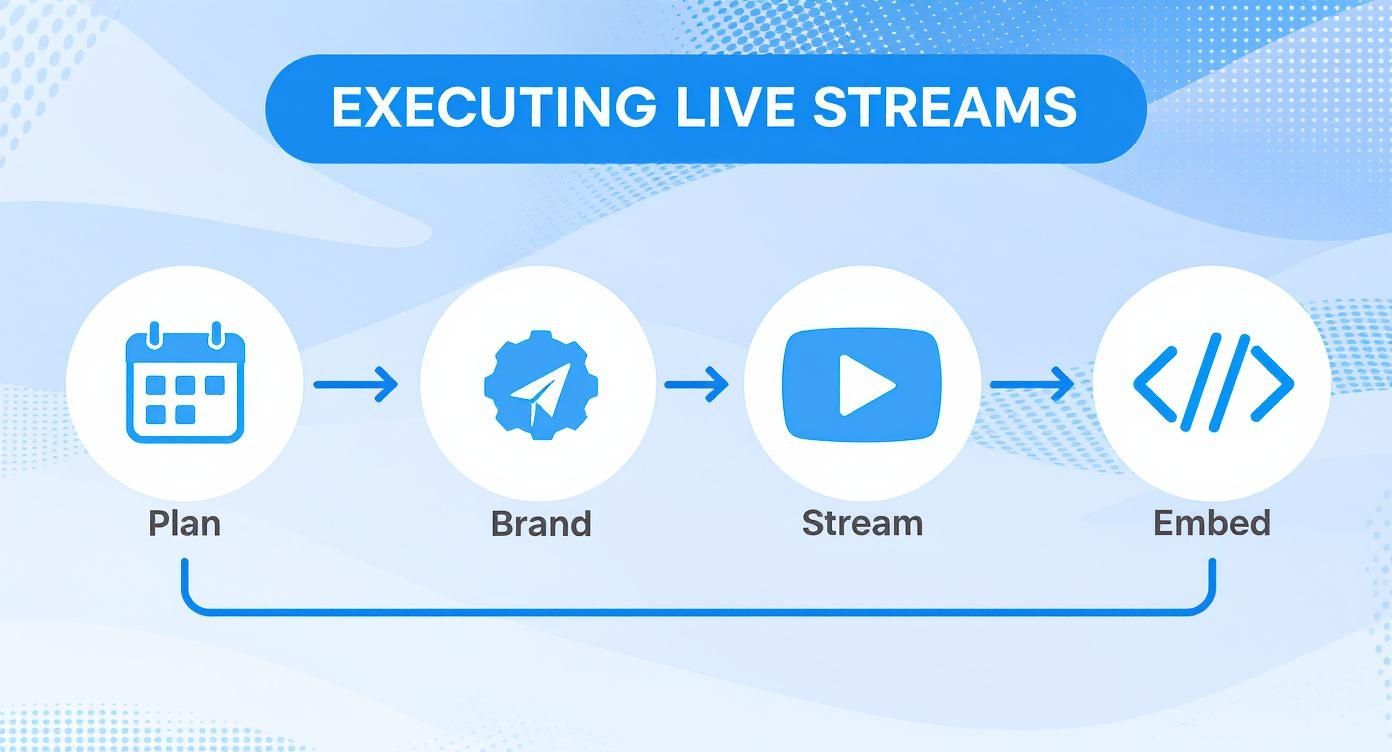
Think of it this way: each step is a building block. Get one right, and it strengthens the next, leading to a cohesive and reliable workflow from start to finish.
The Four Pillars of a Great Live Stream
For anyone in education or corporate training, methodically working through these phases is the secret to delivering content that actually makes an impact. Let's break down the four pillars that hold up every successful live stream.
Planning: This is your foundation. It’s where you define your goals, get to know your audience, and schedule the event in a system like MEDIAL. For example, if your goal is mandatory training, you'll need to restrict access and track attendance. If it's a promotional webinar, you'll want broader access and a clear call-to-action.
Branding: Your live stream is a digital handshake from your institution. Customising the player with your logo and colour scheme isn’t just for looks; it builds a professional, trustworthy environment for your viewers. A consistent brand look across all company communications reinforces credibility.
Streaming & Recording: Time for action. This is where you manage the live broadcast itself, while also ensuring the session is automatically recorded. That way, it becomes a lasting educational asset, ready for on-demand viewing by people in different time zones or those who want a refresher.
Embedding: The final piece of the puzzle is getting the stream into your Learning Management System (LMS). This crucial step makes your content easy to find and access right within the familiar learning environment your students or employees use every day, eliminating the need to send out separate links.
To give you a clearer picture of how MEDIAL supports you at every turn, here’s a quick-reference table outlining the key stages.
Key Stages of a Successful Live Stream Event
Phase | Key Objective | Core MEDIAL Feature |
|---|---|---|
Planning | Define goals, audience, and schedule | Live Event Scheduling |
Branding | Create a professional, trusted viewer experience | Customisable Player |
Streaming & Recording | Execute the live broadcast and capture it for later use | RTMP Streaming & Auto-Recording |
Embedding | Integrate the event into the learning environment | LMS Integration |
Following this structured path ensures that nothing important falls through the cracks, allowing you to focus on delivering fantastic content.
For those bringing in guest experts, digging into the key to a successful online event with a virtual keynote speaker can provide some brilliant insights. And if you're ready for a deeper dive into the technical side of things, our detailed guide shows you exactly how to set up live streaming for educators.
Your Blueprint for Success: Planning a MEDIAL Stream
Any seasoned pro will tell you that a great live stream doesn't just happen. It’s built on a solid foundation of planning. In fact, what you do before clicking "Go Live" is arguably more important than the broadcast itself. This is where you set the stage, get clear on your purpose, and make sure the right people can tune in at the right time.
Without a clear goal, your stream can feel a bit aimless. A good starting point is to ask what you're trying to achieve. Is this a mandatory training session where you need to track who shows up? Or maybe it's an optional guest lecture designed to spark a bit of inspiration? Your answer will shape every other decision you make.
Defining Your Audience and Goals
First things first, you need to pinpoint your audience within your Learning Management System (LMS). Let’s imagine a university faculty member planning a special seminar for their third-year history students. Inside MEDIAL, they can simply use the existing student groups to restrict access, making sure only that specific cohort gets an invitation. This kind of granular control is crucial for keeping things private and relevant.
Once you know who you’re talking to, you can really tailor the content. For that history seminar, the goal might be to offer some extra learning and get a good discussion going. But for a corporate compliance session, the objective is totally different—it’s all about information retention and tracking who has completed it.
Planning isn’t just about picking a date. It's about creating a secure, organised, and intentional experience from the get-go. Getting this right prevents those last-minute scrambles and makes your viewers feel like they're in a professional environment.
Scheduling Your Event in MEDIAL: A Practical Walkthrough
Let's stick with our university guest lecture example. Using MEDIAL’s scheduling tools, the faculty member can set this up in minutes. But it's more than just plugging in a date and time; it’s about building the entire operational framework for the event.
Here’s what that looks like in practice:
Set the Event Date and Time: They’d pick a slot that works best for the students, making sure it doesn’t clash with any other important modules. Actionable tip: Use a poll in your LMS a week before to find the best time for the majority of students.
Configure Access Permissions: Next, they’d select the specific “Third-Year History” group from the LMS directory. This simple action automatically ensures only those students will see the event and get the joining instructions.
Automate Attendee Links: As soon as the event is saved, MEDIAL gets to work generating unique, secure links for every attendee. This gets rid of the administrative headache of sending out links manually and really tightens up security.
This kind of streamlined scheduling helps turn your live stream events from simple broadcasts into well-managed educational experiences.
Of course, planning is only half the battle. You also need to manage the technical side of the broadcast itself. A fantastic next step is learning how to configure your streaming software, and our guide on MEDIAL live streaming using OBS is the perfect resource for that. By handling all these planning details upfront, you create a seamless path for your audience, all the way from invitation to live participation.
Customising the Viewer Experience with Branding
A live stream isn't just a broadcast; it's a direct reflection of your institution's identity. Consistent branding does more than just make your stream look professional—it builds trust and reinforces your organisation's credibility with every single interaction. This is where you can really lean on MEDIAL's tools to create a polished, cohesive experience for your viewers.
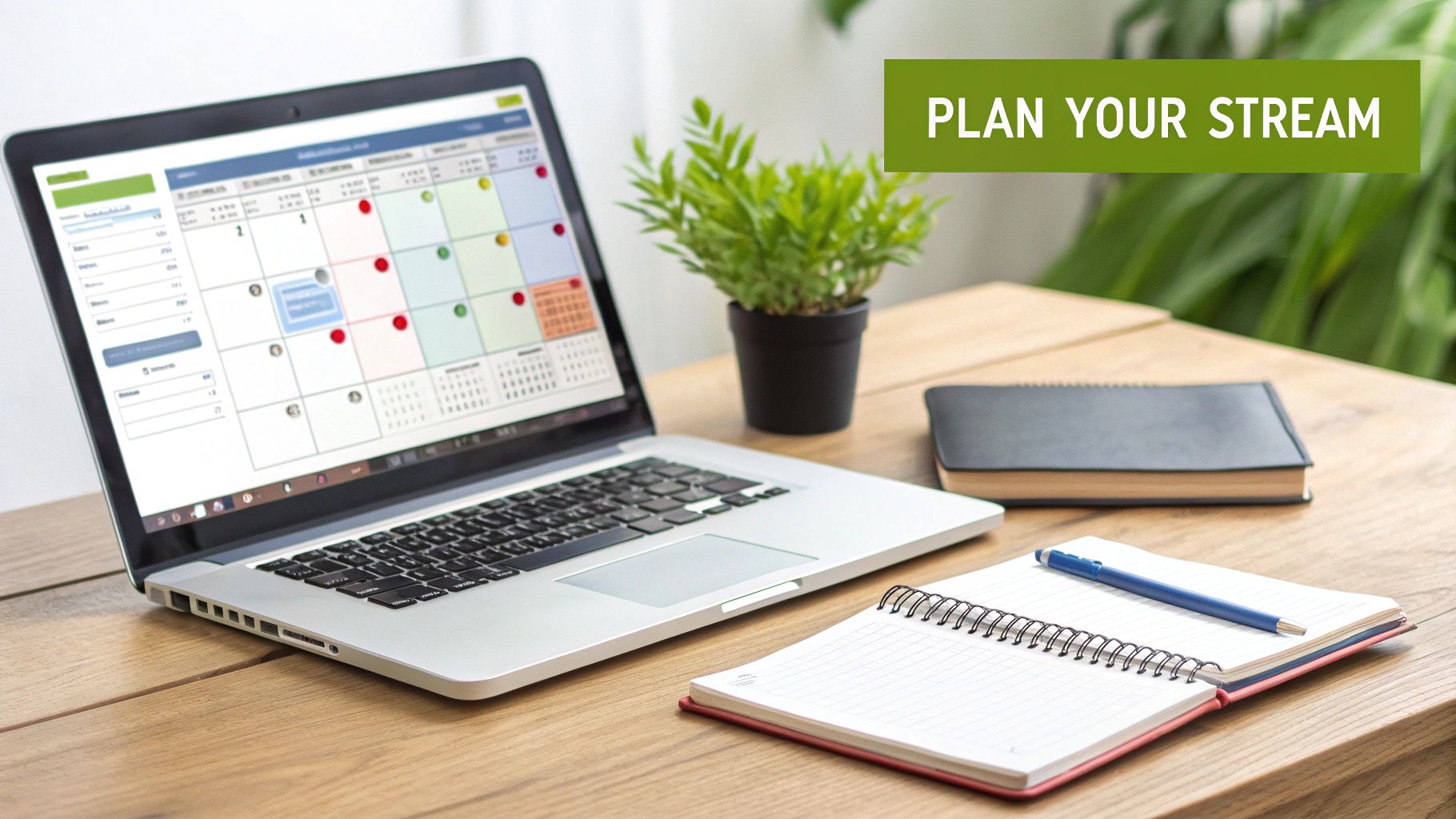
It all starts with the visuals that viewers see first. Adding your organisation's logo and applying a custom colour scheme to the video player are small changes, but they make a massive impact. They immediately signal to the viewer that they're in the right place and that the content is official.
Think about a corporate training department running weekly live sessions. By aligning the player with company branding guidelines, they ensure that whether an employee is watching a live onboarding or a skills workshop, the experience feels consistent and professional. It's a simple step that reinforces the company’s identity.
Tailoring Player Functionality for Your Event
Beyond the look and feel, you can configure the player's functionality to match the specific tone and purpose of your live stream events. The goal is to create an environment that supports your objectives, whether that's sparking interaction or delivering a formal message without distractions.
For instance, these two scenarios require completely different setups:
Interactive Seminar: For a collaborative university seminar, enabling the live chat is a must. It’s the perfect way to let students ask questions, throw ideas around, and engage with the material and each other in real-time.
Formal Announcement: On the other hand, for a campus-wide announcement from the dean, disabling the chat might be the smarter move. This approach cuts down on distractions and makes sure the key message is delivered clearly and concisely.
These tweaks aren't just cosmetic; they directly influence how your audience engages and contribute to the overall success of the event.
A well-branded player does more than just display your logo. It creates a structured, trusted environment that tells your audience they are part of a high-quality, professional production. This attention to detail elevates the entire experience.
Crafting a Complete Branded Journey
To really control the viewer journey, you need to think about every touchpoint, and that includes the initial access or login page. For some great inspiration on creating a welcoming and on-brand entry point, it’s worth looking at different Meraki splash page examples.
Another powerful technique is using branded video intros or "stings." Actionable insight: Create a 5-10 second animated intro with your logo and a countdown timer. Start the stream 5 minutes early with this video playing on a loop. This gives attendees time to join and settle in, confirms their audio is working, and sets a professional tone before you even appear on screen.
These thoughtful details are what transform a standard broadcast into a truly memorable brand experience.
Going Live and Capturing Your Content
You’ve done all the prep work, sorted out the branding, and now it’s showtime. This is the moment where all that planning clicks into place, turning your strategy into a real, engaging experience for your audience. A smooth broadcast really comes down to keeping an eye on your stream quality and, just as importantly, interacting with your viewers.
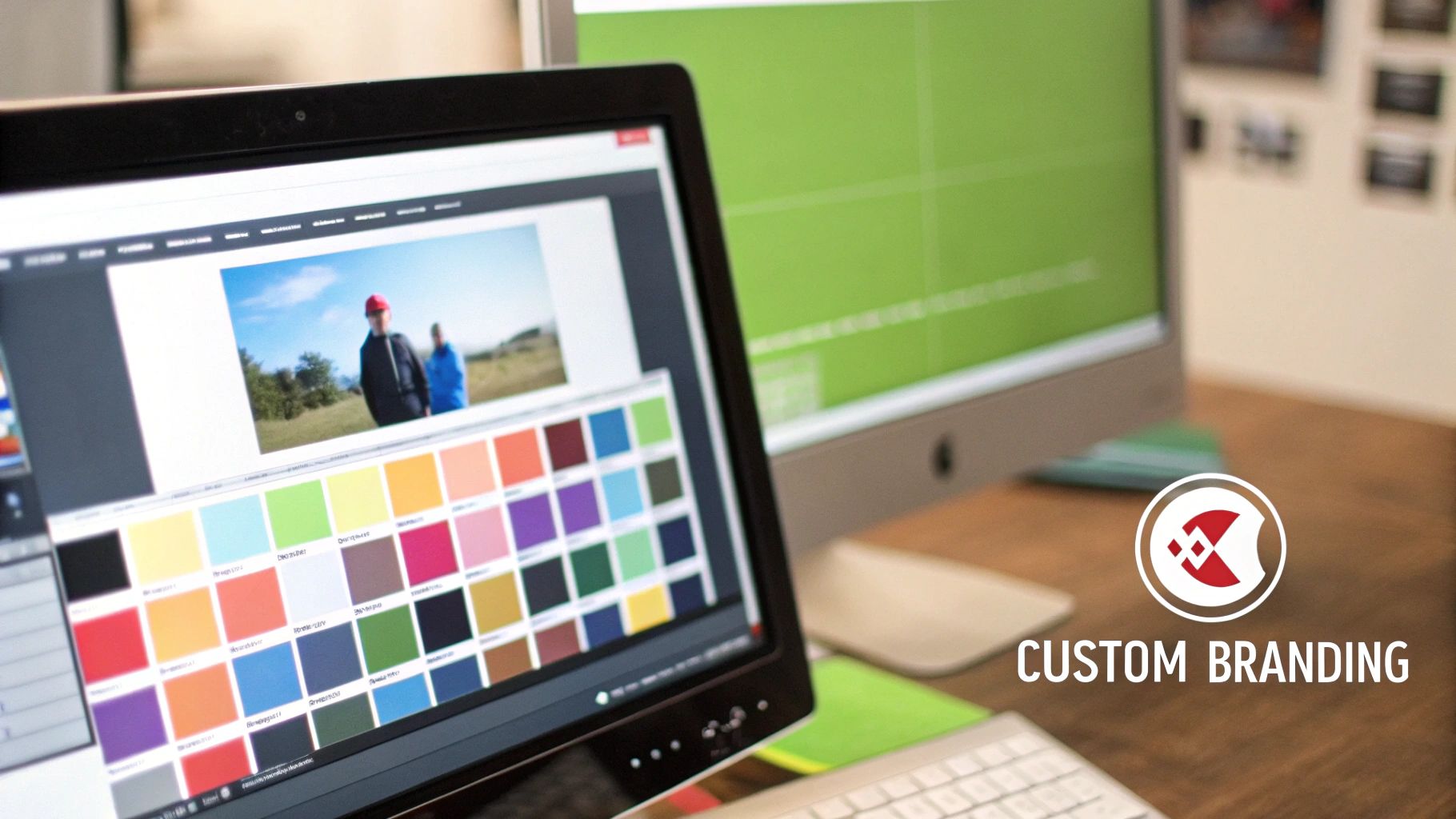
As soon as you start broadcasting, check your audio and video feeds. I’ve seen great events fall flat because of poor sound – it’s one of the fastest ways to lose an audience. Actionable tip: Before going live to everyone, do a private "tech check" stream with a colleague 15 minutes prior. This allows you to confirm your microphone levels, camera angle, and internet stability without your main audience watching.
This kind of proactive monitoring isn’t just a nice-to-have; it’s essential. The demand for high-quality live stream events is soaring. In the UK alone, the live streaming market is expected to hit 18.5 million users by 2029. That number tells you everything you need to know about audience expectations for polished, professional content. You can discover more insights about this growth on Statista.
Managing Real-Time Audience Interaction
This is what turns a one-way broadcast into a lively two-way conversation. The integrated chat feature is your best friend here. Let's take a live-streamed student orientation, for example. The host can actively encourage new students to drop their questions about campus life right into the chat.
To make this work without derailing the main presentation, it’s a brilliant idea to have a moderator on hand. Their job is to:
Filter questions and feed the important ones to the speaker.
Jump in and answer common queries directly in the chat.
Keep the conversation positive and on-topic.
It’s a simple but effective setup that keeps the event flowing while making every student feel like they’ve been seen and heard. You’re building a sense of community from day one.
The real value of a live stream isn't just in the information you deliver, but in the connections you build. By actively managing the chat, you create an environment where your audience feels like active participants, not passive viewers.
The Power of Automatic Recording
Let's be honest, one of the biggest fears for any event host is that sinking feeling when you realise you forgot to hit 'record'. MEDIAL completely takes that anxiety away. The moment your stream goes live, the system automatically starts capturing the entire session. No extra buttons to push, no chance of human error.
This seamless recording is a game-changer. Your live event is instantly converted into a lasting, reusable asset. Students who couldn't make the live orientation, or employees scattered across different time zones, can watch the whole thing on-demand whenever it suits them. It guarantees your content gets in front of the largest possible audience and keeps delivering value long after you've signed off.
Integrating Your Event Seamlessly into Your LMS
Let's be honest, the real magic happens when your live stream becomes a permanent, accessible part of your learning environment. The goal is to bridge the gap between that live experience and on-demand learning, creating a single, reliable hub for your audience. It sounds complicated, but it's far simpler than you think and absolutely crucial for getting the most value out of your live events.
This simple process puts an end to that all-too-common problem: students or employees endlessly hunting through old emails and different platforms just to find a link. When you embed the content directly into your LMS, you're placing it right within their established workflow. That's a huge win for accessibility and engagement.
Generating and Placing Your Embed Code
So, you’ve scheduled your event in MEDIAL. What’s next? Getting it into your LMS, whether that’s Moodle, Canvas, or Blackboard. MEDIAL’s integration turns this into a straightforward copy-and-paste job. You just need to grab the embed code for the live player from your event in MEDIAL.
Imagine you're running a weekly lecture for a university module. Here’s how it would work:
Generate the Code: Inside MEDIAL, you'll find an option to get the embed code for your scheduled live stream. This little snippet of HTML is all you need.
Navigate to Your Course Page: Pop over to the relevant course page in your LMS where you want the live stream to appear.
Embed the Player: Using the LMS content editor, switch to the HTML or source code view and simply paste the code you copied from MEDIAL.
Once you hit save, the live player will show up directly on the course page. Just like that, your students have a clear, designated spot to watch the upcoming lecture. No confusion.
Creating a Centralised Content Hub
Now, here’s the clever part. That very same embedded player automatically transitions from a live feed to a recorded session. When your live stream ends, MEDIAL gets to work processing the recording and makes it available through that exact same player. You don’t have to send out new links or upload any extra content. It just works.
This creates a seamless, growing archive. A student who visits the course page a week after the lecture will see the recording ready to play in the very same spot they would have watched it live.
By embedding once, you create a permanent resource that serves both your live audience and those catching up later. This transforms your LMS course page into a dynamic library of content that grows with each event you host.
This kind of on-demand access is what modern audiences expect. In the United Kingdom, live streaming is a huge part of digital life, with around 2.6 million people tuning into streams every week. Combine that with the fact that about half of all streams are watched on mobile, and it becomes crystal clear why making content accessible within a familiar, mobile-friendly environment like an LMS is so vital. You can dig into more of these viewing habits in Uswitch's online streaming statistics.
You can even take this a step further by integrating other tools you're already using. For instance, many institutions rely on video conferencing software for daily meetings. You can explore how MEDIAL integrates Zoom with your LMS to build an even more connected educational ecosystem. At the end of the day, this tight integration ensures your live events aren't just fleeting broadcasts, but lasting educational assets.
Common Questions About MEDIAL Live Streaming
Even with the most solid plan, questions are bound to pop up once you start managing live stream events. We get it. This section tackles some of the most common queries we hear from educators and corporate trainers using MEDIAL. Our goal is to give you clear, direct answers so you can feel confident, whether you're sorting out a technical hiccup or digging into your event's performance data.
Think of this as your go-to guide for those "what if" moments. By getting these points sorted now, you can spend less time worrying about the mechanics and more time delivering an outstanding live experience.
Managing Permissions and Access Control
One of the first questions people ask is about controlling who can actually see a live stream. How do you keep a private training session under wraps, or make sure a university lecture is only available to enrolled students?
It's simpler than you might think. MEDIAL's access control is directly wired into your existing LMS user groups, which means no creating new lists or juggling separate logins.
For instance, if you need to stream a session just for the 'Marketing Department' group in your company's LMS, you simply select that group when you schedule the event. That’s it. Only authenticated members of that group will see the stream and be able to join. This keeps your content secure and laser-focused on the right audience.
What Happens If My Internet Connection Drops?
Ah, the dreaded internet drop. It’s a genuine concern for anyone streaming live. What happens if your connection as the presenter suddenly goes wobbly or cuts out completely during a broadcast?
Because MEDIAL works with standard streaming software like OBS, you've got some built-in safeguards. Most of these applications are smart enough to automatically try and reconnect. If your connection comes back quickly, the stream will often pick up right where it left off with minimal disruption for your viewers.
The best defence against tech troubles is being prepared. Always run a speed test from your broadcasting location beforehand. It's also a great idea to have a backup plan, like a mobile hotspot, ready to go if your main network decides to take an unscheduled break.
A bit of prep can turn a potential disaster into a minor, quickly-fixed blip.
Can I See Who Attended and How They Engaged?
Absolutely. What’s the point of an event if you can't measure its impact? After your live stream ends, MEDIAL gives you analytics that provide real insight into how your audience behaved.
You can pull up data on:
Unique Viewers: See the exact number of people who tuned in. This is perfect for tracking attendance for mandatory training or lectures.
Viewing Duration: Find out, on average, how long your audience stuck around. Did most people watch the whole thing, or was there a point where they started dropping off?
Geographical Data: Get a sense of where your viewers are located—a super useful feature for large institutions with multiple campuses or a distributed workforce.
Let's imagine you just hosted a corporate town hall. Diving into the analytics, you might discover that viewership took a sharp dip during a specific segment. That's gold. It's actionable feedback telling you that part of the presentation might have been too long or not relevant enough. This data allows you to fine-tune your content for future live stream events, making each one better than the last. You're no longer guessing what works—you’ve got the numbers to prove it.
Ready to transform your educational or corporate broadcasts? With MEDIAL, you can seamlessly plan, brand, stream, and embed high-quality live events directly within your LMS. Discover how our powerful video platform simplifies your workflow and boosts audience engagement.
Comments