
Independent Learning Plans for Today's Learners

Most advice about independent learning plans starts with a tempting promise: give learners flexibility, access to good resources, and enough time, then trust them to manage the rest. That approach confuses freedom with learning. A learner who receives a folder of videos and a deadline hasn't necessarily received an independent learning experience. They may have received unsupervised work.
Effective independence is more demanding. It gives learners ownership while making the work visible through goals, checkpoints, evidence, feedback, and reflection. The plan should adapt to real workloads, access needs, and confidence levels, so self-directed study becomes a supported route to capability rather than a test of who can organise an imaginary free week.
What an Independent Learning Plan Actually Is
An independent learning plan is a structured self-directed roadmap. It tells a learner what they're trying to achieve, why the objective matters, which strategy they'll use, how they'll know they're making progress, and what they should change if the first approach doesn't work.
That definition separates independence from abandonment. A syllabus lists topics. An independent learning plan connects a specific goal to a sequence of actions and a method for checking understanding. “Study climate change” is a topic. “Explain three causes of climate change using two academic sources, then record a short explanation that a tutor can review” is a plan.
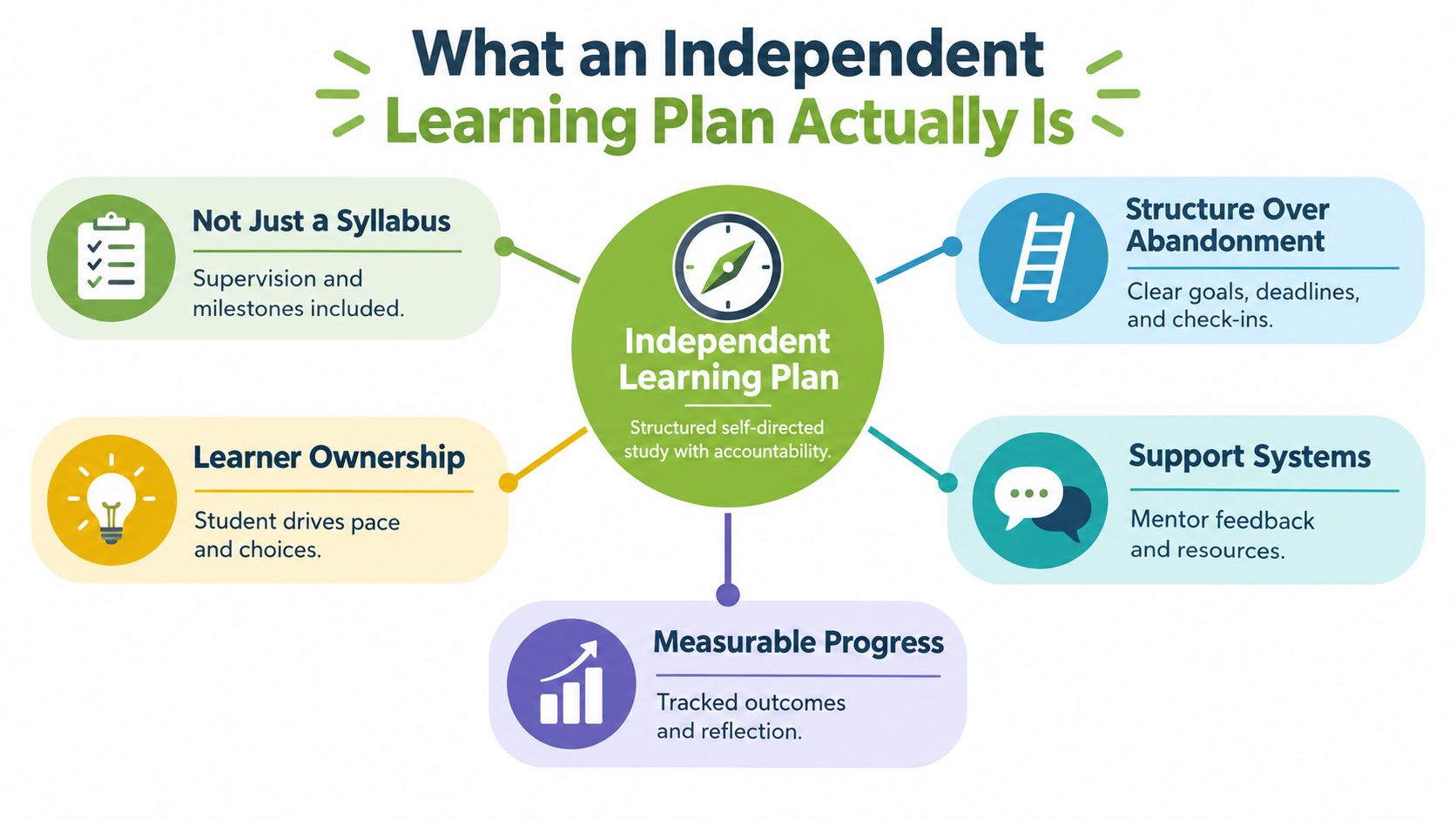
The difference between freedom and structure
A learner can choose the order of resources, the time of day, or the format of an evidence submission without having to design the entire learning experience from scratch. The teacher, trainer, or course designer still defines the destination and the standards. The learner then makes meaningful choices within that framework.
A useful plan normally contains:
A subject-specific objective: What should the learner understand or do?
Prerequisite knowledge: What must be in place before the main task begins?
A learning strategy: Will the learner practise, compare examples, annotate a video, solve problems, or explain the idea aloud?
Success criteria: What will count as a satisfactory result?
A monitoring checkpoint: How will the learner detect confusion before the final task?
Evidence of learning: What will they submit, demonstrate, or perform?
A reflection: What worked, what didn't, and what should happen next?
The Education Endowment Foundation's synthesis of 355 studies finds that explicitly teaching pupils to plan, monitor, and evaluate specific learning tasks is associated with an average of approximately eight additional months of progress over a school year (Education Endowment Foundation evidence on metacognition and self-regulation). The finding supports a practical conclusion: independence is a skill that educators need to teach, not a personality trait that learners either possess or lack.
Practical rule: If a learner can't explain the goal, the evidence, and the next checkpoint, the plan is probably only a resource list.
An LMS can make this distinction operational. Instead of recording only whether someone opened a lesson, educators can track enrollments and student progress alongside submissions, feedback, and incomplete milestones. That record helps a tutor see whether a learner needs a content explanation, a smaller task, extra time, or a conversation about access.
The Evidence Behind Structured Independence
More independent activity does not automatically produce more learning. UK evidence shows that the proportion of learners reporting independent learning rose from 12% in 2012 to 34% in 2024, while average student workload fell from 33.5 to 30.8 hours per week because independent-study hours declined (Higher Education Policy Institute Student Academic Experience Survey 2025).
These figures point to a planning problem. Institutions may offer more opportunities for independent work while learners have less protected time to complete it. Flexible provision therefore needs a workload-calibrated design. A plan that expects autonomy to expand into every available gap can mistake reduced participation for freedom.
The plan, monitor, evaluate cycle
Metacognition gives independence a usable structure. The learner sets a precise goal, chooses a suitable method, checks understanding during the task, and evaluates the evidence afterward. They can then consolidate the learning, request help, or attempt a more demanding application.
This differs from unsupervised study. Unsupervised study leaves the learner to decide what to do, how long to spend, and whether the result is good enough. Structured independence works more like a route map: the learner chooses some turns, while the plan marks the destination, checkpoints, and evidence needed to confirm progress.
A customer-service learner might aim to distinguish an acknowledgement from a resolution in three recorded conversations. They could annotate two examples, write a response to a difficult customer, pause halfway to check whether it addresses the actual problem, and revise it after feedback. The task develops judgement, not just activity completion.
A completed video does not prove comprehension. A short explanation, worked example, or recorded procedure gives the educator something to assess and gives the learner an early signal of uncertainty. The plan becomes an auditable record of capability development.
Educators designing plans should consider student motivation and learning patterns alongside the subject itself, particularly when deciding how much choice to offer and where to place accountability. Autonomy works best when learners make meaningful decisions without having to solve every organisational problem alone.
Why the UK context matters
The UK context matters because the cited survey shows independent-study hours falling while participation rises. Plans must therefore account for competing demands rather than assume that learners have spare evenings. The same design principle applies elsewhere, but this UK evidence makes the tension between access and available study time visible.
Learners may study alongside paid work, caring responsibilities, career changes, language development, or efforts to rebuild digital confidence. A plan built around reliable equipment, uninterrupted evenings, and confident LMS use may look flexible while excluding people in practice.
An LMS-ready template can record the estimated workload, the learner's chosen route, the checkpoint trigger, the submitted evidence, and the response required after feedback. Learner choice with visible support makes flexibility accountable. Structured independence is the method that lets freedom produce evidence of learning.
Why Traditional Self-Study Often Fails
Traditional self-study often begins with three ingredients: a reading list, a collection of media, and a broad deadline. Structured independent learning adds three different ingredients: a defined outcome, a manageable sequence, and a point at which someone can respond to evidence.
The difference becomes clear when a learner falls behind. In a traditional self-study model, missed activity may appear as a lack of motivation. In a structured plan, the educator can investigate whether the learner lacked a device, misunderstood the task, ran out of time, or encountered a concept that required explanation.
Research indicates that 70% of adult learners reported at least one challenge while learning, with feeling too old and cost among the most common barriers. The same evidence reports that more than one in three UK people aged over 65 lack the basic digital skills required for fundamental internet tasks (Learning and Work Institute Adult Participation in Learning Survey 2024). These are planning conditions, not peripheral details.
Traditional self-study compared with structured independence
Traditional self-study | Structured independent learning |
|---|---|
Offers resources and expects the learner to organise them | Sequences resources around a defined outcome |
Treats access problems as individual difficulties | Checks device, connectivity, confidence, and time first |
Measures views, clicks, or final submission | Collects practice, evidence, feedback, and reflection |
Uses one deadline for everyone | Uses milestones and recovery points |
Interprets silence as disengagement | Investigates whether silence indicates a logistical barrier |
A flexible plan also needs to acknowledge that time is variable. A learner working shifts may have a productive short session one week and almost no study capacity the next. Requiring the same volume of activity regardless of circumstances turns a sensible workload problem into a moral judgement.
Start with an access diagnostic
Before assigning independent work, ask questions that affect execution:
Technology: Which device will the learner use, and can it handle the required media?
Connectivity: Can resources be downloaded or accessed through a low-bandwidth route?
Confidence: Can the learner sign in, submit work, record evidence, and find feedback?
Time: Which study windows are realistic, and what happens when one disappears?
Support: Who can answer a content question or resolve a technical problem?
The answers should change the plan. Offer downloadable transcripts, printable instructions, audio alternatives, captioned video, a brief LMS orientation, and a human check-in where needed. Flexibility becomes inclusive only when the institution takes responsibility for reducing avoidable friction.
A learner shouldn't have to prove determination by overcoming a preventable access problem.
Building a Practical Plan Template
A useful template should fit on one LMS activity page, but it must contain enough detail to guide decisions. The following structure works for a university assignment, a vocational module, or a workplace capability goal.
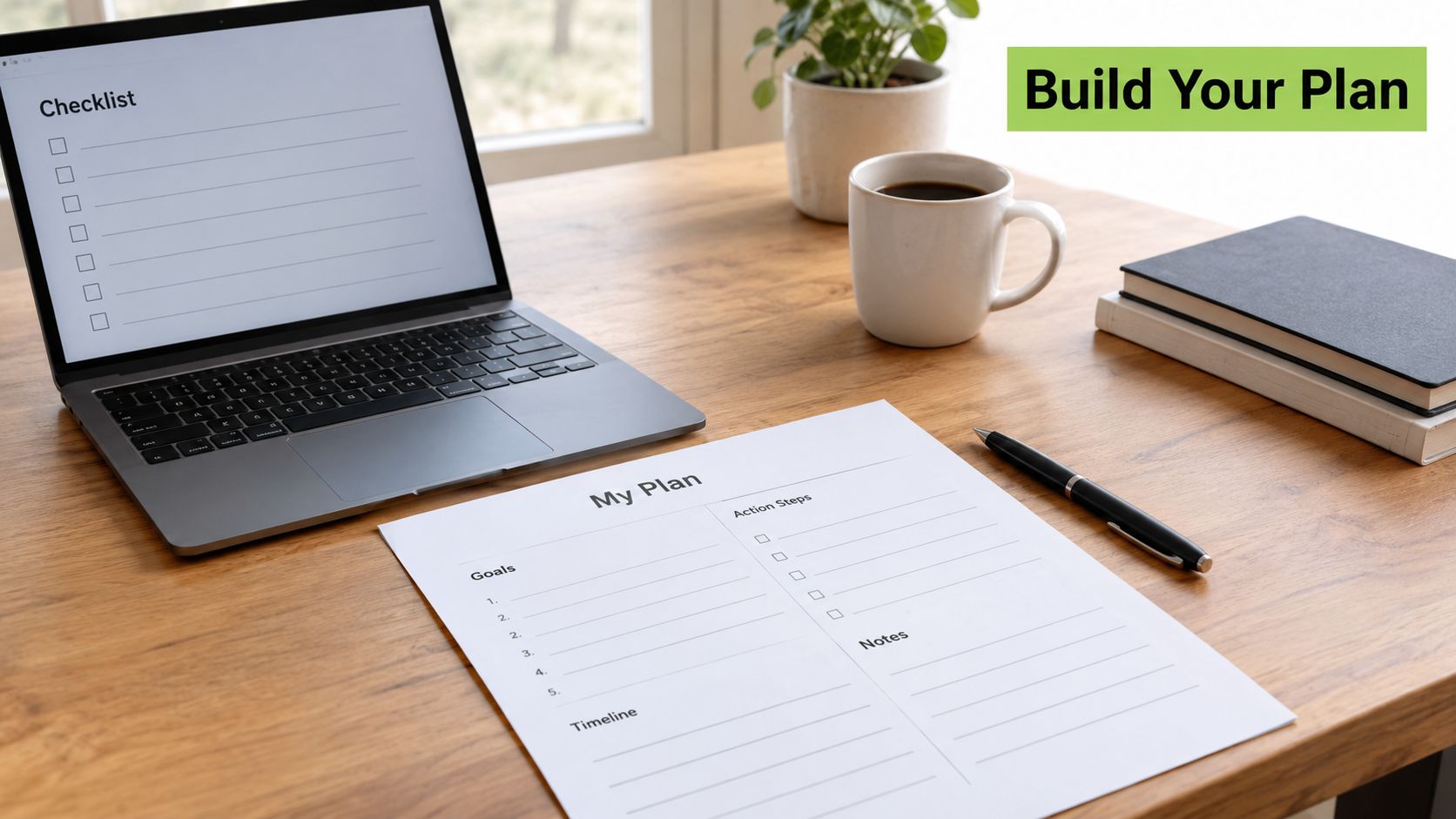
A fillable plan
1. Define the outcome
Write one observable sentence:
By the end of this plan, I will be able to __________________.
Avoid verbs such as “know” or “understand” on their own. Use “compare”, “calculate”, “diagnose”, “explain”, “design”, “perform”, or “justify”. A workplace learner might write, “I will diagnose a common reporting error and document the correction.” A student might write, “I will compare two interpretations of a poem using selected textual evidence.”
2. Identify what must come first
List the prerequisite knowledge, vocabulary, system access, or physical materials required. If the learner lacks a foundation, add a short preparation activity before the main sequence. This prevents the plan from treating confusion as poor effort.
3. Select the strategy
Specify what the learner will do with each resource. Watching a video is not a strategy by itself. Pair it with a task such as taking structured notes, pausing to predict an outcome, annotating an example, or recording a short explanation.
Short, focused activities can work well when the plan needs to fit around other responsibilities. Guidance on microlearning in education and training can help educators divide a larger capability into purposeful units without reducing the work to passive consumption.
4. Set success criteria
Describe the evidence that will demonstrate progress. Criteria might require accurate terminology, a complete procedure, a reasoned comparison, or a response that meets a professional standard. Keep the criteria visible beside the task, not hidden in a separate document.
5. Add a monitoring checkpoint
Place a checkpoint before the final submission. Ask the learner to submit a draft, answer a diagnostic question, record a short explanation, or mark their confidence against each criterion. The checkpoint should trigger action. A learner who cannot explain a key concept might revisit a resource or request feedback before continuing.
6. Record the adjustment
End with three prompts:
What can I now do that I couldn't do before?
Which part of the strategy helped or hindered me?
What will I change in the next study session?
The Education Endowment Foundation characterises metacognitive approaches as high-impact and low-cost, with applications across classrooms, universities, and workplace training environments (EEF guidance on metacognition). That makes the cycle suitable for an LMS workflow, provided the system records decisions and evidence rather than completion alone.
Use a workload-calibrated weekly rhythm
Give each week a minimum viable progress point, a preferred activity, and a recovery option. The minimum might be reviewing one concept and submitting one question. The preferred activity might be completing a practice task and receiving peer feedback. The recovery option could be a shorter evidence submission that lets the learner re-enter the sequence without hiding the gap.
Educators can build these fields into an LMS as an objective, resource sequence, estimated effort, evidence upload, feedback checkpoint, and reflection. The learner still controls pace and choices, but the course team can see where support is needed.
Real-World Examples in Practice
A university tutor teaching environmental policy creates an independent plan for a learner who needs to explain the causes of climate change clearly for a seminar assessment. The learner's target is specific: explain three causes using two academic sources and record a concise spoken explanation.
The tutor places two readings and a short video in the LMS, but the resources aren't the plan. The plan tells the learner to annotate the evidence, create a comparison table, and record an initial explanation. The learner must pause halfway through and check whether each cause is supported by evidence rather than relying on general knowledge.
The first recording reveals a problem. The learner names three causes but links only one of them to a source. Instead of waiting for the final submission, the tutor leaves focused feedback on the missing connection and points to the relevant section of the reading. The learner records a revised explanation and attaches a short reflection describing the change.
What the tutor can see
The activity produces more useful information than a completion tick:
The learner selected and interpreted evidence.
The first explanation exposed a misconception or omission.
Feedback arrived before the final assessment.
The revised recording demonstrated a specific improvement.
The reflection showed whether the learner could identify the next adjustment.
A similar workflow works in corporate training. A manager might ask a learner to demonstrate a reporting procedure using a test dataset, explain the decision made at each stage, and submit the recording for peer or supervisor validation. The evidence then connects learning to a job task rather than treating content access as proof of capability.
The plan also protects the learner's confidence. A first attempt isn't labelled a failure. It is a diagnostic artefact that makes the next action clear. That is the practical difference between independent work and unsupported work.
Integrating Video Tools with Your LMS
Video supports an independent learning plan when it produces evidence of a defined capability. A recording is not automatically learning, just as opening a textbook is not proof that a learner can use its ideas. Ask learners to explain a process, demonstrate a technique, respond to a scenario, or critique an example. State the criterion, the expected evidence, and the revision route before they press record.
MEDIAL is an AI-powered video platform designed to integrate with LMS platforms including Moodle, Canvas, Blackboard, and D2L Brightspace. MEDIAL reports deployments across more than 20 countries. The practical question for an educator is whether recording, assignment, feedback, captions, and access control fit the existing learning workflow.
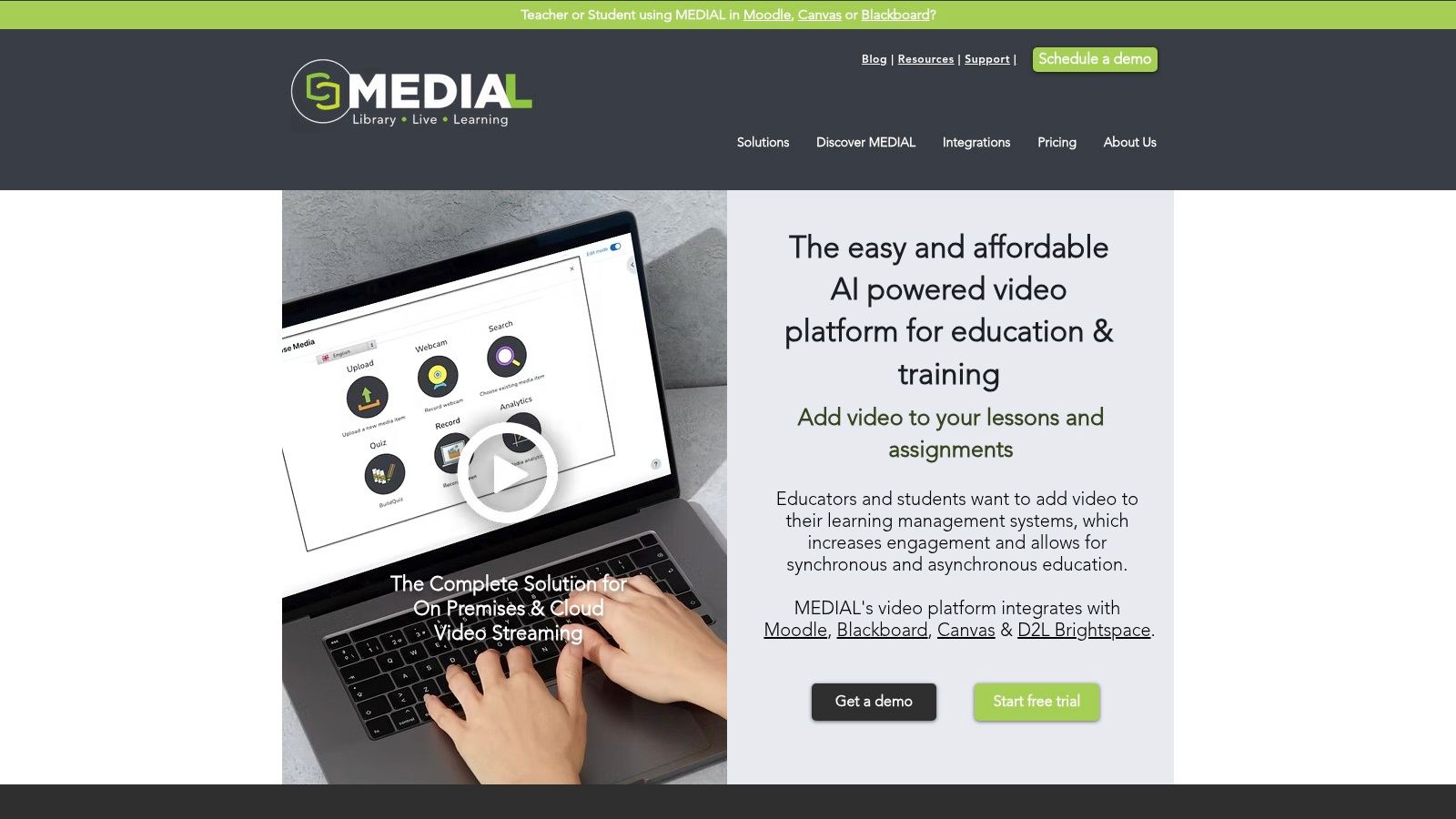
A practical LMS workflow
Create the learning outcome in the LMS activity first. Add three fields to the instructions:
Task: What should the learner explain, demonstrate, or evaluate?
Evidence: What must appear or be heard in the recording?
Revision: What should the learner do after feedback?
This small template separates structured independence from unsupervised study. The learner still chooses how to prepare and when to practise, while the LMS defines the destination and records the route. The plan works like a labelled trail map. Flexible pacing is possible, but each checkpoint shows what progress should look like.
Connect the video activity to the relevant module or enrolment group. Learners should find the prompt, recording route, submission point, and feedback in one familiar workflow rather than searching across separate systems.
The educator can provide a short model explanation, then ask the learner to record a focused response. Keep the submission proportionate to the outcome. A brief explanation linked to one clear criterion is easier to review than a long recording without a defined purpose.
Captions, trimming, and browser-based editing can reduce administration. Captions also make spoken content easier to search and review, while a transcript supports learners who need to read rather than listen. Educators comparing tools may compare AI explainer video platforms, but the learning task should determine the choice, alongside accessibility requirements, privacy expectations, and LMS compatibility.
After submission, give feedback against the stated criteria. A timestamped comment can identify where a procedure fails or where an explanation needs stronger evidence. The learner then revisits the recording, submits a revised artefact, or completes a short reflection that makes the improvement visible.
A Canvas implementation can follow the workflow described in embedding video in Canvas. The same principle applies in other systems: keep the activity, instructions, evidence, and feedback connected so independent work remains auditable.
Use this video to see how a connected media workflow can support recording and review:
Measure capability, not media consumption
An LMS dashboard should distinguish access, practice, evidence, feedback, and demonstrated competence. Watching a model video does not show that a learner can perform the task. Track milestones such as the diagnostic submission, feedback use, practice completion, and evidence of the intended outcome. These signals help tutors provide a content explanation or access solution instead of sending a generic reminder.
Designing for Inclusion and Accessibility
An independent plan starts before the first lesson. It should tell learners which devices and formats are supported, offer an alternative when connectivity is unreliable, and explain how to get help. Without those provisions, the plan transfers institutional problems to the learner and then labels the resulting silence as disengagement.
England's adult-learning data shows the breadth of provision that plans need to support. In 2024/25, around 600,000 learners participated in non-regulated courses, while 453,340 adults participated in essential-skills courses, and 77.2% of those learners took regulated essential-skills provision (Education and Skills statistical release). Independent learning plans therefore need to serve language development, mathematics, digital skills, employability, progression, and personal goals, not only conventional academic study.
Build access into every field
Add an access check to the plan template:
Device and connection: Can the learner open, download, and submit the required material?
Format: Are captions, transcripts, readable documents, and alternative activities available?
Orientation: Has the learner practised the LMS action required for the task?
Time: What is the minimum useful activity if the planned session becomes impossible?
Human contact: When and how can the learner ask for help?
Spaced review and recovery weeks also support inclusion. They give learners a route back after illness, caring responsibilities, irregular work, or technical disruption. The plan can remain rigorous while allowing the path to vary.
Accessibility should cover both the media and the workflow. Review caption quality, keyboard access, colour contrast, transcript availability, and the clarity of instructions. Guidance on video accessibility standards offers a useful checklist for educators reviewing media activities.
Analytics can help distinguish a knowledge gap from a logistical failure. Repeated logins without submissions may indicate confusion about the task. No activity after a device change may indicate access trouble. A failed recording followed by a successful one may show that the learner needed technical orientation rather than more subject content.
Key Takeaways and Implementation Roadmap
Independent learning plans shouldn't ask learners to manage unstructured time and call the result autonomy. They should connect a specific outcome to a strategy, checkpoint, evidence, feedback, and reflection.
Audit your current plan by asking:
Can learners state what they'll be able to do?
Does each activity produce evidence, not just completion?
Is there a checkpoint before the final deadline?
Can the workload survive a disrupted week?
Are device, format, confidence, and support needs visible?
Can the LMS show progress and trigger a useful intervention?
The plan-monitor-evaluate cycle gives independence its academic discipline. LMS integration makes the evidence manageable, while inclusive design ensures that flexibility doesn't become another barrier.
MEDIAL helps educators and corporate trainers create, manage, caption, assign, and review video-based learning activities within familiar LMS environments. Visit MEDIAL to explore how its AI-powered video workflow can turn independent study into visible, accessible evidence of capability.
Comments