
Closed Captions vs Subtitles: Which to Use and When

In Ofcom's January to December 2020 access-services report, 95.5% of UK television and on-demand providers offered subtitles, while only 68.7% of programme hours across the services running access features carried them. The control exists. Complete coverage does not.
A caption button works like a light switch. It can make the text visible, but it cannot improve what the file contains. Learning platforms can reproduce the same gap: the feature is present, while the wording may be incomplete, inaccurate or unavailable on every video.
For teaching, ask whether the track does the job the learning task requires. A teacher may need control over terminology in a recorded lecture. A trainer may need a warehouse safety video to carry alarms and off-screen instructions. A language-learning activity may need wording that supports learners working in another language.
That task-first view turns closed captions vs subtitles from a vocabulary debate into a publishing decision. Once the required wording, sounds and language support are clear, the text track can be checked as deliberately as the video itself.
Why Closed Captions and Subtitles Get Confused
In a typical audience, slightly more than half the viewers already watch with the text switched on at least some of the time, whether that is because of hearing loss, a noisy commute or a muted phone. The timed text file is therefore a mainstream teaching asset, one that carries real instructional weight for a large share of every cohort you publish to.
The confusion is linguistic rather than technical. Broadcasters, platform menus and accessibility guidance each reach for a different label when they describe text laid over video, and a single button in a player can hide several different kinds of track underneath. The difference that changes your work is who controls the text and what the text is obliged to carry. A track that only transcribes speech and a track that announces a fire alarm are different deliverables, even when the player labels both of them identically.
A useful way to read the labels is to treat them like two different classroom handouts. One is a transcript for a fluent listener who missed a word. The other is a full set of notes for a student who never heard the alarm bell. Same page, different obligations.
Three readers tend to arrive here with different jobs in mind:
An instructor publishing recorded lectures who needs the text to survive the trip into an LMS player.
A corporate training manager releasing compliance or safety modules where a missed sound cue is a genuine risk.
An administrator setting the publishing standard that every department has to meet.
All three jobs hinge on the same three questions. Can the viewer switch the text off? Does it carry sounds beyond speech? Which language does it serve? Answer those for a single video and the right track usually picks itself, because the choice stops being about vocabulary and starts being about what the learning task demands.
Do this before you read on. Write down the video type you publish most often, whether that's a recorded lecture, a weekly webinar or a two-minute product demo. Every choice that follows is easier to test against one real artefact than against an abstract principle.
Closed Captions and Subtitles Side by Side
Closed captions are a timed text track the viewer switches on or off, carrying dialogue plus the sounds that matter: speaker names, music, alarms, applause. Subtitles usually transcribe or translate the spoken dialogue alone, assuming the viewer can hear everything else.
Three columns appear below because open captions keep entering the conversation. Open versus closed describes whether the text can be turned off. Captions versus subtitles describes what the text contains. Mixing those two questions is what makes the vocabulary feel slippery.
Criterion | Closed captions | Open captions | Subtitles |
|---|---|---|---|
Core purpose | Dialogue plus meaningful non-speech audio | Same caption text, always on screen | Transcribe or translate spoken dialogue |
Viewer control | Viewer switches the track on or off | Permanently visible; cannot be switched off | Often a selectable track; sometimes burned in |
Non-speech sound | Speaker identity, music and sound effects | Included when the burned text is caption-style | Usually omitted |
Typical audience | Deaf and hard-of-hearing viewers, plus noise, muted playback and vocabulary study | Muted mobile clips where no one will open a track | Viewers who need another language or a dialogue-only read |
UK usage | Ofcom treats it as a controllable access service | Permanently visible text, not a switchable access service | UK broadcasters often say subtitling for deaf and hard-of-hearing services |
Common file formats | SRT, WebVTT, SCC, TTML | Burned into the picture; no separate track | SRT, WebVTT, or burned-in text |
Why the same word means different things across sectors
Ofcom's accessibility best practice guidance distinguishes captions mainly by availability and viewer control, while UK broadcasters generally use the word subtitling for services built to support deaf and hard-of-hearing audiences. In regulation, "subtitles" is the accessibility deliverable: the statutory subtitle target under the Communications Act 2003 is 80% of content for non-excluded channels, rising to 90% for ITV and Channel 4 and 100% for BBC channels. Ofcom also notes that video-on-demand services carry no equivalent statutory subtitle requirement, which is why an online course and a broadcast programme can be held to very different standards.
That mismatch bites when a procurement form asks for one thing and means another. A compliance team might send a delivery spec reading "subtitles required" and expect a Polish translation, while the accessibility officer reading the same line expects speaker labels and [door closes]. Both readings are reasonable, and the requirement was badly written.
Practical rule: name the file after its contents, not the platform's label. Something like module-4_safety_captions_en-GB.vtt tells the next person exactly what they're getting.
Before you rename or upload anything, check which term your audience and your regulator expect. Then inspect what the file contains, because that's the part that gets audited.
What Captions Must Carry Beyond Speech
A caption file earns its name when the soundtrack stops being audible. Record a five-minute lab induction and the gaps show fast: the demonstrator explains the fume hood, an alarm sounds, then they stop mid-sentence and point at the extraction panel. A dialogue-only track keeps the half-finished sentence and loses the instruction. A learner who cannot hear the alarm gets a file that looks complete and still leaves them outside the room.
The decision is about the learning task. Ask who controls the text, which sounds change what the learner must do, and which language needs the track has to serve. Non-speech information is the part of the soundtrack that carries meaning, and a file that leaves it out is a subtitle file wearing the wrong name.
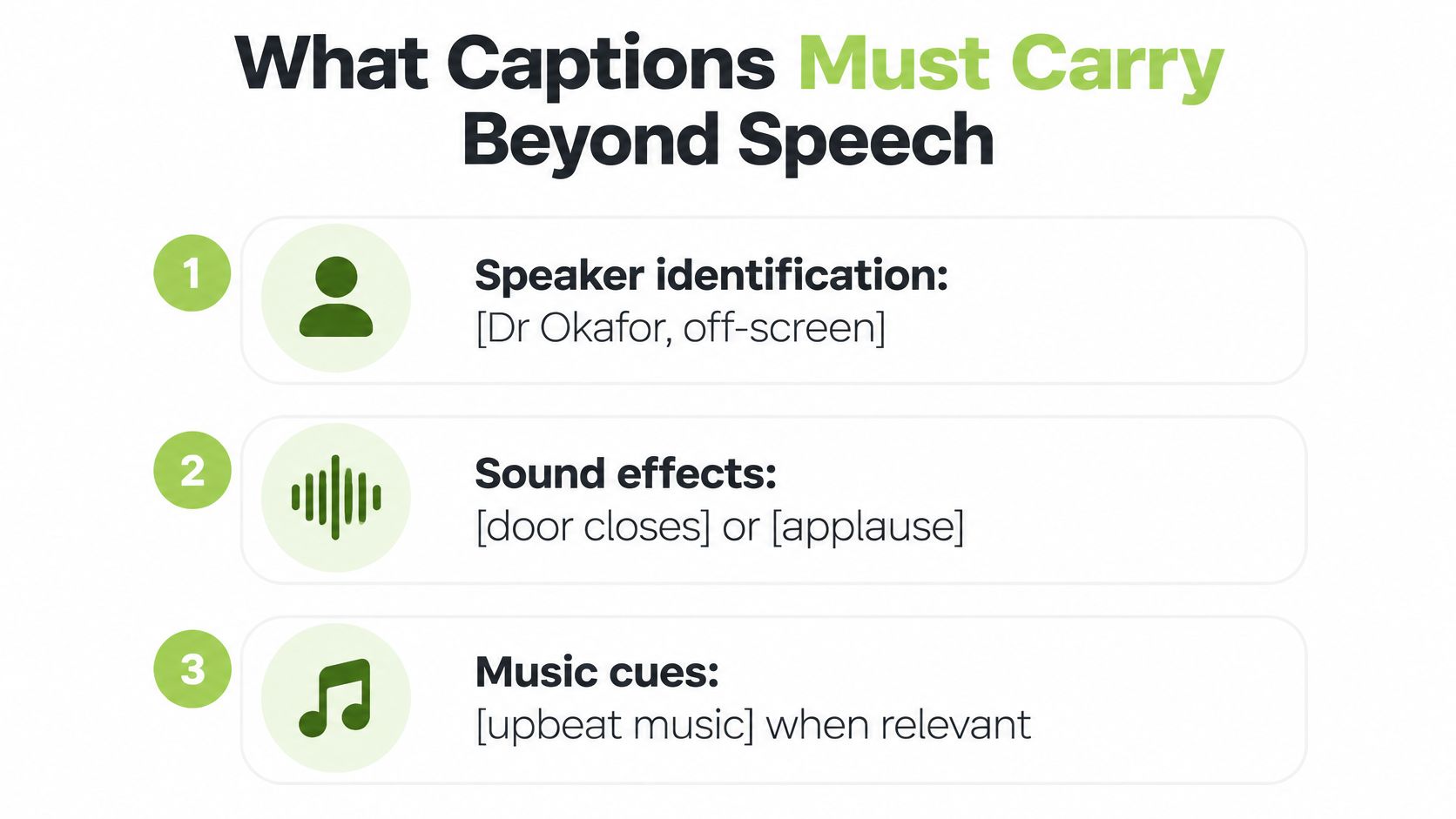
Speaker identification: label who is talking when it is not obvious, as in [Dr Okafor, off-screen], or put the name above the line when voices change quickly.
Sound effects that change the instruction: [door closes], [applause], [alarm sounds]. Bracket them, keep them to a few words, and place them where the sound happens.
Music cues where mood carries meaning: [upbeat music] at the start of a welcome video earns its space; a cue for every track change is noise.
Tone when delivery is the message: [whispering] or [shouting] when volume changes what the words mean.
The test for each cue stays simple. If a learner who cannot hear the audio would misunderstand or miss an instruction without it, write it in. If not, leave it out. Bracket descriptions get read at speed, so a three-word cue beats a full sentence every time.
Control sits with the viewer, so the text needs a separate timed file such as SRT or WebVTT rather than words burned into the picture. The UK Government accessibility standards prefer closed captioning for that reason: it preserves user control across quiet rooms, shared offices and small screens, and it recommends captioning audiovisual content wherever possible. Hard-coding the words removes that choice and forces captions on every viewer, including the one who finds them distracting.
The same guidance notes that people with good hearing switch captions on when audio is muted or when they are learning English, so one track can serve more than one task. When the requirement reaches an institutional standard, accessibility standards for video covers the player-level settings that keep the toggle available.
A dialogue-only subtitle still helps plenty of viewers: second-language listeners, readers meeting unfamiliar terminology, anyone stuck in a noisy room. Its limit is precise. When sound carries an instruction, a deaf learner needs the sound named in the text, and mixed audiences need both jobs done deliberately.
Language learners want something different from the same screen: stable words they can replay against what they hear. Reading a word while hearing it is how pronunciation sticks, which is why tools built for pronunciation feedback for Irish beginners pair audio with a written model. That need belongs to dialogue and vocabulary, while alarms, speaker changes and tone belong to the caption layer.
Take a five-minute clip from your own library and list every non-speech sound that carries meaning. If the list is not empty, the file needs captions rather than subtitles.
When Subtitles Serve Translation and Language Learning
A warehouse operator runs English-language compliance training for a shift team where half the staff read Polish more comfortably than English. The training content is fine. The comprehension isn't. A Polish subtitle track closes the gap in an afternoon, because the dialogue is already scripted and timed.
That's a translation job, not an accessibility job, and the two get funded differently. Translated subtitles usually come out of a language or inclusion budget; closed captions come out of accessibility. Confusing them means one of the two never gets paid for, and it's almost always the translation.
The reading limits that make translated subtitles work
Two lines per cue, around 37 characters a line. Longer cues push the eye across the frame and slow a reader who is already decoding.
Give each line enough time to finish. A second-language reader can't skim back the way a native reader can, so a cue that flashes past is a cue that was never there.
Keep names and technical terms in their source spelling. Product codes, PPE categories and job titles stay intact and get glossed on first use rather than translated into something unrecognisable.
Don't let a cue outlive its shot. A line that lingers over the next diagram teaches the wrong association.
Here's the failure mode in miniature. A quiz question appears for three seconds with four answer options, and the subtitle for the question arrives intact while the options never make it on screen. An English-speaking viewer catches the question because they hear the audio. The Polish reader sees a question with no answers and guesses.
A translated track never replaces captions. Deaf learners in that Polish-reading group still need the alarm, the speaker change and the [applause], and a translated dialogue line carries none of it. For a mixed audience, the right setup is two tracks: closed captions in English, translated subtitles in Polish, both selectable in the player.
Before your next multilingual release, decide whether any part of the audience needs a second language. If the answer is yes, add a translated track alongside the captions rather than instead of them, then check character count and dwell time on the longest line you've written.
Choosing the Right Text for Each Situation
According to the ISBA guide to making advertising accessible, 18% of the UK population, about 7.5 million people, use closed captions, while only around 1.5 million of those users are deaf or have hearing loss. Most of the people reading your captions can hear the audio perfectly well. They're on a train, in an open-plan office, watching with the sound off, or reading along with terminology they don't yet know.
The wider UK picture points the same way. CSI Magazine's coverage of streaming subtitle research reports that 79% of viewers use subtitles at least occasionally across streaming, social and broadcast video, 40% said subtitles help them catch details they'd otherwise miss, and 39% use them to understand accents and dialects. Each of those three reasons is about comprehension rather than hearing loss.
So the decision is less about accessibility versus translation and more about the learning task itself. Who controls whether the text appears? What non-speech information must it carry? Which language needs does it serve? Answer those three questions and the right treatment usually picks itself.
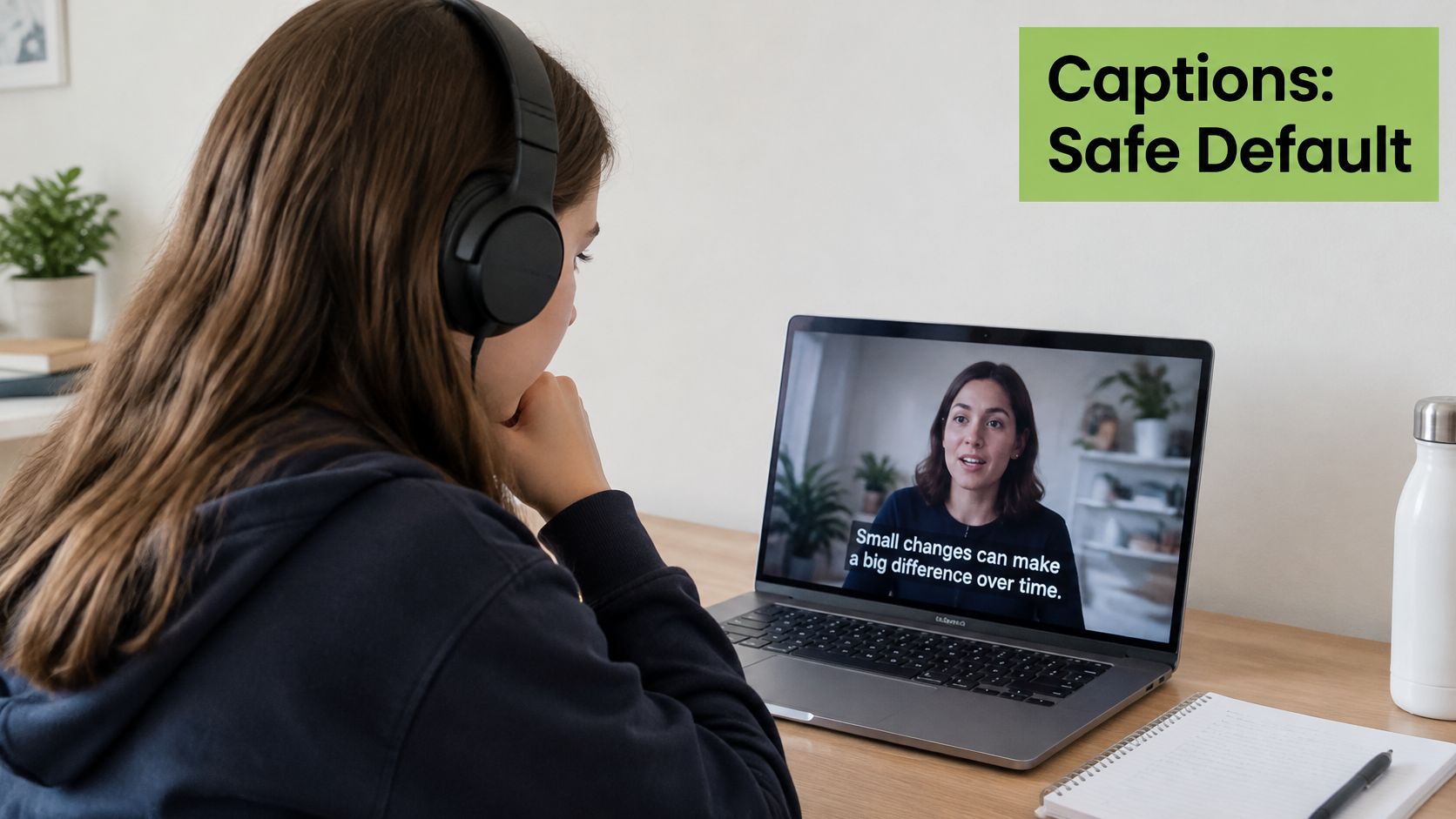
For anything learner-facing, closed captions are the safe default. The track is a superset: it carries the dialogue, it carries the sound that matters, and the viewer chooses whether to see it. A subtitle track delivers the first of those three and leaves the other two to chance.
Captions also have to survive real publishing. MEDIAL player pages include branding, closed captions, user comments, chapters and attachments, so the text sits alongside the rest of the media record instead of being bolted on at the end. The walkthrough below follows a recording through capture, review and release, which is where most caption tracks get lost.
The table below matches the video types most teaching teams publish to a treatment and the failure it prevents.
Situation | Best text treatment | Why it fits |
|---|---|---|
Recorded lecture with diagrams and formulas | Closed captions plus a glossary | Dense text competes with visuals, so the glossary carries technical terms |
Live webinar recorded for later use | Closed captions, human-reviewed | Names, acronyms and figures are where automatic captions most often fail |
Multilingual induction training | Translated subtitles plus closed captions | Subtitles serve language needs; captions serve deaf and hard-of-hearing learners |
Shop-floor safety video played in noise | Closed captions with sound cues | Alarms and spoken instructions must appear as text on screen |
Short clip watched muted on mobile | Open captions burned into the picture | Viewers may never switch on a separate track |
Exam revision resource | Edited transcript with timestamps | Readable and searchable as a document, not just a video track |
Two rows deserve more than a table cell. A diagram-heavy lecture is the case where "always turn captions on" stops being obviously right, because running text at the bottom of the frame competes with a formula in the middle. Give that lecture captions for access and a separate glossary for revision, so the visual load stays manageable. The same caution applies at the other end of the age range: English learning apps for pre-readers work from audio and pictures because a child who can't decode text yet gets nothing from a caption track. Adults cope better, but the underlying constraint, that reading and watching draw on the same attention, doesn't go away.
The shop-floor safety row is the opposite case, and the least forgiving. There, captions function as an operational control: a worker surrounded by machinery noise who misses an alarm needs the cue on screen, because the audio channel is exactly the channel that has already failed.
The judgement call: captions by default, open captions for muted feeds, translated subtitles for known language needs, and a transcript when someone has to search the content later.
Student-recorded video belongs in the same system. Teachers and students can record video and create and respond to video assignments within Moodle, Blackboard, Canvas and Brightspace, and those uploads need a selectable track just as much as a lecture does, unless the clip is destined for a muted social feed. If a compliance team needs the obligations in writing, closed captioning requirements sets out what applies across UK and international delivery.
Match the video you publish most often to its row and apply that treatment before the next release, not after the accessibility audit.
Publishing and Testing Your Text Track
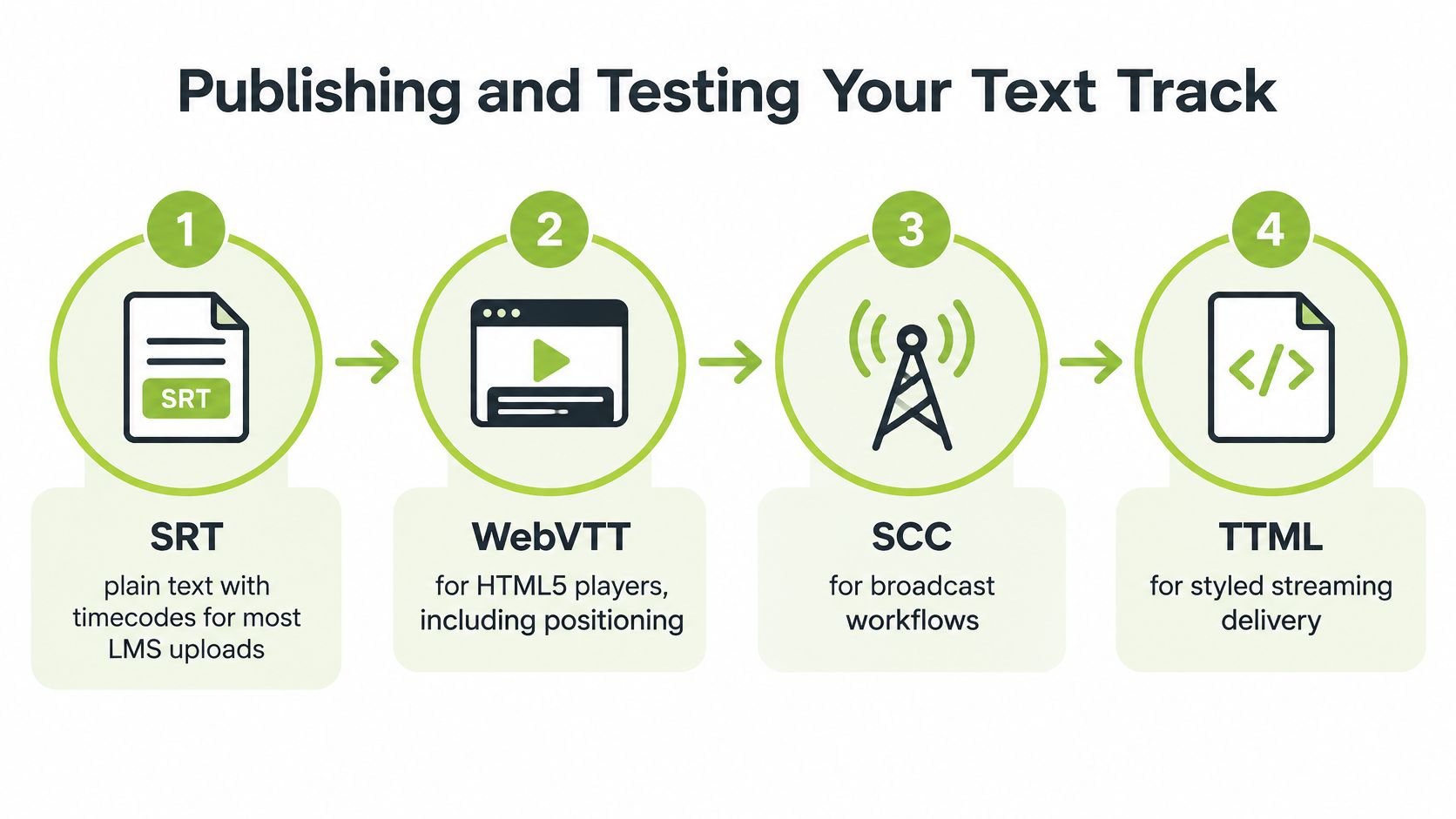
The file format decides which players will show your text at all, so match it to the delivery route before anyone records a thing.
Format | Typical platform | Notes |
|---|---|---|
SRT | Most LMS uploads and video editors | Plain text with timecodes; no styling |
WebVTT | HTML5 and web video players | Supports positioning and metadata; the web standard |
SCC | Broadcast captioning workflows | Caption format designed for broadcast delivery |
TTML | Streaming and broadcast delivery | XML-based; supports rich styling and timing |
Six checks before a video goes live
Get the file in place first. Generate or upload the caption track before the lecture, module or webinar is published, not in the week after a learner complains.
Read it yourself for names. Review people, acronyms, product codes, figures and specialist terms by hand. These are the recurring failure points in any machine-generated text.
Check the timing. Each cue should appear within a second or two of the speech it belongs to, punctuation intact, with no line sitting on screen after the subject has changed.
Mark speaker changes and non-speech cues. Add [door closes], [applause] and [alarm sounds] where the sound carries meaning, and use names where the voice alone doesn't identify the speaker.
Play it in the places learners watch. Open the same file in the supported browser and on a phone, then confirm the caption button stays in sync after seeking, changing playback speed and entering full screen.
Re-check after export or embed. Confirm the player still exposes the track once the video leaves your authoring interface. A perfect transcript is useless if the embedded player hides it.
RNID reports that 9 in 10 people in the UK who are deaf or have hearing loss usually or always use subtitles when watching television, yet 97% said they had encountered a programme with no subtitles when they tried to watch it, according to RNID's evidence hub. Strong demand, persistent gaps. The lesson for a training catalogue is that captions belong inside the publishing workflow rather than in a remediation project later.
Platform testing isn't a formality either. Ofcom's 2025 access-services report records that 85.1% of programme hours on responding services offering access features carried subtitles, while platform availability ranged from 88.9% on games consoles to 100% on mobile apps. Availability moves with the playback environment. If a track shows up on your desktop browser and vanishes in the mobile app, your learners are watching the version that doesn't work.
MEDIAL can generate captions automatically and lets you edit the result in the browser before publishing, which bridges the gap between a track that exists and one a learner can use. If you also produce short promotional cuts alongside teaching content, make YouTube videos with AI speeds up the edit, but caption the export before it leaves the tool. And keep the transcript question separate from the caption question: video transcription services compared explains why a searchable document and a timed track do different jobs.
The defaults hold unless something specific overrides them. Closed captions stay the baseline. Add a translated subtitle only for a known language need, placed beside the captions rather than in their place. Use an edited transcript when searching matters more than syncing. Skip unchecked automatic captions on a live recording you're about to publish to a regulated audience.
Pick the next video already scheduled for release, apply its situation row, and finish checks two through six before it goes out.
MEDIAL generates closed captions automatically, lets you edit them in the browser before publishing, and keeps the track switchable in the player your learners already use inside Moodle, Canvas, Blackboard and D2L Brightspace. If your team is still deciding between a caption file and a subtitle file, we can show both sitting side by side on one of your own course videos. Book a demo or start a free trial at MEDIAL.
Comments