
A UK Educator's Guide to Asynchronous E Learning

Ever found yourself wishing you could hit pause on a live lecture to really digest a tricky concept? That's the core idea behind asynchronous e-learning. It’s an approach to education where you access materials and tackle assignments on your own schedule, free from the constraints of real-time, live sessions.
The focus is squarely on learner independence. It’s all about using tools like pre-recorded video lectures, self-paced modules, and online discussion forums to deliver learning that fits around life, not the other way around. For instance, a nursing student can review a complex procedural video after a long shift, or a marketing professional can complete a module on SEO analytics during their morning commute.
Redefining Learning on Your Schedule

Think of asynchronous e-learning as the Netflix of education. You choose what to "watch," when to watch it, and you can pause, rewind, or revisit key scenes as often as you like. This is a world away from synchronous learning, which is more like a live TV broadcast—everyone has to be tuned in at the exact same moment. We dig deeper into this contrast between synchronous and asynchronous communication and what it means for learning.
This model is a game-changer. It empowers people by letting education fit into the gaps in their lives. A working professional can catch up on lecture materials during their commute, or a student can spend extra time on a complex topic like statistical analysis until it finally clicks. It’s a deliberate shift that puts the learner firmly in the driver's seat.
To get a clearer picture, here's a quick breakdown of how these two models stack up.
Synchronous Learning vs Asynchronous Learning at a Glance
Feature | Asynchronous Learning | Synchronous Learning |
|---|---|---|
Timing | On-demand, flexible schedule | Real-time, fixed schedule |
Pacing | Learner-controlled | Instructor-led |
Interaction | Time-delayed (e.g., forums, email) | Immediate (e.g., live chat, video calls) |
Flexibility | High – fits around other commitments | Low – requires simultaneous participation |
Best For | Independent study, diverse schedules | Live discussion, immediate feedback |
This table really highlights the fundamental trade-offs. While synchronous learning thrives on instant interaction, the asynchronous model champions flexibility and personal pace.
The Core Components
So, what does an asynchronous course actually look like? It’s built on a foundation of specific tools and resources, all designed for on-demand access. The most effective programmes blend a few key elements to create a supportive and engaging environment.
These building blocks typically include:
Pre-recorded Video Lectures: An instructor records a 10-minute video explaining a single concept, like the Pythagorean theorem, and uploads it. Students can watch it anytime, anywhere.
Self-Paced Assignments and Modules: Coursework is structured with clear deadlines, but learners have the freedom to work through readings, quizzes, and projects at their own speed. For example, a module might include a reading, a video, and a short quiz, all to be completed by Friday.
Discussion Forums and Boards: These online spaces are vital. An instructor might post a prompt like, "How did the Industrial Revolution affect modern urban planning?" Students can then post their thoughts and reply to others over several days.
Asynchronous learning is much more than a convenience; it's a pedagogical approach that encourages deeper reflection and learner autonomy. It removes the pressure of having to give an instant answer, giving people the space to formulate truly thoughtful contributions.
Why This Matters in the UK
This shift towards a more flexible model is becoming indispensable for UK universities and corporate training departments alike. It’s a direct response to the needs of a diverse population of learners who are juggling education with careers, family, and countless other commitments.
You can see this growing importance reflected in market trends. Asynchronous e-learning is now a cornerstone of both academic and corporate training in the UK, with the adoption of digital tools soaring. In fact, the UK e-learning market is projected to grow by USD 12.66 billion between 2025 and 2029. This trend, reported by PR Newswire, signals a clear and decisive move towards educational models that prioritise flexibility and accessibility.
Exploring the Benefits and Overcoming the Challenges
The biggest draw of asynchronous e-learning is, without a doubt, its flexibility. But to stop there would be missing the bigger picture. When it's designed with care, this model creates a learning space that’s more inclusive, reflective, and genuinely empowering for all kinds of students.
Think about it. In a live classroom, there's an immediate pressure to have an answer. Here, learners get the space to pause, think, and really craft their responses. A student wrestling with a tricky scientific concept can re-watch a lecture video as many times as they need without feeling like they're holding everyone else back. This simple shift encourages much deeper thinking.
This self-paced approach also builds a real sense of ownership. A professional juggling a new qualification can chip away at coursework during their commute, while another student might block out a whole weekend for a deep dive into a project. Having that control over their own learning journey is a massive motivator.
The Upsides of Asynchronous Learning
The perks of going asynchronous directly tackle what modern learners actually need. By ditching the rigid, one-size-fits-all structure, educational programmes suddenly become far more effective and open to everyone.
Here’s where it really shines:
Deeper Reflection: Learners engage with material on their own schedule. This means they can contribute more thoughtful, well-constructed ideas to discussions and assignments, without the pressure of having to come up with something on the spot. For instance, a literature student can spend a full day composing a forum post on Shakespearean themes, citing texts and refining their argument.
Enhanced Accessibility: This model completely smashes geographical and time-zone barriers, opening up education to a global audience or a scattered workforce. It also gives learners the freedom to use assistive technologies at their own pace.
Fosters Learner Autonomy: By putting learners in the driver's seat, asynchronous e-learning nurtures self-discipline, time management, and personal responsibility—all absolutely vital skills for life.
Cost-Effectiveness: You can create a resource like a video lecture once and use it for group after group. This cuts down on instructor time and the institutional costs tied to physical classrooms and travel.
One of the most powerful, yet often overlooked, benefits is how it levels the playing field. People who might be too shy to speak up in a live class can share their thoughts in a forum, making sure a much wider range of voices and perspectives are actually heard.
Tackling the Common Challenges
Of course, it’s not all smooth sailing. The very independence that makes this model so appealing can also lead to students feeling isolated or putting things off until the last minute. The first step to building a supportive and effective course is knowing these pitfalls exist.
The most common snags are learner isolation and a dip in motivation. Without the routine of a regular class, some students can struggle to stay on track. But these aren't deal-breakers; they can be managed with smart course design and clear, consistent communication.
By getting ahead of these issues, educators can build a framework that offers both freedom and support. The goal is to let learners enjoy the perks of the asynchronous format without ever feeling disconnected or lost.
Actionable Solutions for Educators
To make asynchronous e-learning really work, you have to tackle its weaknesses head-on. It's all about building a sense of community and structure within a flexible environment. Here are some practical ways to solve the usual problems:
Challenge | Actionable Solution | Practical Example |
|---|---|---|
Learner Isolation | Build a vibrant learning community. | Set up weekly discussion forums where students have to post a response to a prompt and reply to at least two classmates. Kick things off with an icebreaker activity in the first week to help everyone connect. |
Procrastination | Design courses with clear milestones. | Instead of one huge final project, break it into smaller, weekly deliverables. This creates a steady rhythm and stops that overwhelming feeling of a single, massive deadline looming in the distance. |
Lack of Instructor Presence | Maintain regular, visible communication. | Post a short weekly summary video to go over key ideas and answer common questions from the discussion board. That personal touch shows learners you're right there with them. |
Put these strategies into practice, and you can turn potential drawbacks into strengths. A well-designed asynchronous course truly offers the best of both worlds: the flexibility to study independently, combined with the community and support every learner needs to succeed.
Designing Engaging Asynchronous Learning Experiences
Creating an asynchronous e-learning course that truly works isn't just a matter of uploading a few lecture notes and calling it a day. It’s all about designing an experience—one that grabs learners, keeps them focused, and makes sure the knowledge actually sticks. The aim is to shift from passive viewing to active, self-driven learning, and that takes a bit of thought.
A video-first strategy is usually the best place to start. Video is powerful because it combines sight and sound, making even tricky subjects much easier to get your head around. But let's be honest: nobody wants to sit through an hour-long recorded lecture. The key is to think smaller and more purposefully.
Adopting a Microlearning Mindset
This is where the idea of microlearning really shines, especially in an asynchronous setup. It’s all about taking big, sprawling topics and chopping them up into small, bite-sized pieces. Each little chunk has one clear thing it wants to teach. This respects your learners' time and makes the whole thing feel a lot less daunting.
A simple workflow for this could look like:
Script with a Purpose: Before you even think about hitting 'record', jot down the main point for each video. A quick script keeps you on track and cuts out the waffle that makes learners' eyes glaze over.
Record in Short Bursts: Aim for videos that are between three to seven minutes long. That’s enough time to explain a core idea properly but short enough to hold someone's attention.
Edit for Clarity: You don't need to be a Hollywood director. Simple edits make a world of difference. Add some text on-screen to highlight key terms, snip out long pauses, and use basic graphics to get your point across.
Pop in a Knowledge Check: At the end of each short video, throw in a quick, ungraded quiz question or a simple prompt for reflection. It’s a great way to reinforce the main message and keep your learners switched on.
This simple process turns a long, passive lecture into a dynamic learning journey. Learners can get one concept down before moving on, building up their confidence as they go.
The infographic below shows how to reframe a common challenge like learner isolation into a real advantage with smart design.
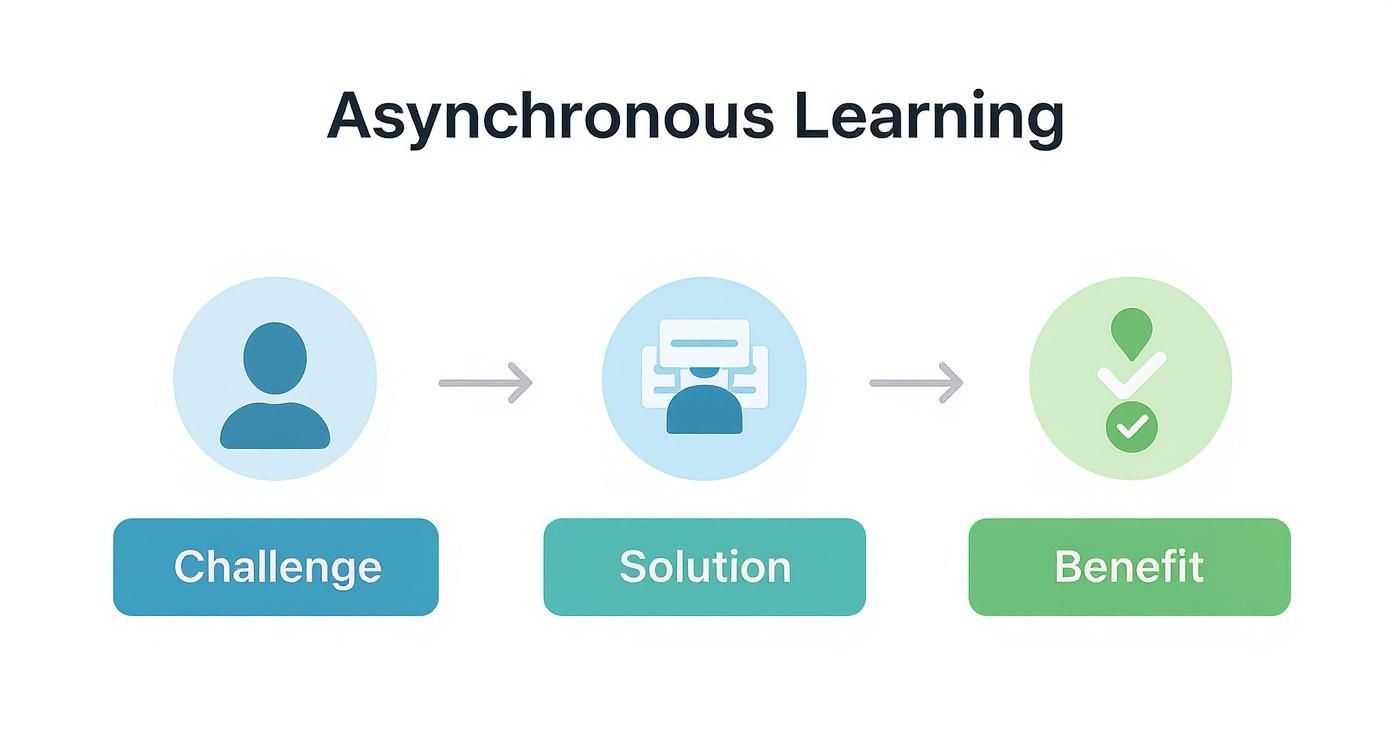
As you can see, by giving learners the right interactive tools, the freedom of asynchronous learning becomes a powerful driver for hitting their goals.
Beyond Video: A Multi-Format Approach
While video is your workhorse, a course that’s only video can get a bit repetitive. The best asynchronous courses mix it up with a rich variety of formats. This helps reinforce concepts in different ways and caters to people who learn differently. Think of it as creating a varied learning ecosystem, not just a video playlist.
For instance, after a short video explaining a new theory, you could follow it up with:
An Interactive Checklist: A simple, downloadable list that helps learners apply the theory to a real-world situation. For example, a checklist for "How to Critically Evaluate a News Source."
A Curated Article: A link to a great article or case study that shows the concept in action, like a Harvard Business Review article on a marketing strategy you just explained.
A Collaborative Whiteboard: A link to a shared digital space (like Miro or Mural) where learners can jot down their thoughts or even work together on a problem related to the video.
This blended approach keeps things fresh. More importantly, it pushes learners to do more than just watch—it gets them doing, reading, and collaborating.
The real magic of asynchronous design is in the connections you build between different content types. An isolated video is just a resource; a video linked to a practical activity becomes a true learning experience.
This digital-first approach to learning really took off during the pandemic. Back in 2020, 13% of people in Britain said they had taken an online course, while 21% used other online materials to learn new skills.
Ensuring Accessibility and Inclusivity
Finally, great design is always inclusive. Your asynchronous content has to be accessible to every single learner, no matter their ability. This isn’t something to tack on at the end; it needs to be baked into your creation process from the very start. For educators, having strong digital literacy for teachers is crucial for meeting these standards.
Here are a few key practices to build into your workflow:
Provide accurate, synchronised captions for all your video content.
Include detailed descriptions or full transcripts for any visual material.
Make sure all documents and PDFs are screen-reader friendly.
Use high-contrast colours and clear, legible fonts in all your materials.
When you embed these practices into how you work, you create a level playing field where every student has the chance to thrive. It’s this commitment that turns a good asynchronous course into an exceptional one.
Integrating Asynchronous Content into Your LMS
Having brilliant asynchronous content is a great start, but making sure your learners can actually find and use it easily is where the magic really happens. This is where your Learning Management System (LMS) comes in—it’s the digital home for your course. If the integration is clunky or confusing, you’ve put up a technical wall that gets in the way of learning.
The real goal here is to make the technology disappear. Learners should be focused on the material itself, not wrestling with the platform or figuring out where to click next. A smooth, almost invisible user experience inside your LMS is the bedrock of any good asynchronous programme.
Platform-Specific Integration Strategies
Most of the UK’s go-to LMS platforms—like Moodle, Canvas, and Blackboard—have powerful tools for structuring asynchronous content. Instead of just dumping a list of files onto a page, you can use their built-in features to craft a learning journey that makes sense.
For Moodle Users: The 'Book' resource is fantastic for this. It lets you organise content into a clean, chapter-like structure. You can embed your videos, text, and links right into the pages, guiding learners from one topic to the next.
For Canvas Users: Get to know the 'Modules' feature. It's perfect for creating a week-by-week or topic-by-topic flow. You can even lock content until a prerequisite is met, like making sure someone watches a video before a quiz opens up.
For Blackboard Users: 'Learning Modules' or 'Content Folders' are your best friends here. They help you group related materials together, keeping your main course page tidy and preventing learners from feeling overwhelmed by a long scroll of disconnected items.
Each of these approaches turns a simple file storage area into a thoughtfully designed, self-paced course that naturally guides the learner.
The best LMS integration is one the learner barely notices. It should feel like a natural extension of the learning process, where every resource is exactly where they expect it to be.
If you're weighing up your options, having a look at the best LMS software options can be a huge help. Understanding what different platforms are capable of will help you make a smarter choice for your institution.
Embedding and Automating for a Seamless Flow
The real power move with LMS integration is making your content work together. It’s not just about uploading a video; it's about making that video a key part of an interactive and automated sequence.
Securely embedding video is a crucial technique. Instead of linking out to another website, which can be distracting, embedding keeps learners inside the familiar LMS environment. This one small step helps create a much more cohesive experience.
From there, you can set up automated workflows. For example, you can configure a quiz to unlock only after a learner has finished watching a specific video lecture. This ensures they've absorbed the core material before trying to test their knowledge. You can learn more about the nuts and bolts in our guide to mastering learning management system integration.
Creating Spaces for Community Interaction
Finally, don’t forget that your LMS is the perfect place to build the community interaction that asynchronous e-learning can sometimes lack. It's easy to set up topic-specific discussion boards that are tied directly to your course content.
Think about a practical workflow like this:
Embed a Video: A short video lecture explaining a core concept sits at the top of a weekly module.
Post a Prompt: Right below the video, a discussion forum is set up with a specific question asking learners to apply the concept to a real-world scenario. For example, "After watching the video on supply and demand, find a news article from this week that illustrates the concept and share your analysis."
Encourage Interaction: Learners are required to post their own response and reply to at least one of their peers' posts by the end of the week.
This simple structure turns passive viewing into an active, collaborative exercise. By embedding these social tools right next to the content they relate to, you make it effortless for learners to engage with the material and with each other, fostering a strong sense of community even in a flexible, asynchronous format.
Boosting Engagement and Assessing Learning Remotely
Let’s be honest: two of the trickiest parts of asynchronous e-learning are keeping people engaged and figuring out if they’re actually learning anything. When you don't have the immediate buzz of a live session, it's all too easy for learners to tune out and become passive. And let's face it, traditional exams can feel completely out of sync with a self-paced course.
The trick is to stop trying to force a live classroom model into an asynchronous box. Instead, we need to lean into what makes this format unique. That means designing assessments that foster real thinking and creating touchpoints that build a sense of community, even when everyone is working on their own schedule.
Going Beyond Standard Quizzes for Assessment
Meaningful assessment in this environment isn’t about testing memory; it’s about seeing if someone can apply what they’ve learned. Automated quizzes are great for quick knowledge checks, but they only tell you a tiny part of the story. You see true understanding when a learner can take a concept and actually do something with it.
Here are a few powerful alternatives to the standard multiple-choice quiz:
Project-Based Assignments: Get learners to build something real. It could be a business plan, a snippet of code, or a full-blown marketing campaign. This forces them to pull together ideas from different parts of the course and solve a genuine, practical problem.
Peer-Review Activities: This one is brilliant. Have students submit a draft assignment and then give structured feedback to a couple of their peers using a provided rubric. Not only does it deepen their own understanding, but it also starts to build a collaborative, supportive learning culture.
Video-Based Reflective Journals: Instead of a typed-up log, ask learners to record a short weekly video. They can talk about what they learned, what they found tricky, and how they might use the new knowledge. It’s a much more personal and dynamic way to see how they're getting on.
Effective asynchronous assessment isn't about catching students out; it's about giving them a platform to demonstrate their capabilities in a meaningful way. The goal is to measure applied knowledge, not just information recall.
Proven Strategies for Building a Vibrant Community
Engagement doesn't just happen. In an asynchronous course, you have to intentionally create opportunities for people to connect. This is crucial for fighting off the isolation that can creep in. Learners need spaces to connect with you, and just as importantly, with each other. A strong community is a huge motivator.
Something as simple as a weekly instructor video can make a massive difference. A quick, five-minute summary of the week's key ideas, a shout-out to some great discussion posts, or a preview of what's coming next shows learners you’re present and invested. That consistent visibility helps close the distance.
Here’s a quick look at how different engagement strategies stack up. Some are quick wins, while others require a bit more planning, but all can help foster that all-important sense of community.
Engagement Strategy Impact and Effort
Strategy | Potential Learner Impact | Instructor Effort Level |
|---|---|---|
Weekly Instructor Summary Videos | High – builds instructor presence and connection. | Low – quick to record and post. |
'Ask Me Anything' (AMA) Threads | Medium – provides direct support and reduces anxiety. | Low to Medium – requires timely responses. |
Peer-Review Activities | High – fosters collaboration and deepens understanding. | Medium – requires clear structure and monitoring. |
Facilitated Group Projects | Very High – builds strong peer bonds and practical skills. | High – requires significant setup and facilitation. |
As you can see, you don't always have to invest a massive amount of effort to get a big return on engagement. Starting with low-effort, high-impact strategies like summary videos or AMA threads is a fantastic way to begin building that vibrant learning community.
Here are a few more actionable techniques to get people actively involved:
Host 'Ask Me Anything' (AMA) Threads: Set up a dedicated discussion forum thread each week where learners can ask anything, no matter how small. Commit to answering all questions within 24 hours. It creates a safe, low-stakes place to get help.
Facilitate Group Projects with Digital Tools: Use collaborative whiteboards like Miro or Mural for group brainstorming. Even though people contribute at different times, they can see their collective ideas taking shape, which really fosters a sense of teamwork.
Share Weekly Instructor Summary Videos: As mentioned, these short videos are gold. They maintain your presence, clear up common confusion, and make the course feel personal and guided—not like a static library of content.
Scaling Your Programme with a Video Platform
Creating a single asynchronous course is one thing. Delivering consistent, high-quality video learning to hundreds or even thousands of people? That’s a whole different ball game. As your programme expands, just trying to manage the video content, keep it secure, and figure out who’s actually watching can become a logistical nightmare. This is exactly where a dedicated video platform steps in, becoming the central hub for your entire asynchronous e learning strategy.
Think of it this way: a specialised platform is the difference between dumping files onto a shared drive and running your own professional, in-house streaming service. It provides the essential structure and tools to graduate from ad-hoc video clips to a scalable, secure, and genuinely insightful educational ecosystem.
Streamlining Workflows with LMS Integration
One of the most powerful features of a proper video platform is how neatly it plugs into the Learning Management Systems (LMS) you already rely on. Platforms like MEDIAL are built from the ground up to play nicely with Moodle, Canvas, Blackboard, and D2L, making video feel like a completely natural part of an educator's toolkit.
Forget clunky upload processes and broken embed codes. Instructors can now tap into their entire video library without ever leaving their familiar LMS dashboard.
For an educator: Imagine a university lecturer using Canvas. They can record, caption, and pop a weekly summary video into their module page in a few clicks, all from within the Canvas environment they know and love.
For a learner: A student can submit a video project directly through their Moodle course page. The file is automatically and securely whisked away and stored in the university's central video platform. No fuss.
This tight-knit integration flattens the technical learning curve, saving everyone precious time and letting educators focus on crafting brilliant content instead of wrestling with technology. For a deeper dive on what to look for, our guide on choosing your video platform for education is a great place to start.
Ensuring Security and Accessibility at Scale
When video becomes a cornerstone of your curriculum, protecting that intellectual property isn't just a good idea—it's essential. A dedicated platform offers robust security features that you simply won't find on generic video hosting sites.
Secure streaming means your valuable video assets are only ever available to authenticated users logged into your LMS. This locks down your content, prevents unauthorised sharing, and puts you firmly in control of who sees what.
At its core, a video platform provides a secure, private garden for your institution's media. It safeguards your content, ensures reliable playback, and gives you the administrative control needed to manage a large-scale asynchronous programme.
Beyond security, there's accessibility—a non-negotiable legal and ethical requirement. A platform like MEDIAL helps institutions nail this with features like AI-powered automated captioning. This isn't just about supporting learners with hearing impairments; it also boosts comprehension and engagement for every single student.
Gaining Actionable Insights from Analytics
So, how can you be sure your video content is actually hitting the mark? This is where the analytics of a dedicated platform really shine. You can see precisely which videos people are watching, how long they’re sticking around, and even the exact points where their attention starts to wane.
This data is pure gold. If you spot that 80% of students are dropping off a particular lecture at the five-minute mark, that’s a huge red flag. It tells you the concept might be confusing or the delivery needs a tweak. These insights empower you to constantly refine your asynchronous e learning content based on real human behaviour, not just guesswork.
This data-driven approach is critical as the sector continues to boom. The online education and training industry in the UK is projected to hit an estimated £5.0 billion in revenue in 2025, a clear sign of just how widespread asynchronous learning has become. You can discover more about this industry growth and see the pivotal role data plays in its success.
Your Asynchronous Learning Questions Answered
Moving to an asynchronous model naturally brings up a few practical questions. How do you keep the momentum going without set class times? How do you create content that actually works for this format? And, crucially, how do you maintain academic standards? Let's tackle some of the most common queries we hear from UK educators.
One of the biggest worries is always student motivation. Without the rigid structure of deadlines and lectures, how do you keep learners on track? The secret is to build in manageable milestones. Instead of one massive final assessment looming at the end of term, break it down into smaller, weekly deliverables. This approach not only prevents the last-minute scramble but also helps students build a consistent rhythm and learn self-regulation.
What Is the Ideal Length for a Pre-recorded Lecture?
Learner attention spans are a precious resource, especially when they're staring at a screen. All the research points to one simple rule: shorter is better. You should be aiming for videos that are around five to seven minutes long.
This "microlearning" style forces you to get right to the point, distilling complex topics into their absolute core components. A short, sharp video focused on a single concept is far more powerful than a long, rambling lecture. You can then string these bite-sized videos together in your LMS to create a clear, logical learning path for students to follow.
How Can We Ensure Academic Integrity?
This is the big one, and a critical question for any form of remote assessment. While no system is completely foolproof, you can make cheating much harder by designing assessments that demand more than just recalling facts.
The most effective way to promote academic integrity is to move away from high-stakes, memory-based exams. Instead, focus on authentic assessments that require learners to apply knowledge creatively, making it much harder to simply find an answer online.
Think about putting these practical strategies into action:
Use project-based assessments: Ask students to build something unique, like an in-depth case study analysis or a portfolio piece that shows off their skills.
Implement reflective video journals: Get learners to record short videos where they discuss what they’ve learned and how they’re applying it in real terms.
Leverage peer-review activities: When students evaluate each other’s work against a clear rubric, it fosters a much deeper level of engagement and personal accountability.
Ready to build a secure, scalable, and engaging video learning environment? MEDIAL integrates seamlessly with your LMS to make asynchronous e-learning simple and effective. Discover how by scheduling a demo at https://medial.com.
Comments