
A Guide to Cloud Streaming Video for Modern Education

Cloud streaming video is simply the tech that delivers content—like your lectures and tutorials—from a server somewhere on the internet directly to a viewer's device. For educators, this is a game-changer. It means you no longer need to store massive video files on local university servers. Instead, students can get to their learning materials instantly, wherever they are, on whatever device they're using.
Unlocking Your Digital Campus with Cloud Streaming
Think of your university's old-school video storage as a single, physical library. Every student, from every department, has to trek to that one building to check out a video. There are only so many copies, which creates bottlenecks, the storage room is bursting at the seams, and it’s a total non-starter for anyone studying remotely. Honestly, it’s a system that just can’t keep up.
Cloud streaming completely flips that model on its head. It’s like transforming that one library branch into a global, on-demand digital service. Instead of hosting huge video files on-premise, your institution’s content is kept safe and sound on powerful, remote servers in "the cloud." This shift solves a whole lot of headaches for IT departments and lecturers alike.
The Core Benefits for Educational Institutions
This approach brings immediate, practical advantages that you can feel in your day-to-day teaching and learning. By moving video to the cloud, you can sidestep some major technical and logistical hurdles.
A few key wins include:
Eliminating Storage Constraints: You can stop buying and maintaining expensive on-site servers just to house a growing library of lecture captures, student video assignments, and event recordings. For instance, instead of your IT department having to forecast storage needs and purchase new hardware every two years, a cloud solution scales automatically, so you only pay for what you actually use.
Ensuring Universal Access: Students can stream high-quality lessons on a laptop in the library, a tablet on the bus, or a smartphone at home. No more telling students to "download this 2GB file" or dealing with compatibility issues. If they can watch YouTube, they can watch your course content.
Improving Performance and Reliability: Cloud platforms are built to handle a crowd. They can serve thousands of simultaneous viewers during peak exam periods without breaking a sweat, ensuring a smooth experience for everyone. Actionable Insight: Test this by scheduling a campus-wide "viewing event" before final exams to see how the system handles a controlled stress test.
At its heart, cloud streaming decentralises video delivery. It takes the burden of managing infrastructure off your IT team's shoulders, freeing them up to focus on supporting educational goals instead of just maintaining hardware. This is fundamental to creating a truly flexible and scalable digital learning environment.
To really get to grips with this, it’s helpful to understand the basics of Cloud Computing, which is the engine powering these streaming solutions. It’s exactly this kind of infrastructure that allows platforms like MEDIAL to integrate video assignments and live lectures straight into the LMS environments you already use, like Moodle and Canvas, making video a seamless part of the curriculum.
How Flawless Video Streaming Actually Works
Have you ever stopped to think about what happens when a student clicks "play" on a recorded lecture? The video just works. It starts almost instantly, the picture is sharp, and there’s no frustrating buffering. This isn't magic; it's a remarkably clever and well-orchestrated process that turns one massive video file into a smooth stream that thousands of people can watch at once.
At its heart, cloud streaming video is all about taking your raw video content and making it universally playable, no matter the device or connection.
Think of it like publishing a book. You wouldn't just print one giant, heavy version and expect everyone to read it. Instead, you’d release it in different formats—hardcover, paperback, and as an e-book for various e-readers. That’s precisely what happens to your video files behind the scenes.
Preparing Your Video for Any Device
The journey begins with a crucial first step called transcoding. This is the technical wizardry that creates multiple versions of your original video file. Each version is carefully optimised for different screen sizes, internet speeds, and types of devices.
A student watching on a big monitor with the university’s fast Wi-Fi gets a crisp, high-definition version. Meanwhile, another student catching up on their smartphone with a patchy mobile signal receives a smaller, more compressed version that still plays smoothly.
This built-in adaptability is the key to a great viewing experience. The system automatically senses what each viewer needs and sends them the best possible version of the video, preventing buffering and ensuring everyone gets access. If you want to dive deeper into the compression tech that makes this possible, check out our guide on what codecs are and how they run our digital world.
Once all those versions are ready, your video is set for delivery. This simple flow shows the journey from your computer to your students' screens.
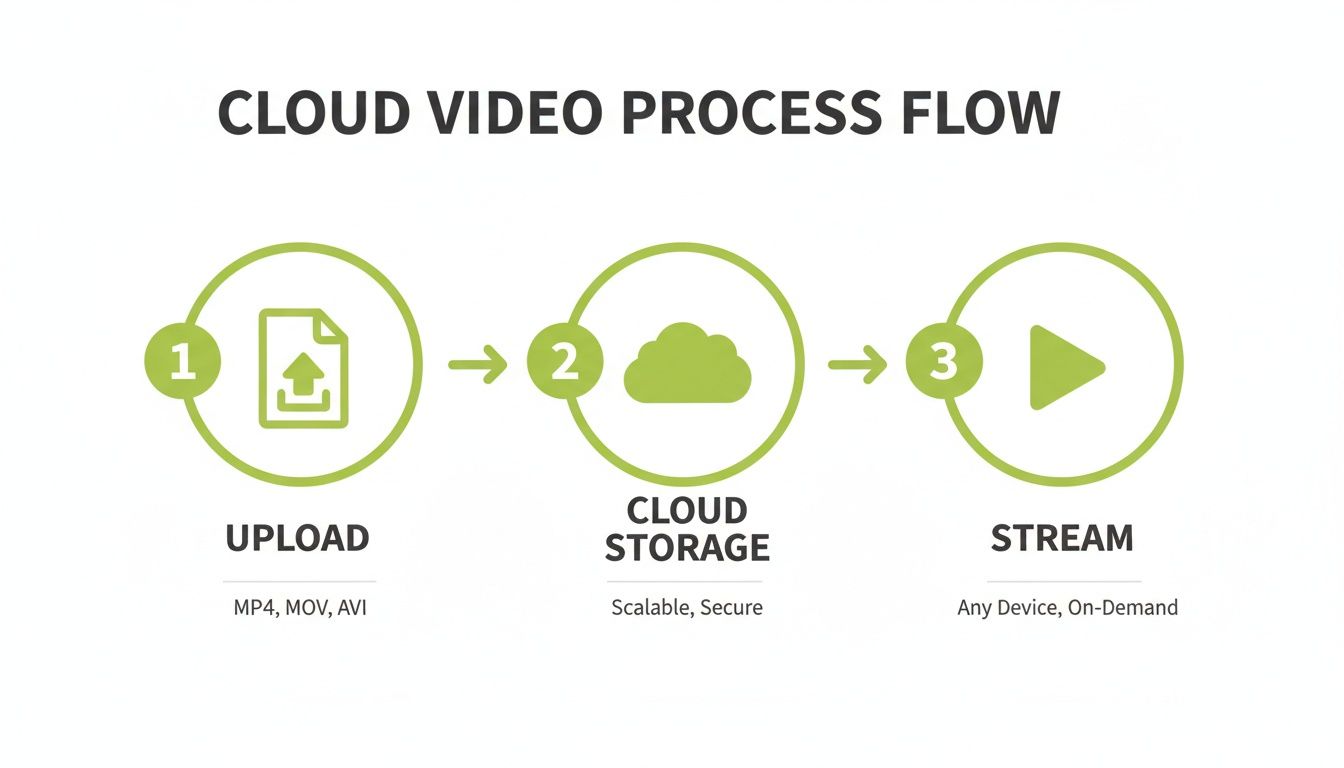
This process ensures your video content is stored securely and delivered efficiently, no matter where your learners are tuning in from.
Delivering Content at Lightning Speed
This brings us to the next hero of the story: the Content Delivery Network (CDN).
A CDN is like a global network of local library branches. Instead of every student having to request a video from one central library (your main server), which could be thousands of miles away, the CDN smartly stores copies in these "branches" all over the world.
So, when a student in London presses play, the CDN delivers the video from a nearby server in Europe, not one all the way over in North America. This simple trick drastically cuts down the distance the data has to travel, leading to much faster load times and silky-smooth playback. For any institution with international students, a CDN is an absolute must-have for providing an equitable learning experience.
Live Classes vs Prerecorded Lectures
The architecture for cloud streaming video is flexible enough to support two very different delivery methods, each serving a unique educational purpose: Video on Demand (VOD) and Live Streaming. Knowing the difference helps you pick the right tool for the right job.
VOD is the backbone of asynchronous learning. It lets students access prerecorded materials—like lecture captures or how-to videos—whenever and wherever they want. Live streaming, on the other hand, is for synchronous, real-time events like interactive classes, webinars, or even virtual graduation ceremonies.
While both rely on the cloud, their technical needs are quite different. Let's break down what sets them apart.
Comparing VOD and Live Streaming for Education
Choosing between VOD and live streaming depends entirely on your goal. Are you building a flexible library of resources or creating a shared, real-time experience? This table contrasts the two to help you decide.
Aspect | Video on Demand (VOD) | Live Streaming |
|---|---|---|
Primary Use Case | Asynchronous learning, letting students watch prerecorded content like lectures and tutorials on their own schedule. | Synchronous events, enabling real-time interaction for live classes, Q&A sessions, webinars, and virtual events. |
Latency Needs | Latency (delay) isn't a major concern, as the content isn't time-sensitive. The focus is on playback quality. | Low latency is critical to ensure interactions between the presenter and audience feel immediate and natural. |
Infrastructure Focus | Optimised for efficient storage and global delivery via a CDN to handle many viewers accessing content at different times. | Built for immediate transcoding and distribution to thousands of simultaneous viewers with minimal delay. |
Best Application | Flipped classrooms, supplemental course materials, student video assignments, and training modules. | Interactive workshops, guest speaker events, departmental meetings, and live-streamed campus events. |
By combining intelligent transcoding, a powerful CDN, and the right delivery format, you get the reliable, high-quality video experience that modern education is built on. It's this robust infrastructure that guarantees every student, regardless of their location or device, can fully participate in the digital classroom.
Choosing Your Cloud Deployment Model
Picking the right deployment strategy for your institution's video content is a big decision, a bit like choosing where to live. Each option offers a different mix of convenience, control, and cost. Your choice will ripple through everything, from your IT department’s workload to how well you can handle a surge of students during exam season.
To make this feel more concrete, let's use a simple housing analogy. You could rent a fully-serviced flat, buy your own house, or own a house but hire professionals to handle all the tricky maintenance. These three scenarios line up perfectly with the main deployment models for cloud streaming video: Public Cloud, On-Premises, and Hybrid Cloud.
Making the right choice means taking a hard look at what your institution really needs when it comes to security, flexibility, and budget.
The Public Cloud: Renting a Serviced Flat
A Public Cloud setup is just like renting a modern, fully-serviced flat. You don’t own the building, but you get all the perks without any of the maintenance headaches. Big providers like Amazon Web Services (AWS), Microsoft Azure, or Google Cloud own and operate all the hardware, and your video platform simply runs on their infrastructure.
This model is incredibly popular, and for good reason. Your institution pays a subscription fee, and the cloud provider deals with all the underlying complexity—from server upkeep and software updates to making sure the lights stay on.
Here’s what that looks like in practice:
Ultimate Scalability: Need to support thousands of students streaming exam revision videos all at once? The public cloud can automatically ramp up resources to meet that demand, then scale right back down when the rush is over. For example, AWS Auto Scaling can add server capacity in minutes when traffic spikes and remove it when it subsides, so you only pay for what you use.
Lower Upfront Costs: You get to skip the massive capital outlay of buying and setting up your own servers. Instead, costs become a predictable operational expense. Actionable insight: Use a cloud provider's cost calculator to estimate monthly expenses based on projected usage (e.g., hours streamed, storage needed) to build a clear business case.
Reduced IT Burden: Your IT team is freed from managing physical hardware. This lets them focus on supporting teaching and learning, not just keeping servers running.
On-Premises: Owning Your Own Home
An On-Premises (or 'on-prem') deployment is the equivalent of owning your own house. You have total control over everything, from the foundations to the roof. Your video content and the entire streaming setup live on servers that are physically located at your institution, managed entirely by your own IT staff.
This approach gives you the highest degree of control and security, which is often a deal-breaker for institutions handling highly sensitive research data or their own intellectual property.
An on-premise solution gives an institution total sovereignty over its data. Every single video file stays within the university's own network. This can be absolutely essential for meeting specific data governance rules or compliance mandates that dictate where data can be stored.
Of course, all that control comes with some hefty responsibilities, including the full cost of hardware, maintenance, security, and the staff to run it all.
The Hybrid Cloud: The Best of Both Worlds
The Hybrid Cloud model is like owning your home but hiring a team of pros for all the tricky maintenance and renovation projects. It blends elements of both public cloud and on-premise solutions, letting you create a customised setup that fits your exact needs.
For instance, a university might decide to keep its highly sensitive research videos on secure, on-premise servers for maximum control. At the same time, it could use the public cloud to handle the huge, fluctuating demand of delivering lecture captures to thousands of students scattered across the globe.
This blended approach offers a powerful balance:
Feature | How It Works in a Hybrid Model |
|---|---|
Control | Keep direct control over sensitive assets stored on-premise. |
Scalability | Use the public cloud's elastic resources for high-demand, less sensitive content. |
Cost-Efficiency | Optimise spending by using the cloud for variable workloads, avoiding over-provisioning your on-premise hardware. |
Flexibility | Allows for a phased migration to the cloud, moving workloads over gradually as your comfort and requirements evolve. |
At the end of the day, the best cloud streaming video deployment model is the one that lines up with your institution’s unique priorities. Whether you value the hands-off convenience of the public cloud, the absolute control of an on-premise solution, or the balanced flexibility of a hybrid approach, understanding these trade-offs is the first step toward building a video strategy that really works.
How to Secure Your Educational Video Content
As universities and colleges build vast libraries of video content—from valuable proprietary lectures to sensitive student recordings—protecting that intellectual property is no longer just an option. It's essential. When you use a cloud streaming video platform, you're doing more than just uploading files; you're placing your digital assets in a secure vault designed to keep them safe from prying eyes. This isn't just an IT headache—it's fundamental to academic integrity and student privacy.

Think of video security as a series of defensive walls. The first and most important is encryption. This process essentially scrambles your video into an unreadable code while it travels across the internet and even while it's stored on a server. Only authorised viewers with the correct "key" can unlock and watch it, making it the first line of defence against anyone trying to intercept it.
But a strong wall isn't much good if you hand out keys to everyone. You also need to control exactly who gets a key in the first place.
Managing Who Can Watch Your Videos
This is where access control comes in, acting as the digital bouncer for your content. It’s the set of rules that decides who can view specific videos and when. Instead of leaving content exposed to anyone with a link, access control lets you build a secure, private viewing environment that mirrors your institution’s structure.
A truly robust cloud video platform will hook directly into your Learning Management System (LMS), like Moodle or Blackboard, to put this whole process on autopilot.
Here’s how that plays out in the real world:
A professor records a guest lecture for their advanced physics course.
When they upload it through their Blackboard portal, the platform instantly applies the right permissions.
Only students officially enrolled in that specific physics course can stream the video. Anyone else, even another student at the same university, is blocked.
This tight integration makes sure content only ever reaches its intended audience, cutting out the risk of human error and making life much simpler for educators. For anyone managing LMS security, you can learn more about securing video content in Moodle and how to tackle common organisational concerns.
Deterring Unauthorised Sharing and Ensuring Compliance
Even with locked-down access, you still have the risk of someone recording their screen and sharing the content illicitly. This is where digital watermarking adds another layer of security. A watermark can visibly or invisibly embed information—like the viewer’s username and IP address—directly onto the video stream. If a pirated copy of the video ever surfaces online, the watermark can trace it straight back to the source, which is a powerful deterrent.
Beyond protecting your intellectual property, a secure cloud streaming platform is critical for meeting compliance standards. Regulations like the General Data Protection Regulation (GDPR) have strict rules for handling personal data, which absolutely includes videos featuring students.
A compliant platform helps your institution tick these boxes by offering:
Data Sovereignty: The ability to choose the geographic region where your video data is stored, keeping it within specific legal jurisdictions. For example, a European university can choose to have all its video data stored in an EU-based data centre to comply with GDPR.
Clear Policies: Transparent guidelines on how data is processed, for how long it's kept, and when it's deleted. Actionable insight: Create a simple, one-page data policy for faculty that outlines what is recorded, where it's stored, and the retention period for student videos.
Secure Infrastructure: A deep-rooted commitment to security best practices that protect student privacy from the ground up.
By combining encryption, granular access control, and deterrents like watermarking, you create a truly secure learning environment. It gives educators and students the confidence to share and interact with video, knowing their valuable digital assets are protected at every turn.
Integrating Cloud Video into Your LMS
Moving your video library to the cloud is a great first step, but it’s only half the story. The real magic happens when your cloud streaming video platform melts into your Learning Management System (LMS), feeling less like an add-on and more like a built-in feature. This is what transforms video from a passive resource into a core, interactive part of your curriculum.
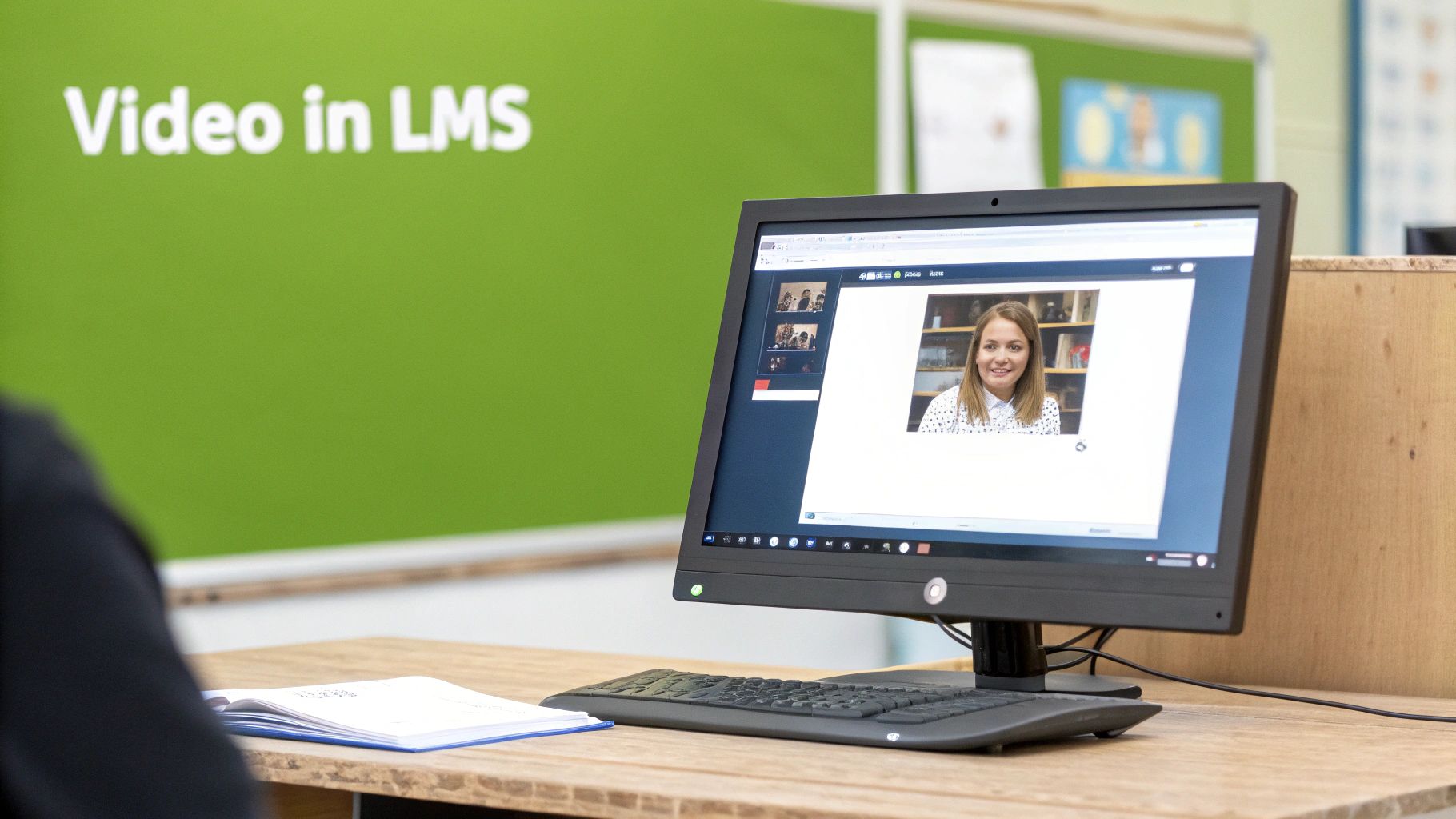
Without that tight connection, educators are left juggling systems—uploading a video here, then manually pasting links over there. For students, it means getting yanked out of their familiar learning space, creating a clunky experience that breaks the flow of the lesson.
Deep integration solves all of this by creating a single, streamlined workflow. It lets teachers and students manage, create, and interact with video without ever leaving the comfort of their LMS, whether that’s Moodle, Canvas, Blackboard, or D2L Brightspace.
Streamlining Everyday Teaching Workflows
When your video platform and LMS are properly talking to each other, everyday tasks become remarkably simpler and far more powerful. Think about the entire lifecycle of a video assignment—from creation to submission and grading—all handled inside one familiar interface.
Let’s picture a language instructor using Canvas:
Assignment Creation: The instructor builds a new assignment right inside a Canvas module, selecting a "video response" option that’s powered by the integrated platform.
Student Submission: A student sees the prompt, clicks a "record" button on the assignment page, and uses their webcam to record their response. No extra software to download, no external sites to visit.
Secure Upload: Once they're done, the video is automatically uploaded, transcoded for optimal playback, and securely attached to their submission in the Canvas Gradebook.
This seamless process is a massive time-saver and gets rid of all the usual technical headaches. For a truly smooth experience, dedicated LMS support for educational institutions can be invaluable, making sure everything is optimised for performance and usability.
Making Learning More Interactive and Accessible
Beyond just simplifying assignments, deep integration unlocks new ways to boost engagement and accessibility. It allows video to become a two-way street, encouraging active participation instead of just passive viewing. It’s a crucial shift as teaching tools evolve to meet the expectations of modern students.
The core benefit of LMS integration is workflow automation. It removes the administrative burden of managing video, allowing educators to focus entirely on pedagogy and student engagement, turning the LMS into a true multimedia hub.
This shift is perfectly in step with the explosive growth of streaming in education. The UK video streaming market, which leans heavily on cloud technology, hit USD 13,987.9 million in revenue and is projected to climb to an incredible USD 45,586.9 million by 2030. Live streaming is leading the charge with a 76.28% revenue share, making it the fastest-growing segment and a perfect fit for synchronous learning tools in Blackboard or D2L Brightspace.
With this kind of integration, instructors can embed interactive elements directly into their lessons or automatically improve accessibility with just a few clicks. You can learn more by mastering learning management system integration to really get the most out of your setup. By connecting your cloud streaming platform to your LMS, you’re not just adding a tool; you’re building a more dynamic, efficient, and inclusive learning environment for everyone.
Best Practices for Your Cloud Video Strategy
Successfully bringing a cloud streaming video platform into your institution is about more than just picking the right tech; it requires a deliberate and well-thought-out strategy. To get it right, you need a solid blueprint before you start laying bricks.
This framework is your blueprint. Following these steps will help you move from simply buying a piece of software to creating a fully integrated, effective part of your educational world—one that staff and students actually want to use.
Assess Your Current Infrastructure and Goals
First things first: you need to know where you're starting from. Take a good, hard look at your current network capacity, storage solutions, and the technical skills of your IT team. Will your network buckle under the strain of increased video traffic during exam season?
Just as important is defining what success actually looks like. Your goals need to be specific and directly tied to learning outcomes. Are you trying to boost student engagement by 15% with interactive video assignments? Or maybe you want to lighten the load on lecturers by automating lecture capture and captioning.
Establishing clear, measurable objectives from the outset is the single most important step. It transforms the project from an IT upgrade into an educational initiative, aligning everyone on a common purpose and providing a benchmark against which to measure success.
Develop a Phased Rollout Plan
Trying to launch a new system campus-wide all at once is a recipe for disaster. A much smarter approach is to start small with a pilot programme. Pick a couple of tech-savvy departments or a handful of enthusiastic lecturers to be your pioneers. This gives you a controlled environment to gather feedback and iron out the kinks before going big.
Your phased plan should break down into a few key stages:
Pilot Programme: Start with a small, focused group to test out workflows and see what users really think. Actionable Insight: Run a 6-week pilot with the nursing department to test video-based skills assessments, gathering weekly feedback via a simple survey.
Faculty Training: Use the feedback from your pilot to build targeted training sessions. Focus on practical, real-world tasks, like creating a video quiz in Moodle or setting a video assignment in Canvas.
Content Governance: Set up clear rules for video content from day one. This should cover things like naming conventions, accessibility standards (like mandatory captions), and how long content should be kept.
Measure and Iterate for Continuous Improvement
Your job isn't done once the platform is live. The final, ongoing phase is to measure what’s working and what isn't, and then adapt. Dive into the analytics tools within your video platform to track the important stuff. Which videos are getting the most views? At what point are students tuning out? Are they even using the interactive features?
Use this data to shape your content strategy and your training efforts. For instance, if you see that hour-long lectures have low engagement, you can guide staff on the benefits of chopping them up into shorter, more digestible micro-learning videos. This data-driven approach ensures your cloud streaming video strategy keeps evolving to meet the real needs of your learners, making sure you get the most out of your investment.
Your Questions on Cloud Streaming Answered
When you start looking at cloud streaming video, the practical questions quickly follow. It’s one thing to understand the concept, but it's another to figure out how it works on the ground for your staff and students. Let’s tackle some of the most common questions that pop up.
How Much Internet Bandwidth Do Students Actually Need?
This is probably the number one concern we hear, especially with so many students learning from home on varied internet connections. Will they be stuck with a buffering wheel instead of your lecture?
Thankfully, modern streaming is smarter than you might think. Using a clever technique called adaptive bitrate streaming, the video platform automatically senses the viewer's connection speed and adjusts the quality to match. For a smooth high-definition (HD) stream, a connection of around 5 Mbps is plenty. If a student is on a slower connection, it can drop down to standard definition, which only needs about 1-2 Mbps to work perfectly.
Who Owns the Video Content We Upload?
This is a big one, and rightly so. When you're uploading sensitive lectures, proprietary research, or student work, the last thing you want is ambiguity over who owns it.
Let’s be clear: with any professional educational video platform, your institution always retains 100% ownership of its content. The platform is simply a custodian, not an owner. Their job is to securely host and deliver your videos based on the permissions you set.
This should be a non-negotiable point in any agreement you sign. Your intellectual property is yours, full stop.
Can the Platform Handle Thousands of Students at Once?
It’s exam revision week. Suddenly, thousands of students are hitting the video portal at the same time. Will the whole system grind to a halt?
This is where the beauty of the cloud comes in. An old-school, on-premise server has a fixed limit—once it’s full, it’s full. Cloud platforms, on the other hand, are built on elastic infrastructure. They’re designed to scale up automatically when demand spikes.
In real-time, the platform can spin up more resources to handle the load, then scale back down when things quieten. This means it can serve ten students as smoothly as it can serve ten thousand. It’s a core reason why cloud streaming video is so reliable for education.
Ready to see how a dedicated educational video platform can streamline your workflows and boost student engagement? MEDIAL offers a powerful, AI-driven solution that integrates directly into your LMS, providing secure, scalable, and easy-to-use video tools for teaching and learning.
Explore how MEDIAL can support your institution by visiting https://medial.com.
Comments