
What Is Synchronous Learning and How It Really Works

Synchronous learning is live, real-time teaching where the instructor and learners are present at the same moment. During the first UK lockdown, 66% of young people reported receiving live online lessons, rising to 87% by the third lockdown. COSMO's UK research.pdf) shows how quickly this format moved from an occasional alternative to a mainstream way of keeping lessons running.
You may recognise the situation. You log in five minutes early, check the microphone, open the first slide, and watch names appear in the participant list. The chat fills with greetings. Before the slide has loaded, someone asks a question that changes how you introduce the topic.
That moment contains the essential difference between a recorded lecture and a synchronous lesson. A recording delivers the same explanation regardless of who is watching. A live session gives you information about the learners in front of you, then lets you respond while the teaching is still happening.
For teachers, trainers, and LMS administrators, the useful question isn't whether a session is live. It's whether the session uses that live connection deliberately. The answer depends on how you schedule it, create interaction, capture participation, support learners who can't attend, and connect the event to follow-up work.
A Live Lesson You Have Probably Already Taught
A tutor opens a virtual class, greets the group, and asks an opening question. Several learners answer aloud, while others use the chat. One participant remains quiet, yet a poll shows that many people have misunderstood the central term. The tutor pauses the planned presentation, offers another example, and asks everyone to try again.
That is synchronous learning in practice. The instructor and learners take part at the same time in a scheduled lesson, whether they meet in a classroom, virtual tutorial, webinar, or live video conference. The defining feature is shared time, combined with an opportunity for immediate exchange.
A recorded lecture can support preparation, revision, or learners who need another route through the material. It is asynchronous because people choose when to watch and usually receive feedback later. A synchronous session creates a common event. Learners may contribute in different ways, but the teaching develops while everyone is present.
Practical rule: If the teacher can change the lesson in response to what learners are doing right now, the session has genuine synchronous potential.
The difference became especially clear during COVID-19 school closures. Schools needed more than uploaded files. They needed scheduled teaching, teacher contact, questions, explanations, and feedback. As shown in The COSMO briefing), live lessons became a more organised and repeatable way to keep teaching available, rather than remaining an improvised video call.
That history matters, but synchronous learning is not limited to pandemic teaching. Universities use live tutorials to work through difficult ideas. Corporate trainers run real-time scenarios that test judgement. Schools use virtual classrooms when learners are away from campus. An LMS administrator may record the session as one scheduled item, while an educator uses it as a responsive teaching environment.
The software supports the event, but the teaching design determines whether learners watch passively or help shape the lesson. Resources describing the advantages of video conferencing in education can help explain the technical setting. The educator still needs to decide how learners will respond, how confusion will become visible, and how participation will connect with work after the session.
Synchronous Learning as a Live Feedback Loop
The clearest way to understand synchronous learning is to treat it as a feedback control loop.
A teacher sends a learning signal, perhaps an explanation, demonstration, question, or worked example. Learners respond through speech, chat, a poll, a raised hand, facial expressions, a shared document, or a task. The teacher reads those signals and adjusts the next move. The revised explanation creates another response, and the loop continues.
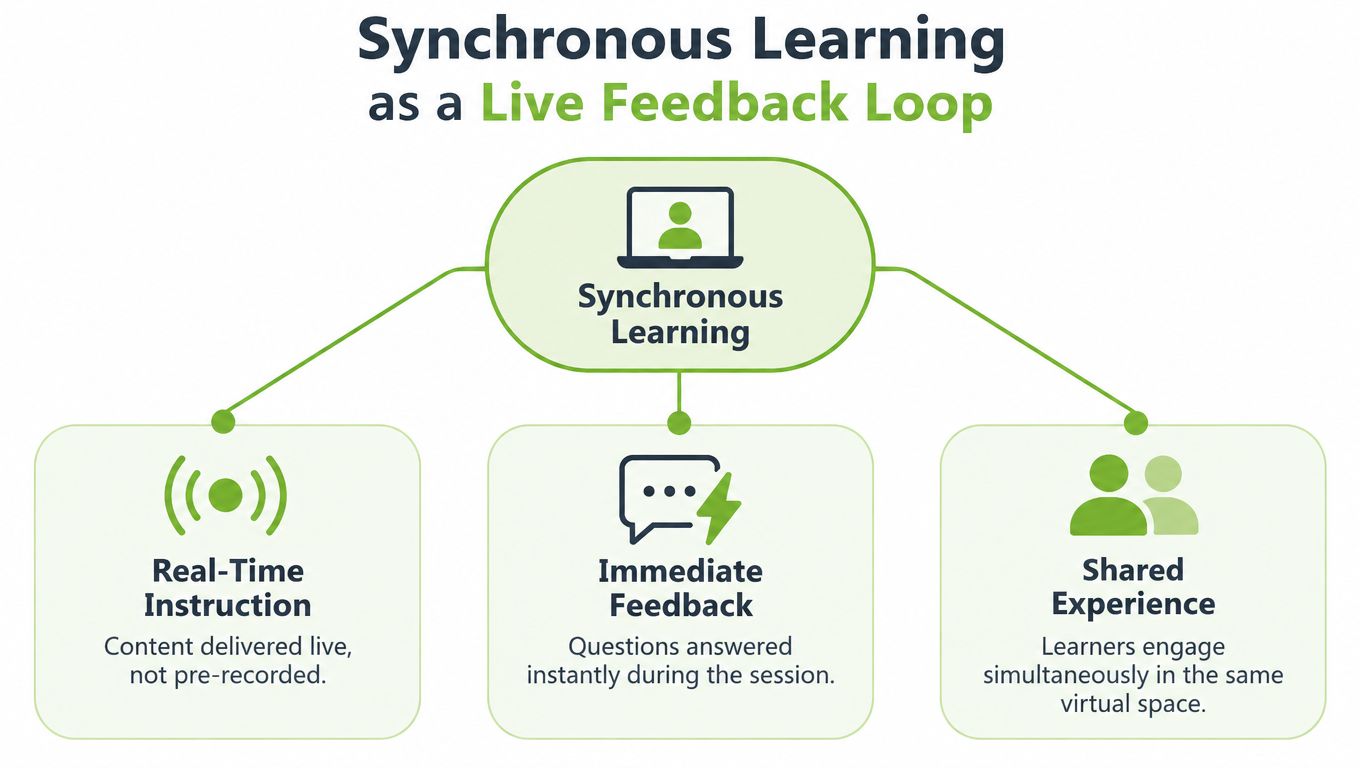
A recording breaks that loop. The learner may pause, rewind, or take notes, but the original instructor isn't receiving a live signal that changes the explanation. An asynchronous discussion board can create valuable interaction, but the response is delayed. Synchronous learning reduces that delay enough for the teacher to diagnose confusion while the lesson is still underway.
Consider a statistics tutorial. You explain a method, then ask learners to choose the next step in a poll. If most responses point to the same error, you don't need to wait for an assignment submission to discover the problem. You can display a second example, invite a learner to explain the choice, and correct the misconception before it becomes established.
This is why live teaching should be more than a video stream. UK government research on remote education identifies attendance checking, question handling, and immediate feedback as specific benefits of live remote teaching. Each benefit depends on the instructor noticing learner signals and acting on them.
The LMS is the classroom doorway
In an LMS, synchronous learning usually appears as a scheduled event connected to the wider course. Learners receive the date and access route, open the session from the module area, participate through the live tools, and return afterwards for a recording, resources, or an applied task.
That workflow makes the relationship between live and self-paced learning easier to manage. Before the session, learners might review a short reading or recorded explanation. During the session, they test their understanding through discussion and practice. Afterwards, they complete a quiz, submit a reflection, or revisit the captioned recording.
The LMS therefore isn't just a filing cabinet for the recording. It can hold the before, during, and after of the learning event. For administrators, that means checking that the event is scheduled correctly, the access permissions work, interaction tools are available, and the follow-up activity is linked to the right course area.
A successful live lesson closes the loop. It doesn't just add another hour of content to the timetable. It gives the teacher information that changes the teaching and gives learners a timely opportunity to use, question, and refine what they've encountered.
What Makes a Session Actually Synchronous
A lesson doesn't become effective synchronous learning merely because a camera is switched on. A genuine live session has several connected characteristics, and each one creates a practical responsibility for the person designing or administering it.
Start with a shared appointment
A synchronous event has a scheduled date and time. Learners know when the group will meet, how to enter, and what they should do before joining. The timetable creates a common learning moment, but it can also exclude people if the institution treats attendance at that one moment as the only valid route to learning.
The instructor and learners must also be present concurrently. That doesn't mean every learner has to speak or use a camera. It means the session offers a live channel through which participants can receive instruction and contribute in real time.
Build for low-latency interaction
The technical advantage of a live environment is low communication latency. A learner asks a question, the teacher answers. A poll reveals uncertainty, the teacher responds. A breakout group reaches an obstacle, the tutor intervenes.
Use more than one interaction channel:
Voice: Invite short explanations, not only questions.
Chat: Give learners a lower-pressure way to contribute.
Polls: Check understanding across the whole group.
Reactions and hand raising: Let participants signal quickly.
Breakouts: Move from individual thinking to peer discussion.
Shared tasks: Ask learners to apply the idea before the session ends.
Identity or attendance capture also matters where participation is required. Record presence in a way that respects the purpose of the course, rather than treating a join count as proof of learning.
Make the event recoverable
A recording, captions, slides, transcript, or equivalent alternative pathway helps learners who lose connection, have access needs, or cannot attend at the scheduled time. The alternative shouldn't be an afterthought uploaded weeks later. It should be part of the event design.
A UK university learning-analytics study found a small decrease in synchronous interactions during the shift to online teaching while asynchronous activity increased. That finding reinforces an important distinction: joining a session isn't the same as participating in it, and participation isn't the same as learning.
Measure the loop, not just the doorway. Track attendance alongside questions, poll responses, task completion, recording access, and later assessment evidence.
This short video gives a useful visual introduction to the practical ingredients of a live learning event.
For an LMS administrator, the operational checklist is straightforward: schedule the event, test access, enable interaction, capture attendance appropriately, provide captions or alternatives, publish the recording, and connect a follow-up task. For the educator, the deeper question is whether each feature helps learners send a signal and receive a useful response.
What UK Students and Trainers Actually Think
Learners don't automatically prefer a fully live online timetable. A 2024 study of 968 students at two Russell Group universities found that online-synchronous teaching was the least preferred option for 50.3% of undergraduates and 57.2% of postgraduates. The study published in PLOS ONE provides a useful warning against presenting live video as a universal replacement for classrooms, recordings, or self-paced study.
Yet the same broad picture contains an important qualification. A separate Open University survey found that 69% valued participative activities in online synchronous tutorials. Learners may dislike spending an entire timetable in live online lectures while still valuing a well-run discussion, collaborative task, demonstration, or question-and-answer session.
Format and design are different decisions
The technology answers the question, “Can everyone meet live?” It doesn't answer, “Why should they meet live?”
A passive lecture delivered through a webcam often preserves the least flexible features of classroom teaching while adding screen fatigue and technical dependence. A short live workshop can do something a recording cannot, such as let learners compare reasoning, practise a procedure, receive immediate correction, or ask a context-specific question.
The distinction matters when you design a blended course. Recorded material can carry explanations that learners need to revisit. A live tutorial can focus on application and discussion. An asynchronous task can give learners time to produce a considered response, while a later live session can examine common issues.
Learner need | Suitable live contribution | Useful companion |
|---|---|---|
Understand a new concept | Explanation followed by questions | Captioned recording or reading |
Test a decision | Scenario, poll, and discussion | Short follow-up quiz |
Practise a skill | Demonstration and coached attempt | Downloadable guide |
Resolve confusion | Open clinic or tutorial | Discussion board or transcript |
The right choice depends on the learning outcome and the learner's circumstances. Resources such as the guide to the best class option for Hong Kong illustrate why decisions about in-person and online teaching need to consider context rather than rely on a single preferred format.
Keep live interaction purposeful
An online-synchronous lesson earns its place when being together at the same time changes the quality of the activity. Ask learners to make a judgement, explain a choice, challenge an example, or solve a problem with others. If they only need to watch and copy notes, a recorded resource may serve them better.
This doesn't diminish the value of the teacher's presence. It gives that presence a clearer job. The teacher listens for uncertainty, surfaces different approaches, gives feedback, and helps the group make sense of a difficult idea together.
Two Live Sessions That Show How It Works
A definition becomes easier to use when you can see the decisions behind a session. The following examples are practical designs, not scripts. Each uses live time for work that benefits from immediate exchange.
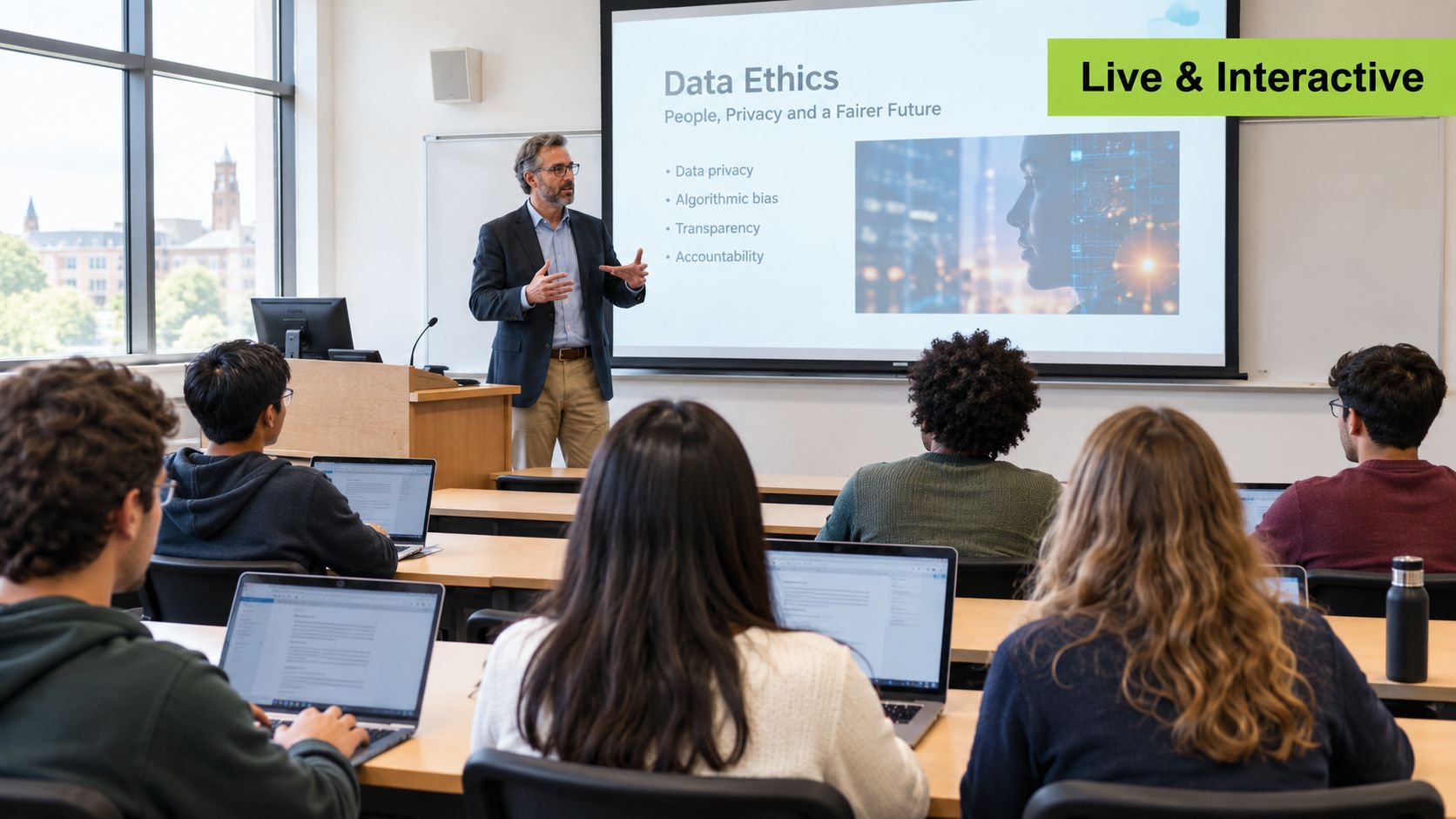
A university tutorial on data ethics
The tutor opens a 60-minute LMS-linked tutorial with a short welcome and a 10-minute concept introduction. The topic is a difficult question in data ethics, so the tutor doesn't try to cover every possible example. Instead, the introduction establishes the terms the group will need.
Next, learners answer a poll about a short scenario. The tutor displays the responses without turning the poll into a test. The spread of answers reveals which assumptions need attention, and the tutor invites a few learners to explain their choices.
The group then moves into breakout discussions. Each room receives a clear question and a shared response space. Learners must identify the ethical tension, justify a proposed action, and prepare one point for the whole-class discussion. When everyone returns, the tutor compares the reasoning rather than announcing a correct answer.
The session ends with a debrief and a follow-up task posted in the LMS. The recording is captioned, and learners can revisit the explanation before submitting a short application of the framework to a new scenario.
What made it work: the live time was reserved for judgement, dialogue, and feedback. The recording preserved access to the explanation, while the follow-up task tested whether learners could transfer the idea.
A corporate compliance session for a distributed team
An L&D manager runs a 45-minute compliance session for employees working different shifts. The live briefing is concise and introduces a policy change through a realistic workplace situation. Instead of asking learners to memorise wording, the manager uses a scenario-based poll: which action should the employee take next?
The manager discusses the reasoning behind the responses, then launches an in-session quiz with questions that require learners to apply the policy. Participants can use chat for clarification, and the manager records recurring questions for the course FAQ. A recorded version is made available for shift workers or colleagues in another time zone.
The follow-up activity asks learners to complete a short decision exercise in the LMS. The manager reviews the responses to identify areas that need another explanation or a future practice session.
What made it work: the live event created a shared interpretation of the policy, while the recording and follow-up task stopped a fixed timetable from becoming a barrier. The manager also connected participation to an applied decision rather than treating attendance as the final outcome.
The Equity Question Most Synchronous Guides Skip
“Just join the live class” sounds inclusive because learners don't need to travel to a campus. That assumption overlooks the conditions required to join successfully: a reliable connection, a suitable device, a quiet place, available time, accessible materials, and a timetable that doesn't collide with work or caring responsibilities.
Jisc's 2024/25 survey covered 15,398 UK higher-education students. It found that 60% experienced Wi-Fi connectivity problems, 37% lacked access to a suitable device at some point, 39% took paid work that could affect their studies, and 36% avoided campus to save travel costs.
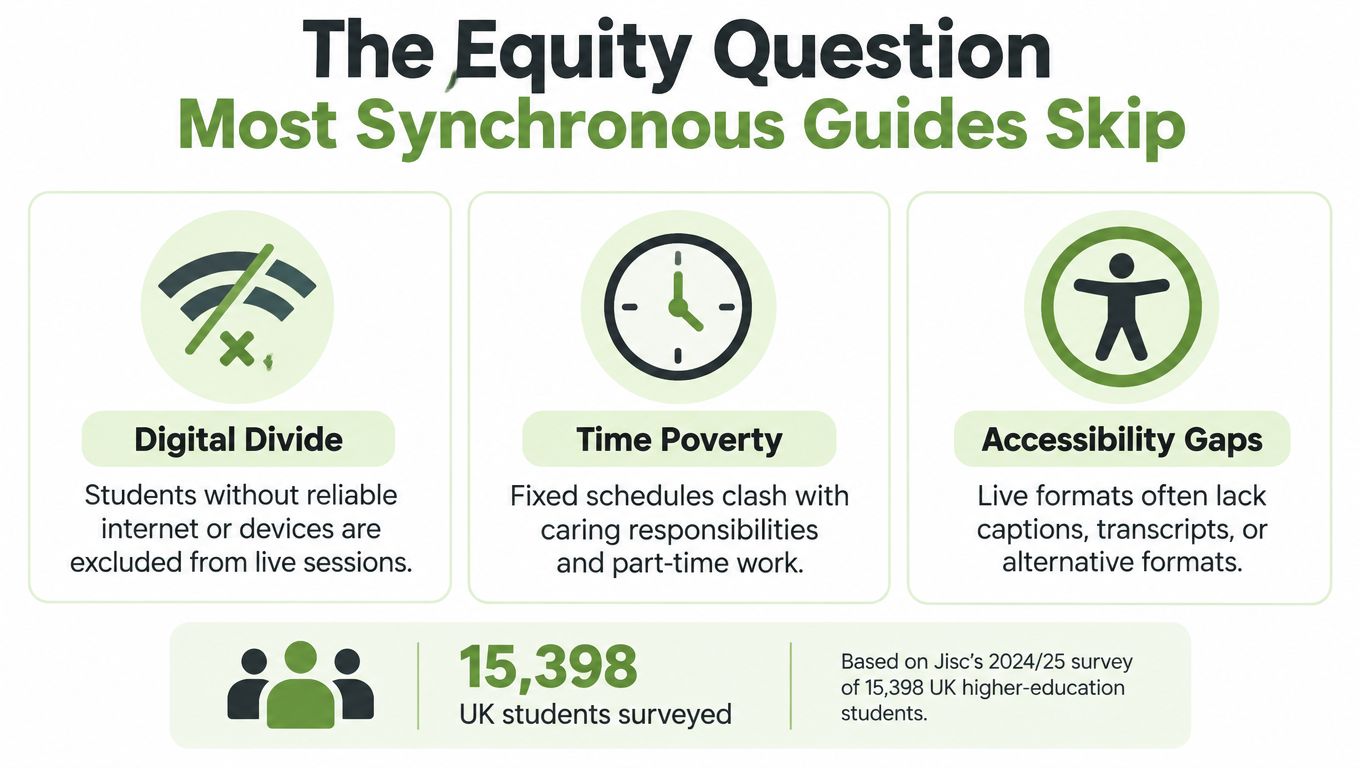
Those figures change the design question. A live class may remove travel for one learner while creating bandwidth pressure for another. A camera expectation may make participation uncomfortable or impossible. A fixed appointment may conflict with paid work, disability-related needs, caring duties, or an unstable connection.
Design the fallback before the live event
Inclusive synchronous learning treats alternatives as core pedagogy, not customer support added after a problem occurs. Build the following into the original workflow:
Recordings and captions: Make the live explanation available for review and provide accessible text wherever possible.
Chat participation: Allow learners to contribute without speaking or appearing on camera.
Downloadable materials: Offer slides, task instructions, and key resources in formats that work offline.
Low-bandwidth access: Avoid making high-quality video the only route to the learning activity.
Flexible attendance policies: Distinguish between missing a live event and failing to engage with the learning outcome.
Equivalent asynchronous pathways: Provide a meaningful alternative, not merely a note saying “watch the recording”.
The accessibility standards for video should inform decisions about captions, transcripts, visual descriptions, controls, and alternative formats. Accessibility isn't a finishing check applied after recording. It affects how you speak, share screens, structure activities, and invite responses during the session.
Inclusive design asks a practical question: If a learner misses ten minutes because the connection fails, what equivalent route lets that learner recover the same learning opportunity?
An LMS administrator can support this by configuring recordings, captions, downloadable resources, and follow-up tasks as part of the standard event template. An educator still needs to check whether the alternative preserves the important activity. A transcript may preserve an explanation, but it won't automatically replace a collaborative decision exercise. The substitute must match the learning purpose.
Best Practices for Designing Sessions That Work
A reliable live session has a rhythm. Nottingham Trent University's guidance says high-quality synchronous sessions should include frequent activity changes and at least one break every 90 minutes, with online teaching aligned to the UK Public Sector Bodies (Websites and Mobile Applications) Accessibility Regulations 2018. The university's online-learning guidance also stresses reasonable adjustments for learners with additional needs.
Use that principle to plan short learning cycles instead of one uninterrupted lecture. A 90-minute session might look like this:
Explain: Introduce the central idea for 15 minutes, using clear examples and verbal descriptions of important visuals.
Check: Run a five-minute poll that tests the first decision learners need to make.
Demonstrate: Work through an example for 15 minutes, pausing for questions.
Practise: Give groups a 10-minute breakout task with a visible outcome.
Review: Bring everyone back for a short comparison of approaches.
Pause: Offer a break before the final activity.
Apply: End with an individual task linked to the next assessment or workplace action.
Use captions, describe visual information aloud, provide materials in accessible formats, and offer alternative participation methods. If learners need a reasonable adjustment, plan it before the session rather than asking them to negotiate access while the lesson is in progress.
A platform workflow can support scheduled live video, recording, captions, and LMS-linked follow-up tasks. Analytics should help you examine participation and subsequent work, not produce a list of people who entered the room. The educator's question after the session is, “What did learners do with the opportunity to respond?”
Putting It All Together in Your LMS
So, what is synchronous learning? It's scheduled, live, interaction-rich teaching that closes a feedback loop. The instructor sends a learning signal, learners respond, and the instructor adapts the lesson while there is still time to help.
The evidence points towards a balanced approach. Learners value participative live activities even when they don't prefer an entirely online-synchronous timetable. Inclusive design requires recordings, captions, flexible routes, and attention to connectivity and time barriers. A practical LMS workflow can keep the live session, recording, resources, and follow-up task connected in one place.
If you use Moodle, Canvas, Blackboard, or another LMS, start with one session that has a clear reason to be live. The guidance on integrating Zoom with Moodle shows how a connected workflow can reduce friction between the scheduled event and the course area.
MEDIAL supports scheduled live streaming, recording, caption generation, and video workflows connected with learning management systems, so you can build synchronous sessions alongside accessible asynchronous follow-up. Visit MEDIAL to explore how it can support your next live lesson, tutorial, or training event.
Comments