
What Is a Learning Management System Explained

So, what exactly is a Learning Management System, or LMS?
At its core, an LMS is a software platform built to deliver, manage, and track educational courses and training programmes. Think of it as the central hub for all your learning activities. For instance, instead of emailing a training video and tracking completions on a spreadsheet, an LMS lets you upload the video, enrol users, and automatically see who has finished it, all from one dashboard.
What a Learning Management System Does
Ever tried to train a team using a messy jumble of emails, shared folders, random video links, and a spreadsheet to see who's done what? It's chaos. A new sales hire might miss a crucial product demo video buried in an email chain, leading to inconsistent knowledge across the team.
An LMS steps in to fix this. It creates a single, structured home for every learning task. For example, a new hire's entire onboarding journey—from company culture videos to security policy quizzes—is laid out in a clear, step-by-step path that they can follow from day one.
Instead of just being a place to dump files, an LMS actively guides the entire learning journey. This organised approach is what makes it so essential for keeping things efficient and consistent, whether you're onboarding new starters, rolling out mandatory compliance training, or teaching a university course. The need is clear, especially when you see the UK e-learning market hit a value of USD 11,292.3 million in 2024.

Core Functions of a Learning Management System at a Glance
So, what does an LMS actually do day-to-day? To cut through the jargon, let's break down its fundamental roles into simple, practical actions. This table shows how an LMS translates high-level concepts into real-world tasks that administrators and managers handle all the time.
Core Function | What It Means in Practice | Example Use Case |
|---|---|---|
Administration | Managing users and courses from a central dashboard. | An HR manager setting up automatic enrolment for all new hires into the "Health & Safety 101" course. |
Content Delivery | Housing and distributing learning materials like videos, documents, and quizzes. | A retail employee on the shop floor accessing a 2-minute video on their phone about a new product. |
Tracking & Reporting | Monitoring learner progress and generating performance reports. | A manager pulling a report to see which team members haven't completed their mandatory cybersecurity training before the deadline. |
Assessment | Creating and grading tests or assignments to measure understanding. | A learner completes a quiz on new software features and gets immediate feedback explaining why their incorrect answers were wrong. |
Ultimately, these functions work together to create a streamlined, measurable learning environment for everyone involved.
The Digital Library and Classroom Analogy
If you're still trying to get your head around it, this simple analogy should help. Think of an LMS as both a super-organised digital library and an interactive classroom.
The Library: This is where all your learning resources live—videos, documents, and interactive modules—all neatly catalogued. For example, a sales team can access a library of case studies and competitor analyses anytime, without having to ask a manager for the files.
The Classroom: This is where the learning actually happens. Learners can take a quiz after watching a video, join a discussion forum to ask questions about a tricky topic, and get guidance from instructors.
This dual personality is what makes an LMS so effective. It provides a solid framework that supports both learners and administrators, making education more efficient and, crucially, measurable. It's a space where platforms like those where knowledge management systems support employee learning can also plug in, contributing to a much wider culture of organisational development and skill-building.
So, what really makes an LMS tick? To get a proper feel for what these systems are all about, you have to look under the bonnet. An LMS is a world away from being just a digital filing cabinet for old training documents. Its real power comes from a core set of features that all work together to build a learning environment that’s both dynamic and measurable. These tools are the engine driving effective training, turning static content into an engaging journey.
At the heart of any good LMS, you’ll find its course creation and management tools. This is the control centre where administrators and instructors can build a learning experience from the ground up. Instead of just uploading a dry PDF, you can piece together interactive modules that mix and match different media to click with all sorts of learning styles.
For a practical example, a sales training module could kick off with a short, punchy video showing a new negotiation technique. This could be followed by a downloadable script for practice, a quick quiz to check understanding, and then a link to a discussion forum where reps share their experiences trying the technique. This kind of layered approach keeps learners actively involved, and studies show that can boost knowledge retention by up to 60%.

Tracking Progress with Reporting and Analytics
A standout feature of any LMS is its ability to answer that all-important question: "Is our training actually working?" This is where reporting and analytics dashboards shine. These tools automatically keep track of what learners are doing, giving you actionable insights that you just can't get with manual methods.
No more chasing employees with emails and spreadsheets. A manager can just log in and see real-time data at a glance.
A modern LMS provides clarity. It moves you from guessing about training effectiveness to knowing precisely where learners are succeeding and where they need support, backed by concrete data.
Imagine a company rolling out new software. The analytics dashboard might show that while 95% of employees have finished the first few modules, 70% are stumbling on the quiz for a specific advanced feature. That data instantly tells the training manager something crucial: it’s not that the employees are failing, but that the training module itself needs a rethink. The actionable insight? Rerecord that section with a clearer example or add a downloadable cheat sheet.
Fostering Collaboration and Community
Let’s be honest, learning is rarely a solo sport. That's why communication and collaboration features are such vital parts of a modern learning management system. Tools like discussion forums, direct messaging, and group projects help create a sense of community and get people learning from each other.
For example, a new hire going through onboarding could post a question in a dedicated "New Starters" forum and get practical answers from both their peers and a seasoned mentor. It creates a supportive network right from day one. This social learning approach doesn't just improve engagement; it helps build a stronger, more connected company culture. A popular open-source platform like Moodle, for instance, leans heavily on these community features. For a closer look, you can explore a detailed Moodle overview and its collaborative tools.
Ensuring Access Anytime, Anywhere
In today’s flexible working world, people need to learn outside the traditional office or classroom. Mobile accessibility is no longer a nice-to-have; it's a must. It allows learners to get to their training materials on their phones or tablets, whenever and wherever it suits them.
A practical example is a field-based sales team completing product knowledge modules on their tablets between client meetings. Or a healthcare worker on a night shift catching up on compliance training on their phone during a quiet moment. This flexibility respects the learner's schedule, which naturally leads to higher completion rates. It ensures that development opportunities are open to everyone, no matter their location or working hours. This is what truly makes a learning management system so adaptable.
Who Actually Uses an LMS and Why It Matters
A learning management system isn't just a niche tool for a specific type of organisation. Far from it. It's an incredibly versatile platform that you'll find in almost every sector, helping to solve fundamental challenges in training, development, and education. Seeing how different industries put an LMS to work is the best way to understand its real strategic value and figure out where your own needs might fit in.
Whether it’s a multinational corporation or a local primary school, the core goal is always the same: deliver structured learning in a way that’s efficient and measurable. However, the specific reasons why they use it can look very different.
Corporate and Enterprise Training
In the business world, an LMS is the engine that drives everything from workforce development and compliance to new employee onboarding. Companies of all shapes and sizes rely on it to keep their teams skilled, knowledgeable, and safe. The adoption rate is massive; recent reports show a staggering 83% of UK organisations use an LMS for employee training, making it the most common learning technology in the country. If you're curious, you can discover more insights about these LMS statistics to see the full picture.
So what does this look like in practice? Here are a few day-to-day scenarios:
Streamlining New-Hire Onboarding: A new marketing assistant joins the team. Instead of getting a stack of manuals, they’re automatically enrolled in a structured onboarding path in the LMS. On Day 1, they complete HR paperwork; by Day 5, they've finished modules on the company's brand voice and key software tools. It creates a consistent, positive experience for every new starter.
Deploying Mandatory Compliance Training: Imagine a financial services firm that needs its entire global team to complete annual anti-money laundering training by June 30th. The LMS lets them assign the course, send automated reminders on June 15th and 25th to anyone falling behind, and generate a final report on July 1st to prove compliance in an audit.
Upskilling Technical Teams: A software company needs its developers to learn a new programming language. Through the LMS, they can provide access to specialised video courses, coding exercises, and assessments, letting employees build critical skills without taking them away from their projects for days on end.
The corporate LMS is more than a training tool; it's a strategic asset for building organisational agility. It empowers companies to close skill gaps, adapt to market changes, and foster a culture of continuous improvement.
For any business looking to build a robust educational framework, our guide on training employees online provides a practical roadmap for creating programmes that actually engage and make an impact.
Educational Institutions
While the corporate world has fully embraced the LMS, educational institutions were some of the earliest adopters. They've been using these platforms for years to support and extend the traditional classroom. For schools, colleges, and universities, an LMS acts as the central hub for academic life, connecting students, teachers, and course materials in one digital ecosystem.
The use cases here are just as vital:
K-12 Blended Learning: A secondary school history teacher uses the LMS to supplement their in-person lessons. They upload lecture recordings for absent students, post links to interactive historical maps for homework, and create online quizzes that give instant feedback, freeing up class time for more discussion.
University Course Management: A university professor managing a first-year biology course with 300 students uses the LMS to distribute the syllabus, collect assignments with automated deadline tracking, run discussion forums for questions, and post grades securely.
Fully Online Degree Programmes: Many universities now offer entire degree programmes online. In these cases, the LMS serves as the virtual campus itself, hosting everything from video lectures and digital textbooks to collaborative group projects using integrated tools and proctored final exams.
Looking at these real-world examples, it becomes clear that an LMS is foundational technology for modern learning. Whether you’re building a compliant workforce or managing a university curriculum, it provides the structure, tools, and data needed to deliver education effectively at scale.
The Real-World Benefits of an LMS
So, beyond all the features and technical talk, what does an LMS actually do for you? The real magic isn't in the software itself, but in the practical, bottom-line results it brings to an organisation. It’s about saving time, cutting costs, and creating a training environment that’s efficient, scalable, and easy to measure.
Think about it: by bringing all your learning content into one central place, you immediately get rid of the administrative chaos. No more emailing training materials back and forth, chasing people for completion statuses, or trying to make sense of a dozen different spreadsheets. This simple act of consolidation saves countless hours and makes sure everyone gets the same, consistent information.
Streamline Your Operations and Get Valuable Time Back
Picture the old way of running a mandatory annual training session. An administrator probably spends days organising schedules, booking rooms, printing binders, and then manually tracking attendance on a spreadsheet.
Now, let's look at the same scenario with an LMS in place.
Automated Enrolment: New hires are automatically enrolled in the right courses based on their job role in the HR system. No manual invites needed.
Self-Paced Learning: Employees can complete the training on their own schedule, meaning you don't have to pull the entire sales team off the phones for a day-long session.
Instant Reporting: A manager gets a real-time dashboard showing a 75% completion rate and can send a pre-written reminder with one click to the remaining 25%—which the system can also do automatically.
This shift frees up your training and admin staff. Instead of getting buried in repetitive tasks, they can focus on what really matters: creating fantastic learning content.
Make a Real Dent in Your Costs
One of the most powerful arguments for an LMS is its impact on the budget. Traditional, in-person training adds up fast. You've got instructor fees, venue hire, travel, accommodation, and stacks of printed materials to pay for.
An LMS can shrink or even completely wipe out these costs. In fact, research shows that e-learning can lead to huge cost savings of between 50% and 70% simply by cutting out the expenses tied to face-to-face training.
By moving training online, organisations can deliver high-quality education to a global workforce without the significant financial burden of travel and physical logistics. This makes scalable growth not just possible, but affordable.
Imagine a company with offices in London, Manchester, and Edinburgh. Instead of flying a trainer to each location for a day (costing flights, hotels, and fees), they create one high-quality online course in their LMS. The initial investment in creating that course is often paid back after cancelling just one multi-location training event.
Simplify Compliance and Performance Tracking
For a lot of industries, compliance training isn't just a good idea—it's the law. An LMS is a game-changer for managing and proving you've met your obligations. The automated tracking creates a detailed audit trail, showing exactly who completed what training, when they did it, and what score they got on the assessment.
This data is gold during an audit. Instead of hunting through dusty file cabinets, a manager can generate a report in seconds to prove their team is fully compliant with GDPR or health and safety regulations. This turns what was once a chaotic, manual headache into a streamlined, scalable, and defensible training strategy that actually supports your organisation’s growth.
Choosing the right learning management system can feel like a massive decision, but it doesn't have to be overwhelming. If you break it down into a few logical steps, you can turn a daunting task into a manageable one. A structured approach ensures you pick a platform that not only solves today's training problems but also grows with you down the road. It all starts by looking inward long before you ever see a sales demo.
First things first: get crystal clear on what you're trying to achieve. Are you trying to reduce new hire ramp-up time from 60 to 30 days? Are you aiming for 100% compliance training completion by a specific deadline? Or are you looking to sell online courses to generate a new revenue stream? Your core learning objectives are your North Star, guiding every decision you make.
Define Your Audience and Must-Have Features
Once you know your goals, shift your focus to your learners. Who are they, really? Are they tech-savvy developers, or are they frontline workers in a warehouse who need a simple, mobile-first interface? Answering this helps you prioritise features.
With your audience in mind, you can start building a checklist of your non-negotiable features. This is about identifying the core tools you genuinely need.
A Corporate Trainer, for instance, would probably prioritise automated compliance reporting, seamless integration with an HR system, and robust quiz-building tools.
A University Lecturer might put discussion forums, a secure gradebook, and the ability to handle massive video lecture files at the top of their list.
An Independent Coach selling courses would likely need built-in e-commerce features (like Stripe integration), a customisable storefront, and integrations with marketing tools like Mailchimp.
This checklist becomes your secret weapon. It allows you to quickly filter out platforms that simply don't have what you need.
Ask Vendors the Right Questions
When you finally start talking to vendors, having a prepared list of questions is your best defence against a slick sales pitch. Don’t just ask what their platform can do. Ask them how it will solve your specific problems.
A vendor demo should be less about a tour of the software's features and more about its ability to deliver on your organisation's unique learning goals. If they can't connect their tools directly to your objectives, it’s not the right fit.
Here are a few essential questions to get you started:
Scalability: We have 100 users now but project 5,000 within two years. How does your pricing and infrastructure support that growth? Will our costs triple, or is there a more economical enterprise plan?
Support: What’s included in your standard support package? If our system goes down at 9 am, what is your guaranteed response time?
Integrations: Can you show me a live example of an integration with Zoom? We need to see how a completed webinar automatically updates a user's training record.
Implementation: What does a typical implementation look like for a company our size, and what specific resources (e.g., one IT person, one project manager) will you need from our team?
Their answers will tell you a lot about their service and whether they see you as a customer or a true partner.
Cloud-Based vs Self-Hosted Systems
One of the biggest technical decisions you'll face is whether to go with a cloud-based (SaaS) or a self-hosted LMS. Each model comes with its own set of pros and cons, and the right choice depends entirely on your organisation's resources and needs.
The decision tree infographic below is a great way to visualise how an LMS can lead to tangible benefits like cost savings and easier compliance management.
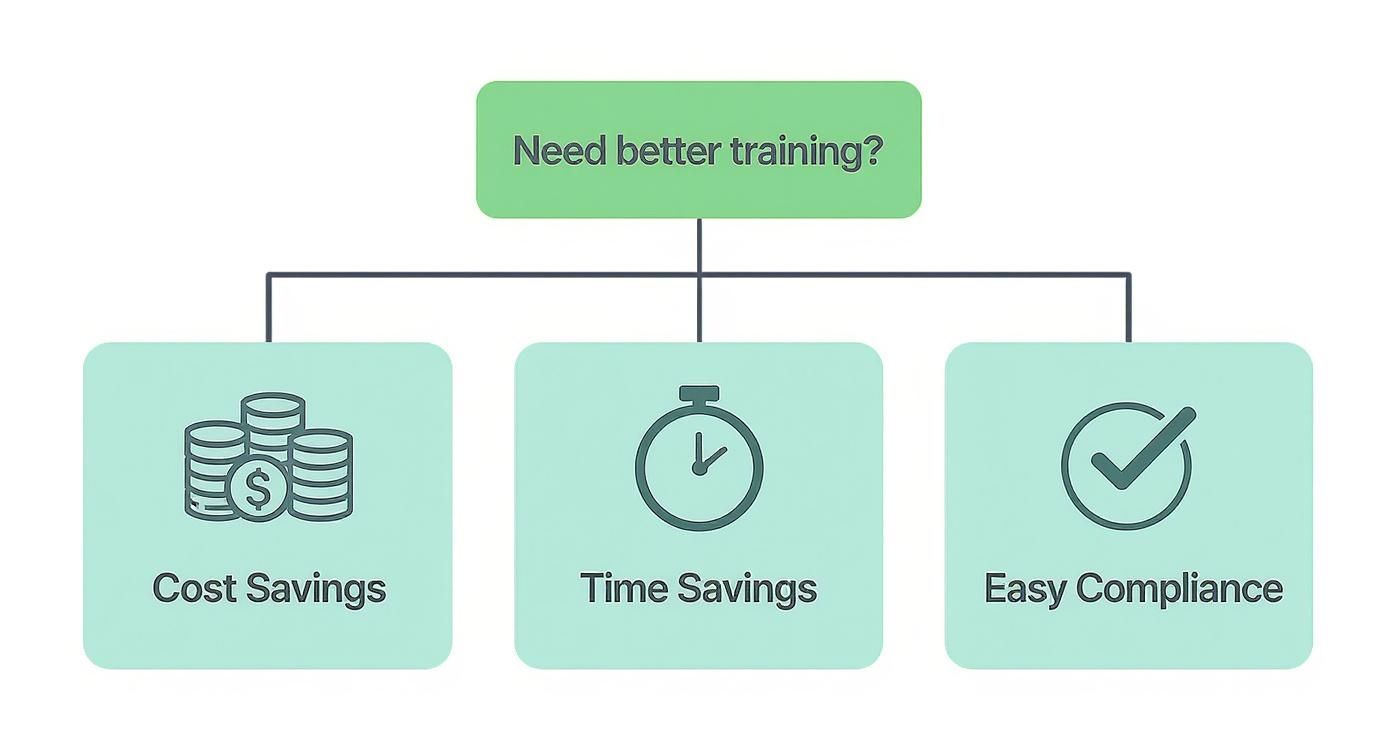
This visual really drives home the point that improved training connects directly to core business outcomes—a key factor to keep in mind during your search.
To help you weigh the options, this table breaks down the key practical differences between the two main deployment models. It should give you a clearer picture of what aligns with your budget, IT capabilities, and customisation requirements.
Comparison of Cloud-Based (SaaS) vs Self-Hosted LMS
Feature | Cloud-Based (SaaS) LMS | Self-Hosted LMS |
|---|---|---|
Initial Cost | Lower, typically a monthly or annual subscription fee. | Higher, requires purchasing a licence and server hardware. |
Maintenance | Handled entirely by the vendor, including updates and security. | Your responsibility, requiring dedicated IT staff and resources. |
Implementation | Faster, often ready to configure and use within days or weeks. | Slower, involves installation, setup, and extensive configuration. |
Customisation | Limited to the options provided by the vendor (e.g., branding, logos). | Nearly unlimited, offering full control over the code and features. |
Best For | Most businesses wanting a low-maintenance, scalable, and quick-to-deploy solution. | Large enterprises with specific security needs and the IT resources for full control. |
Ultimately, choosing an LMS is a strategic decision that will shape the future of learning in your organisation. By methodically defining your goals, understanding your users, and asking the tough questions, you can confidently select a system that not only empowers your learners but also delivers real, measurable results.
Integrating Your LMS for a Smarter Workflow
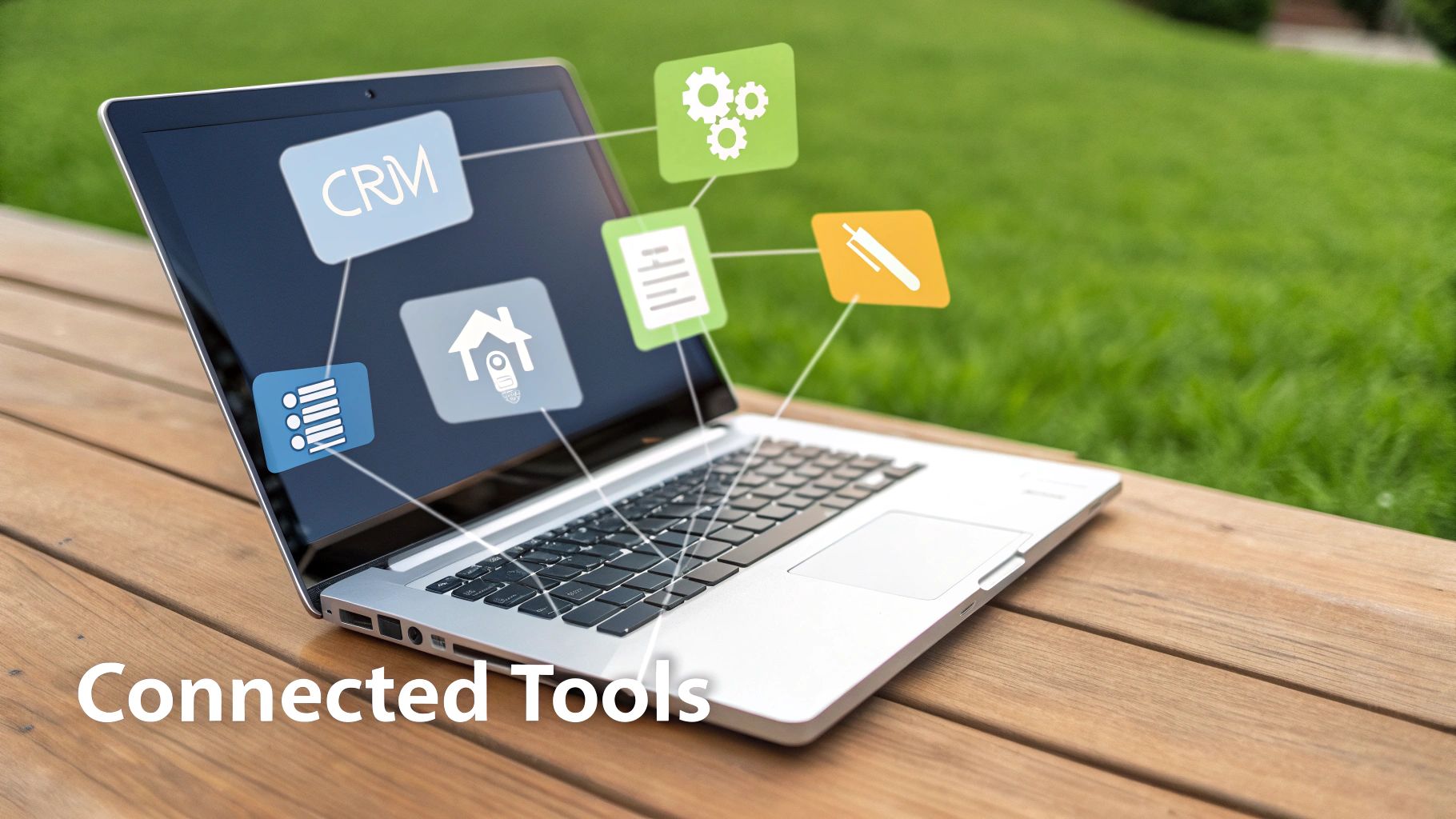
A powerful Learning Management System rarely works in isolation. Its true value is unlocked when you connect it with the other software you already use, creating a seamless, intelligent workflow that automates tasks and shares valuable data across your entire organisation.
Think of integrations as bridges that allow your different systems to talk to one another. For instance, connecting your LMS and your HR system means a promotion automatically triggers an enrolment into a "New Manager Training" course.
Without these connections, you end up with digital silos. Learner data gets trapped in the LMS, and simple administrative jobs like enrolling new hires become a repetitive, manual chore. An integrated approach, however, turns your LMS from a standalone training tool into the central hub of a connected learning ecosystem.
Essential Integrations That Drive Efficiency
Certain integrations are fundamental for automating workflows and creating a smarter operational environment. They remove friction for both administrators and learners, making the whole training process much more efficient.
For example, connecting your LMS to your Human Resource Information System (HRIS) is a total game-changer for onboarding. When a new person joins the company and is added to the HRIS, the integration can automatically create their LMS account and enrol them in the right induction courses. This single action saves HR and L&D teams hours of manual work per new hire.
An integrated LMS moves beyond simple content delivery. It becomes an active participant in your business operations, automating routine tasks and delivering targeted training precisely when and where it is needed most.
Another critical link is with your Customer Relationship Management (CRM) software. Imagine your sales team needs training on a new product feature. An LMS-CRM integration can automatically assign this training to sales reps who manage accounts that would benefit most from the new feature, making sure the learning is timely and relevant. For a deeper dive into making these connections work, check out this guide on mastering Learning Management System integration to build a truly connected tech stack.
Elevating the Learning Experience with AI and Video
Beyond core operational software, modern integrations with advanced media platforms can dramatically improve the learning experience itself. Today's training is heavily reliant on video, but a simple video file can be a "black box" of information—hard to search and navigate.
This is where AI-powered video platform integrations really make a difference.
Automatic Transcription: An AI integration can generate a full, searchable transcript for a one-hour webinar. A learner can then search for the word "budget" and instantly jump to the exact moment it was discussed, instead of scrubbing through the whole video.
Intelligent Summaries: The AI can create concise, bullet-point summaries of long training sessions, perfect for a quick revision before a client meeting.
Automated Chapters: It can also analyse a video's content and automatically create a clickable table of contents, breaking a one-hour webinar into digestible, topic-based chapters like "Introduction," "Q1 Performance," and "Next Steps."
These intelligent features transform passive video content into active, accessible knowledge resources. This saves countless hours for both learners searching for information and administrators who would otherwise have to create these resources by hand.
Got Questions About Learning Management Systems?
When you start digging into what a learning management system is, a few questions always pop up. Getting straight, practical answers to these is key to figuring out if an LMS is actually the right move for your organisation.
What’s the Price Tag on an LMS?
LMS costs vary widely, but most platforms use a few predictable pricing models. You’ll often see a per-user, per-month fee, which might be £5-£10 per user. This is great for small businesses because if you grow from 50 to 70 employees, your cost scales predictably.
Bigger organisations might go for subscription tiers (e.g., a "Pro" plan for up to 500 users for a flat £2,000 per month). The key actionable insight here is to ask for a quote that details all potential costs: setup fees, data migration costs, and any charges for integrating with your other software. This prevents budget surprises later.
What’s the Difference Between an LMS and an LXP?
This one trips a lot of people up. The main difference really comes down to who’s in the driver's seat of the learning journey.
An LMS is built for structured, top-down training. Think of it as the tool administrators use to assign mandatory courses and track compliance. A Learning Experience Platform (LXP), however, is all about the learner. It’s designed for self-directed discovery, a bit like a curated educational streaming service.
So, an LMS would be used to assign mandatory "Data Security" training. In contrast, an LXP would recommend a podcast on "AI in Marketing" to a user based on their role and previous activity.
How Long Does It Take to Get an LMS Running?
Getting an LMS up and running can take anywhere from a few weeks to several months. It really boils down to how complex your needs are and which platform you choose.
For a small team using a cloud-based LMS with no integrations, you could be live in less than a month. However, a large enterprise needing to migrate 1,000 courses from an old system, integrate with HR software, and train 200 managers will likely need a 3-6 month project. A good implementation plan should have clear milestones for configuration, content loading, user testing, and a final launch date.
Ready to elevate your training with powerful, AI-driven video? MEDIAL integrates seamlessly with your LMS to make learning more engaging and accessible. Discover how you can automatically generate transcripts, summaries, and chapters for all your video content by exploring our solutions at https://medial.com.
Comments