
Unlocking Search in Videos to Boost Engagement

Searching in videos isn't just a neat trick; it's about fundamentally changing how we interact with content. It allows anyone to instantly pinpoint specific moments just by typing a few keywords. This transforms what was once passive video into a searchable, interactive resource.
This is all powered by accurate transcripts, which act as a data layer that makes every spoken word indexable and discoverable. Suddenly, lengthy recordings become efficient, on-demand knowledge bases. For example, instead of scrubbing through an hour-long meeting recording to find a discussion about "Q4 budget," a user can simply type those words and jump directly to that part of the conversation.
Why Your Video Library Needs In-Video Search
Video is a fantastic medium for learning and training, but its true potential is often locked away. We've all been there.
Imagine a student cramming for an exam, desperately scrubbing through a two-hour lecture just to find a single key concept their professor explained. Or think about a new employee trying to locate a specific safety protocol that was briefly mentioned in a long onboarding video. Without a way to search inside the video, the whole process is just frustrating and wildly inefficient.
This linear, "press play and hope for the best" experience is a huge barrier to actually retrieving knowledge. It wastes valuable time and can lead to students or staff just giving up, which tanks the return on investment for your entire video library. When people can't find what they need quickly, your content ends up as a static archive instead of a dynamic tool.
From Passive Content to Interactive Knowledge
Bringing in-video search into the mix changes this dynamic completely. Your video library is no longer just a collection of recordings; it becomes an interactive knowledge base people can query on demand. Users can pinpoint exact moments, review critical information instantly, and engage with the content on their own terms.
This shift has real, tangible benefits no matter the setting:
In Education: Students can find answers fast, review complex topics without friction, and genuinely study more effectively. This often leads to better learning outcomes. We've seen how understanding student engagement statistics can really highlight where searchable video makes a massive difference.
For Corporate Training: Employees get access to just-in-time information, refreshing their memory on a procedure or policy without having to sit through an entire module again. This is a direct boost to productivity and helps ensure compliance.
Better Accessibility: Let's not forget that searchable transcripts make content far more accessible for users with hearing impairments or those who simply prefer to read. It's about making learning inclusive for everyone.
Adapting to Modern Viewer Habits
People's expectations for video are now shaped by platforms like YouTube. Recent UK data shows YouTube is the second most-watched video platform right after the BBC, with daily viewing time climbing to 39 minutes per person.
This isn't just a trend for the young, either. Viewers aged 55+ have nearly doubled their watch time, often on their TV sets. This tells us there's a clear demand for intuitive, accessible video search that works flawlessly across all devices and for people with varying levels of digital literacy. You can find more about how to use insights from YouTube keyword research tools to understand viewer search behaviour.
By making your videos searchable, you aren't just adding a feature; you are fundamentally increasing the value and utility of your most important content assets. It meets modern user expectations and maximises the impact of your educational or training materials.
Creating Accurate Transcripts for Search
Let's be blunt: your in-video search feature is completely useless without an accurate transcript. It's the digital backbone of the entire system. If the transcript is shoddy, the search simply won't work. The whole process kicks off by turning spoken words into text, and the quality of that conversion is what makes or breaks the user's ability to find what they need.
The engine behind this is Automated Speech Recognition (ASR), and its accuracy is everything. A modern ASR tool might boast 90-95% accuracy on a clean audio recording, but that number can plummet the moment you introduce background noise, people talking over each other, or highly specialised jargon.
Choosing the Right ASR Service
Not all ASR services are built the same, especially when you're dealing with unique or technical content. It's easy to get swayed by a high headline accuracy rate, but you need to dig deeper. Imagine a university in Manchester delivering a complex engineering lecture. They'll need a service that can handle both diverse UK accents and a boatload of technical terms.
Here’s what you should really be looking for:
Accent and Dialect Support: How well does the service cope with regional UK accents? An ASR model trained mostly on American English is going to stumble over Glaswegian or Scouse accents, and that means errors.
Custom Vocabulary: This is a big one. Can you feed the system a list of specific terms it should listen for, like "isothermal expansion" or "ferrous alloys"? This capability is crucial for teaching the ASR to recognise industry-specific language that isn't in a standard dictionary.
Speaker Diarisation: The ability to tell different speakers apart and label them (e.g., "Speaker 1," "Speaker 2") provides vital context. It lets users search for content based on who said it, not just what was said.
Getting the transcript right is the absolute foundation. For organisations like ministries, where the spoken word is central, specialised tools like a sermon transcription service demonstrate just how much a tailored solution can boost searchability for specific types of content.
Refining Machine-Generated Transcripts
Here's the reality: even the best ASR systems will make mistakes. That's why having a human in the loop to review and refine the transcript is essential for a truly dependable search experience.
This doesn't mean you need to suffer through a tedious, line-by-line edit. Instead, be strategic. Focus your energy on high-impact corrections that will give you the biggest bang for your buck in search accuracy.
A great place to start is by searching for key terms you know are in the video. If your search for "centrifugal force" turns up nothing, it's a good bet the ASR misheard it as "centripetal force" or something else entirely. Fixing these critical keywords is a quick win that makes your most important concepts discoverable.
Next, give the speaker labels a quick scan. An ASR system that incorrectly attributes a key statement to the wrong person can create real confusion. A quick check of these labels, particularly around the points where speakers change, adds a huge amount of value. You can learn more about how modern platforms are using AI to make this easier by checking out the latest in AI auto-captioning technology.
Pro Tip: Don't get bogged down trying to create a flawless, grammatically perfect transcript. Your goal here is searchability, not a literary masterpiece. Concentrate on correcting the nouns, technical terms, and proper names that people are most likely to type into the search bar. This targeted approach saves a ton of time while maximising the power of your video search.
Designing an Intuitive Video Search Experience
So you've got an accurate transcript sorted. That's a great foundation, but a clunky interface will stop your users dead in their tracks. The next challenge is to design a search experience that feels completely effortless. This isn't just about how the search bar looks; it’s about how your video content is structured and indexed behind the scenes to deliver relevant, actionable results.
Think of effective indexing as creating a detailed, multi-layered map for your entire video library. Instead of just relying on the raw transcript, you enrich it with extra metadata. This additional context is what makes the whole system so much smarter.
Here’s a quick breakdown of what that looks like in practice:
Tags and Keywords: Manually add relevant tags (e.g., "Health and Safety," or "Q3 Marketing Review") to properly categorise your videos.
Chapters: For longer videos, break them into logical sections with descriptive titles. This is a game-changer for lengthy lectures or meetings, allowing users to search within specific topics.
Speaker Names: Identifying who is speaking provides another powerful filter, letting users jump straight to moments when a specific person was presenting.
This simple workflow shows how a video file gets processed into searchable text.
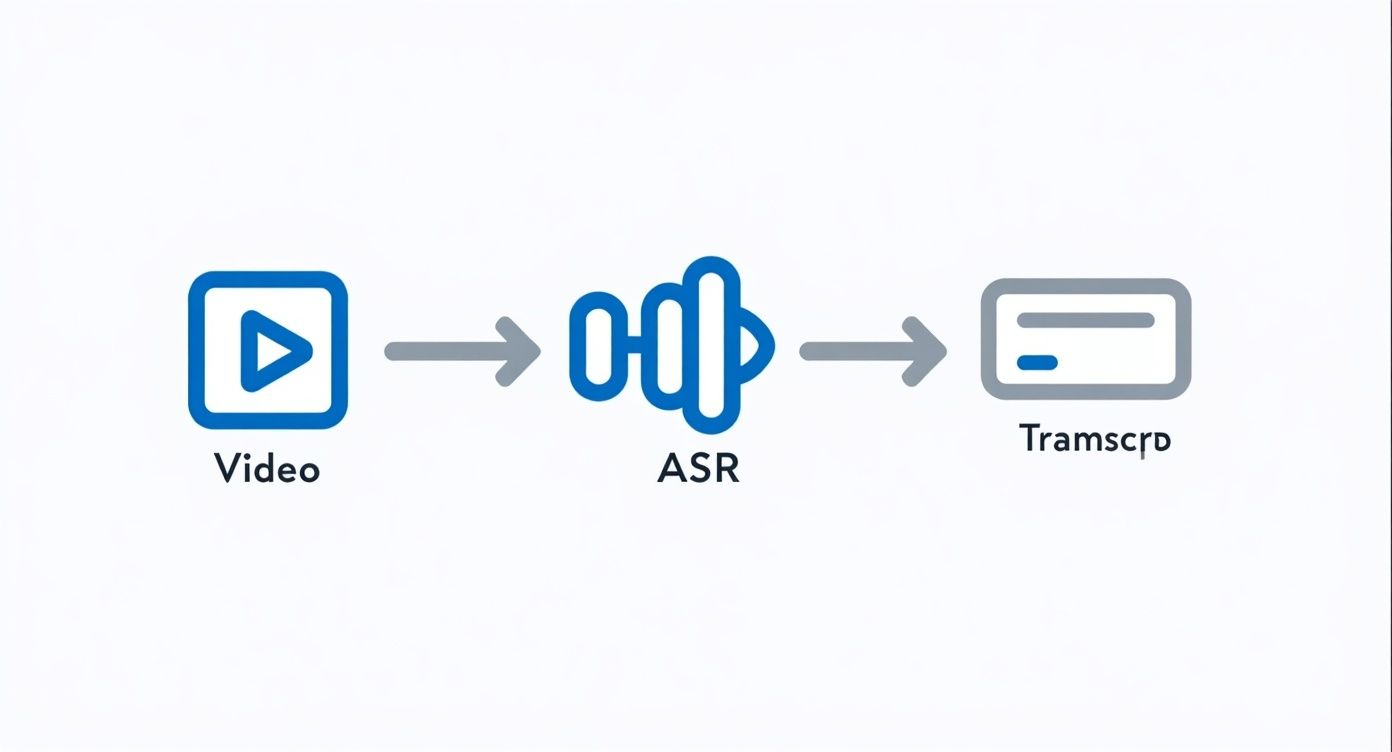
It’s a clear visual of the journey from raw video to a searchable transcript via Automated Speech Recognition, which really is the heart of any video search system.
Building a User-Friendly Search Interface
The user interface (UI) is where all your hard work finally pays off. A well-designed UI should do much more than just spit out a list of videos. It needs to guide the user directly to the precise moment they’re looking for, eliminating that frustrating, time-wasting manual scrubbing we all hate.
The single most crucial feature here is displaying timestamped results. When someone searches for a term, the results shouldn't just be a link to the video. Instead, you need to show every single instance where the term appears, complete with a timestamp (like 04:32) and a snippet of the surrounding text for context. Clicking that result should then jump the user to that exact point in the video.
You have to consider the expectations people now have, largely set by major platforms. YouTube's dominance in the UK, with around 54.8 million users, has trained people to expect fast, hyper-relevant video search. Recent data shows that a staggering 94% of UK online adults used the platform in a single month. This massive scale drives the need for sophisticated search that can handle immense content volumes and deliver precise results—a standard users now expect everywhere. You can dive deeper into these trends in this detailed report on UK social media statistics.
The best video search interfaces provide "glanceable" context. Thumbnail previews next to each timestamped result give users a visual cue, helping them instantly recognise if it’s the correct section before they even click play.
When it comes to building your own search interface, it's helpful to map out what features are essential versus what could be added later for an enhanced experience.
Key Features for an Effective Video Search Interface
Feature | Description | Impact on User Experience |
|---|---|---|
Timestamped Search Results | Displays search hits with the exact time they appear in the video. | Essential. Allows users to jump directly to relevant moments, saving significant time. |
Contextual Snippets | Shows a few lines of text from the transcript around the search term. | Essential. Helps users quickly verify the context without having to click into the video. |
Thumbnail Previews | A small image from the video at the point of the timestamp. | High Impact. Provides a strong visual cue, making it easier to identify the right content. |
Fuzzy Search & Spellcheck | The search engine can handle typos or variations of a search term. | High Impact. Forgives minor user errors and improves the chances of finding relevant content. |
Advanced Filtering | Allows users to filter results by date, speaker, video length, or tags. | Advanced. Powerful for large libraries, helping users narrow down vast amounts of content. |
Search within a Playlist | Limits the search scope to a specific collection or series of videos. | Advanced. Useful in educational or corporate settings where content is organised into courses. |
Ultimately, starting with the essential features like timestamps and snippets creates a solid foundation. As your video library grows, incorporating advanced features will become increasingly valuable for keeping the user experience clean and efficient.
A Practical Example in Corporate Training
Let's bring this to life. Imagine a corporate training portal for a large retail company. A new manager needs to find information on "handling customer complaints," a topic buried somewhere in a 45-minute training module.
Instead of sitting through the whole video, she types "customer complaints" into the search bar. The system instantly returns five timestamped results from that video:
08:15: "...the first step in handling customer complaints is active listening..."
14:22: "...now let's role-play a common scenario for customer complaints..."
25:40: "...escalating difficult customer complaints to a senior manager..."
Each result comes with a text snippet and a thumbnail. She sees the role-play thumbnail at 14:22, realises that’s the practical example she needs, and clicks it. The video player immediately jumps to that moment, saving her a ton of time and giving her the exact information she was looking for. This is what makes a video search experience truly valuable.
Integrating Video Search Into Your LMS
For a video search tool to be truly effective, it has to live where your users already are. In education and corporate training, that means embedding it directly into your Learning Management System (LMS). Forcing users to jump to a separate platform just to find information is a classic recipe for friction and low adoption.
A seamless integration makes the ability to search in videos feel like a native, built-in part of the learning environment. When an instructor uploads a lecture or a trainer posts a new module, it should automatically become a searchable asset right there in the course. No extra steps, no hoops to jump through.
This approach removes barriers for everyone involved, transforming the LMS from a simple content library into a dynamic, queryable knowledge base.
Choosing Your Integration Method
Connecting video search with popular platforms like Moodle, Canvas, or Blackboard isn't a one-size-fits-all deal. The path you take really depends on your technical resources, budget, and just how deeply you want the functionality woven into your system.
You've got two main routes to consider:
LTI (Learning Tools Interoperability) Integration: This is by far the most common and straightforward method. LTI is a standard that lets you securely plug external tools into your LMS. Think of it as a smart "embed" that places your video search platform right inside a course page. It’s relatively quick to set up and handles user authentication automatically, which means students won't need yet another login.
API (Application Programming Interface) Integration: This is the more powerful, customisable option. An API allows for a much deeper conversation between your video platform and the LMS. You can build out custom workflows, pull data from the LMS to enrich video metadata, and create a user experience that feels completely native. This path, however, requires more development resources.
For most institutions, kicking things off with an LTI integration strikes the perfect balance of function and simplicity. You can get up and running quickly and start delivering value to your users right away. You can explore more about what makes a great connection by mastering Learning Management System integration, which is key to a smooth rollout.
A successful LMS integration should feel invisible to the end-user. The goal is for a student or employee to search for a term within their course and get a direct link to a video timestamp without ever realising they are using a separate tool.
A Real-World Instructor Workflow
Let's paint a picture of how this works in practice. Meet Dr Evans, a university lecturer who just finished recording her weekly two-hour lecture on quantum mechanics for her Canvas course.
With an integrated system in place, her process is dead simple. She just uploads the video file directly into her Canvas module. That’s it. Behind the scenes, the integrated video platform immediately gets to work.
Automatic Processing: The video is instantly transcribed using an ASR service.
Indexing: The entire transcript is indexed, making every spoken word searchable.
Embedding: The video player, now supercharged with a search bar, appears directly on the course page.
Now, think about the student experience. Someone is cramming for an exam and needs to review a specific concept. Instead of painfully scrubbing through a two-hour video, they just type "Schrödinger's cat" into the search bar. The player instantly populates timestamped results like "47:12 - ...let's discuss the thought experiment known as Schrödinger's cat...". One click, and they jump to that exact moment.
This seamless workflow is a massive time-saver for everyone. More importantly, it makes the video content significantly more valuable as a study aid. It’s this kind of deep integration that turns a passive video library into an active, indispensable learning tool.
Keeping Your Video Search Compliant and Secure
When you make your videos searchable, you’re doing more than just adding a cool feature. You’re creating a massive, searchable database of conversations. Every spoken word is transcribed, indexed, and made discoverable. This is powerful stuff, but it also brings privacy and data protection into sharp focus.
Suddenly, regulations like GDPR aren't just abstract concepts; they’re central to your project. Getting this right isn’t just about ticking a legal box. It’s about earning and keeping the trust of your users, whether they’re students asking questions in a lecture or employees discussing sensitive topics in a training session. A proactive, transparent approach to privacy is absolutely non-negotiable.
Building a Compliant System from the Ground Up
A solid compliance strategy always starts with one simple question: who can access what? Robust user access controls are your first and most important line of defence. The key is to make sure your video search permissions mirror the exact same permissions already set up in your video portal or Learning Management System (LMS).
Think about it this way: a student enrolled in a specific course should only be able to search the videos within that course—not the entire university’s video library. In a corporate environment, someone from the marketing team shouldn't be able to search through confidential HR training videos. By tying search permissions directly to existing user roles, you prevent accidental data leaks and keep sensitive information locked down.
Next, you need to think about the data itself. If your videos contain personally identifiable information (PII) or sensitive commercial details, you need clear policies for data retention and anonymisation. How long will you store the transcripts? What’s the process for redacting or removing sensitive info when a request comes in?
Before you even think about launching, your first move should be to conduct a Privacy Impact Assessment (PIA). This formal process is designed to help you spot and fix potential data protection risks before they become problems, ensuring you're compliant from day one.
Crafting Clear and Transparent User Policies
Trust is built on transparency. You need to update your privacy policy and terms of service to explain exactly how video data is being used for search. But please, don't just bury it in pages of dense legalese that nobody reads.
Explain it in simple, human terms.
What data you collect: Let users know that spoken content is transcribed to make videos searchable.
How you use it: Be clear that the whole point is to help them find relevant information faster.
Who can access it: Reassure them that access is strictly controlled by their existing permissions.
This isn’t just good practice; it has real commercial benefits. Making video content easy to navigate directly impacts how people use it. Recent UK data shows that 55% of consumers use YouTube for product research, and an amazing 40% have bought things they found on the platform. This highlights the incredible commercial power of searchable video—a power your organisation can tap into by building a system that’s both effective and trustworthy. You can find out more about how UK consumers interact with searchable video content.
Got Questions About Video Search?
Even with the best-laid plans, jumping into a new technology like in-video search is bound to bring up a few questions. That's perfectly normal. Let's walk through some of the most common queries we hear to help you feel confident as you get started.
Just How Accurate Is Automated Transcription?
Modern Automated Speech Recognition (ASR) technology is remarkably good, often hitting 90-95% accuracy right out of the box, especially with clear audio. But that number isn't set in stone.
Real-world factors like a noisy background, several people talking over each other, strong accents, or highly specialised jargon can definitely knock that percentage down a bit. For creating a truly reliable search experience, it’s always a good idea to plan for a quick human review. Many platforms now include simple, in-browser editors that make fixing up key terms or names a breeze, ensuring your most important content is always easy to find.
Can People Search for Text on a Whiteboard or a Slide?
Absolutely, and this is where video search gets incredibly powerful. It’s no longer just about what was said but also what was seen.
Using a combination of computer vision and Optical Character Recognition (OCR), the best platforms can identify and index text shown on screen—like the bullet points on a presentation slide. Some can even recognise specific objects or company logos. This creates a much richer search, letting users find precise moments based on visual cues, not just the spoken word. When you're looking at different solutions, definitely ask if they support this kind of multi-layered search.
What’s the Single Biggest Challenge When Integrating Video Search?
From a technical standpoint, the setup is usually pretty straightforward. The real hurdle? Getting people to actually use it. We're all creatures of habit, and a new feature—no matter how useful—can easily be ignored if it isn't completely intuitive.
Success really boils down to making the search function feel like a natural part of your existing platform. A few practical steps can make a world of difference:
Make it obvious: The search bar needs to be prominent and work flawlessly right within your LMS or video portal. No one should have to hunt for it.
Show, don't just tell: Create a quick tutorial or announcement that clearly demonstrates how much time it can save. Let them see the magic for themselves.
Keep it simple: A smooth single sign-on (SSO) experience is non-negotiable. If you force users to log in separately, you've lost them before they've even started.
At MEDIAL, our expertise is in creating a seamless, powerful video search experience that plugs directly into your learning environment. We focus on making your video content more accessible and engaging from day one. Discover how our AI-powered platform can transform your video library by visiting us at https://medial.com.
Comments