
Learning Management System Features: A Practical Guide

You're halfway through an online assessment when a student emails to say the instructions are in last week's message, the reading list is in a shared drive, and the lecture recording won't play on a phone. Meanwhile, another student has submitted work through the wrong link, and a colleague is searching three folders for the latest version of the marking rubric. None of these problems comes from a lack of effort. They come from a learning environment without a dependable structure.
A learning management system, or LMS, should provide that structure. The most useful learning management system features don't just add more technology to teaching. They organise content, clarify expectations, protect student data, support accessible media, and give staff reliable evidence about where learners need help. In UK higher education, those operational details matter as much as the feature list shown during a vendor demonstration.
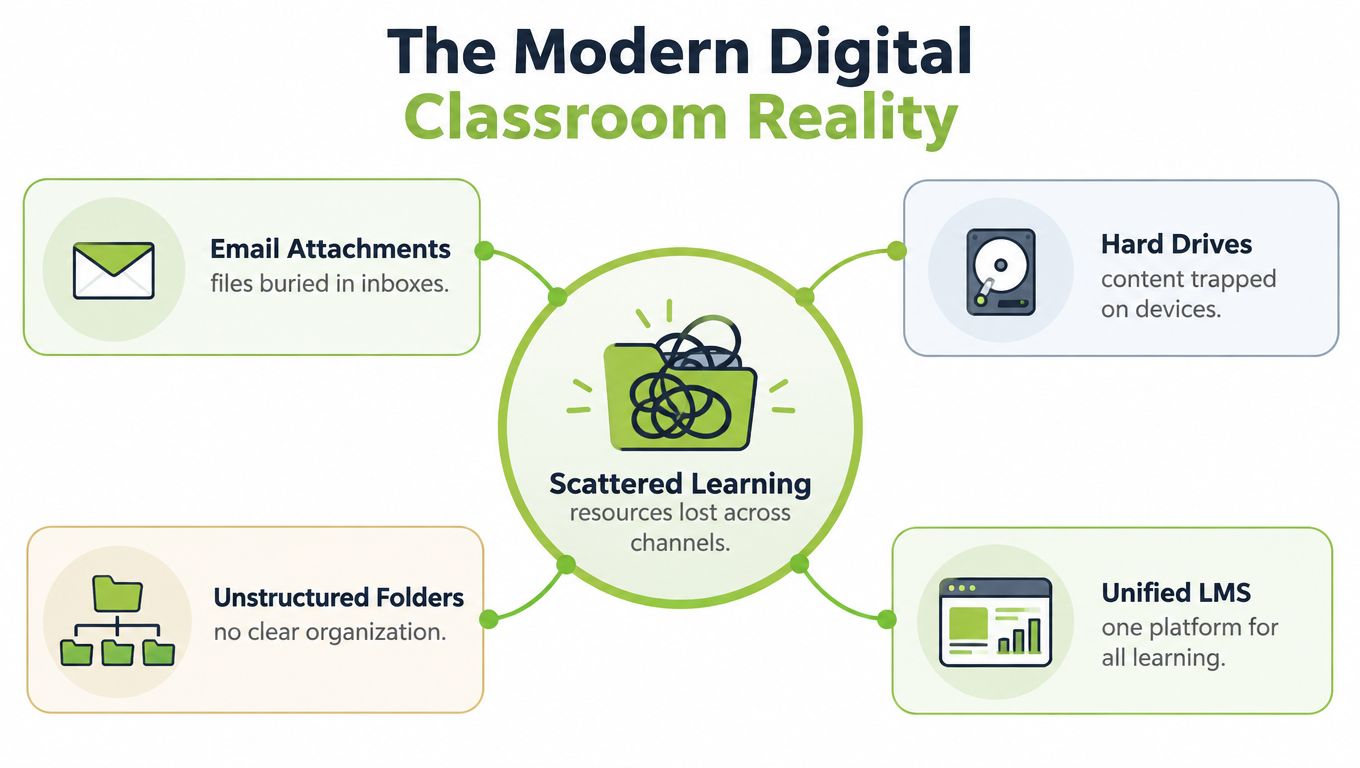
The Modern Digital Classroom Reality
At 8.55 on a Monday morning, an online exam exposes every weakness in a poorly organised digital classroom. One tutor has uploaded the briefing as a PDF, another has sent amended instructions by email, and the student support team has a separate document about reasonable adjustments. Students aren't sure which version applies. Staff aren't sure whether everyone can access the same materials.
A well-configured LMS changes the first question from “Where did I put that file?” to “Which course activity should the student complete next?” It brings readings, recordings, discussions, submissions, grades, announcements, and support information into a navigable course space. The platform becomes an operational framework for teaching, not merely a storage area for documents.
The need for this structure became clear during the COVID-19 disruption. In June 2020, 67% of people surveyed in the UK reported that schools were providing digital resources through online learning platforms, including pre-recorded lessons, assignments, and electronic workbooks, according to the Office for National Statistics survey on the social impacts of coronavirus. In a separate survey of households with dependent children, 61% of homeschooled children used school-provided digital resources accessed through online learning platforms.
Those figures describe more than emergency remote teaching. They identify the basic work an LMS must perform: host instructional media, distribute structured coursework, and support learner tasks outside scheduled teaching. A student should be able to open the week's topic, watch or read the required material, complete the activity, submit evidence, and find feedback without reconstructing the course from messages and attachments.
Practical rule: If a student has to ask where the current instructions live, the course design has already created unnecessary friction.
Network reliability also sits underneath this experience. Clear course organisation won't help if a campus service is overloaded during an assessment or if media delivery is poorly planned, so IT and learning teams should consider guidance on keeping classroom networks stable alongside LMS procurement.
Mastering Course and Content Management
Course management is the foundation of every other LMS function. Before introducing advanced analytics or AI tools, make sure staff can create a consistent course structure and students can recognise where they are, what they need to do, and what happens next.
Start with a repeatable hierarchy:
Create a predictable course shell. Use the same pattern for overview, weekly topics, readings, activities, assessment guidance, and support. Consistency reduces the amount of interface interpretation students must do.
Separate information from action. A reading is content. A quiz, discussion, or submission is an activity. Label them clearly so students don't mistake background material for assessed work.
Sequence where sequencing helps. Release a preparatory video before a seminar task, or make a short knowledge check available before a complex assignment. Don't lock every item if students need to revisit material freely.
Use descriptive names. “Week 4, renal physiology, pre-seminar recording” tells learners much more than “Lecture 4 final new”.
Content management should handle documents, webpages, quizzes, discussion prompts, images, audio, and video. A PDF may still be the right format for a policy or reading, but a long recorded lecture can benefit from chapters, captions, a transcript, and a short accompanying activity. The point isn't to turn every resource into an interactive production. It's to choose a format that supports the learning task.
Capability | Basic Standard | Advanced Capability |
|---|---|---|
Course structure | Modules, folders, pages, and files | Sequenced paths, conditional release, reusable templates |
Content formats | Documents, links, images, audio, and video | Embedded interactive media, chapters, captions, and transcripts |
Search and discovery | Course navigation and basic search | Metadata, categories, filters, and institution-wide discovery |
Version control | Replace or edit uploaded files | Preserve approved versions and show change history |
Delivery | Browser-based access | Responsive design, downloadable alternatives, and low-bandwidth options |
Reuse | Copy individual resources | Copy complete course patterns with controlled updates |
The best course architecture also reduces administrative duplication. A department might maintain one approved assessment rubric, one accessibility statement, and one academic-integrity resource, then place those materials in several modules while retaining responsibility for updates. Teams looking at broader training operations may find this discussion of how systems centralise course delivery and compliance useful when defining ownership and governance.
For media-heavy teaching, don't treat the LMS as a folder that happens to play videos. A dedicated media repository can support secure storage, editing, caption workflows, access controls, and assignment use within the course. It's helpful to understand what media asset management means before deciding whether the LMS's native upload tool is sufficient.
Assessment, Grading, and Actionable Analytics
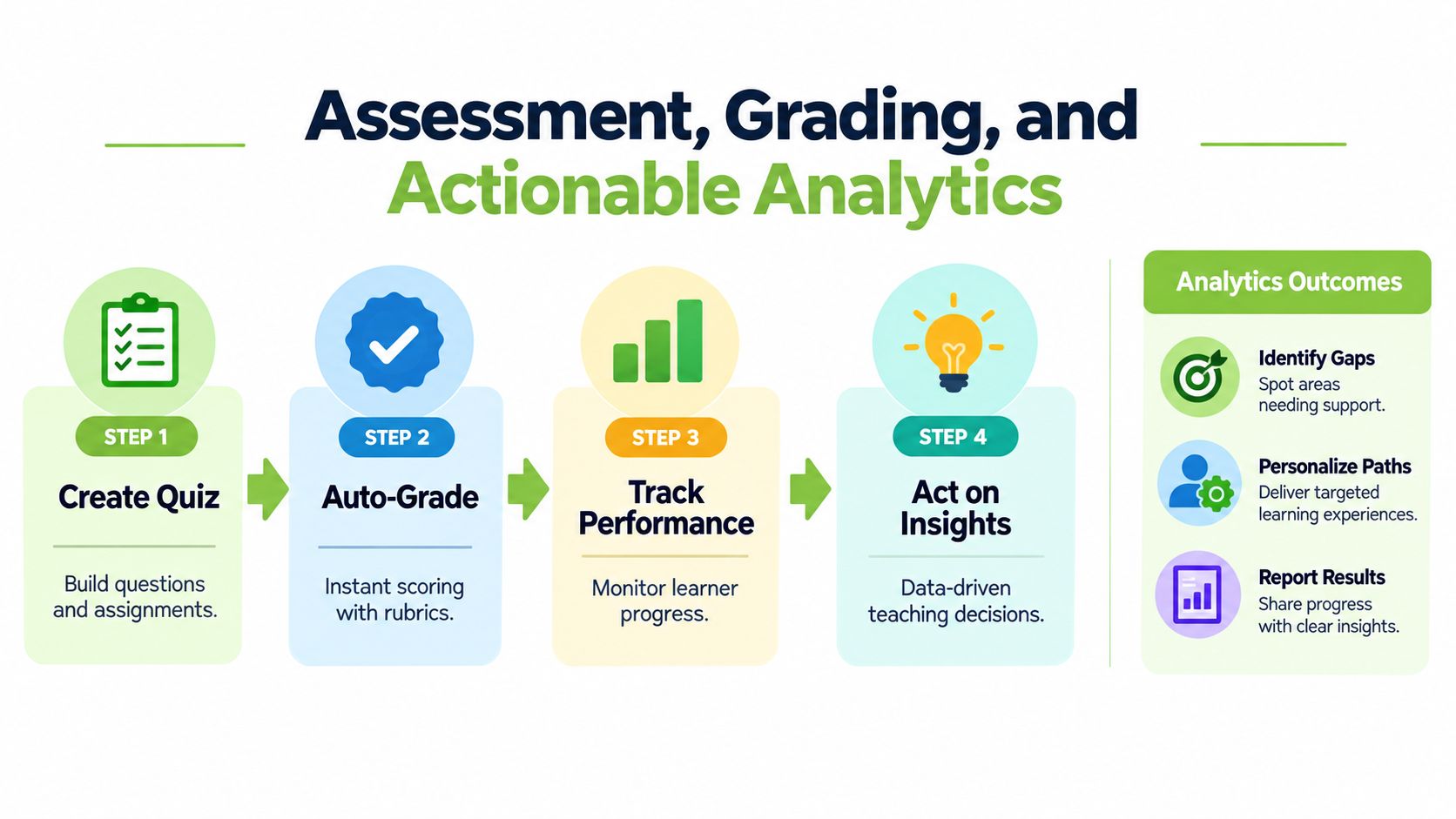
An LMS becomes educationally useful when it closes the loop between instruction, evidence, feedback, and response. Uploading a quiz is only the beginning. Staff need to know whether the questions measure the intended learning, students need timely and intelligible feedback, and support teams need a responsible way to identify emerging difficulty.
A practical assessment workflow looks like this:
Create the activity: Write questions, define the learning outcome, set availability, and explain what successful completion looks like.
Grade consistently: Use answer keys for suitable objective questions and rubrics for work requiring academic judgement. Keep comments tied to criteria rather than general impressions.
Track patterns: Look beyond a single mark. Check missing submissions, repeated attempts, low completion points, and common errors.
Respond proportionately: Contact the learner, adjust teaching, offer support, or review the activity. An alert should start a conversation, not determine a high-stakes outcome automatically.
In UK higher education, advanced analytics means more than a dashboard showing clicks. Jisc describes a governed layer that can combine virtual learning environment activity with attendance, assessment, student-record, and library data. Reduced VLE activity, missed assessments, or falling lecture attendance can help staff prioritise timely academic or wellbeing support, provided the institution has reliable data and clear rules for interpretation.
The University of Greenwich describes Moodle feeds updating its analytics environment every few minutes, while Jisc's service supports connectors through APIs, file transfer, database connectivity, and activity-data standards such as xAPI, as described in Jisc's account of learning analytics and student support. That technical capability only matters when staff know what an indicator means and what action follows.
Human review matters: An engagement signal can identify a student who may need support. It can't explain whether the cause is illness, caring responsibilities, poor connectivity, a timetable conflict, or a data error.
A sensible starting point is a small set of dependable indicators. Validate that enrolments, activity events, attendance records, and assessment statuses arrive completely and on time. Compare a learner's activity with the relevant module cohort rather than applying a universal threshold, then record who reviewed the concern and what support was offered. More detail on presenting these signals is available in this guide to an LMS analytics dashboard.
Navigating User Roles and Compliance Security
An LMS should give different people different powers. The administrator manages configuration and integrations. The instructor creates activities, reviews submissions, and communicates with a course group. The learner accesses assigned materials, submits work, joins discussions, and sees feedback. A learning technologist or support colleague may need diagnostic access without being able to alter grades.
These roles are not interchangeable. If every staff member receives administrator access, a routine task can expose course settings or sensitive records. If instructors can't access the information needed to support their students, they resort to spreadsheets, email, and manual workarounds. Role-based permissions should follow responsibility, with access granted for a defined purpose and removed when that purpose ends.
Role | Appropriate access | Risk to control |
|---|---|---|
Administrator | System settings, integrations, user provisioning, audit records | Broad access requires strong oversight |
Instructor | Course content, activities, submissions, feedback, relevant analytics | Shouldn't alter unrelated courses or institutional records |
Support staff | Approved learner-support information and case workflows | Needs strict limits around sensitive academic data |
Learner | Assigned content, own submissions, feedback, and permitted collaboration | Must not see another learner's protected information |
Security also includes intellectual property and data handling. Institutions should document who can download recordings, whether students can share links, how long raw media is retained, and how staff correct or remove content. Single sign-on can simplify account management, but it doesn't replace good permission design, review procedures, or staff training.
Accessibility is a compliance requirement for public-sector universities and colleges. Under the Public Sector Bodies Accessibility Regulations 2018 guidance on video captioning, pre-recorded audio and video published from 23 September 2020 onward must meet accessibility standards, primarily WCAG Level AA. Institutions may have up to 14 days after publication to add captions, but captions must be as accurate as possible. Unreviewed automatic speech recognition alone isn't enough.
A recorded live session becomes on-demand learning material once it's made available to students. Staff should schedule caption generation immediately, review names and specialist terminology, publish the corrected caption file within the permitted period, and retain a transcript or caption-quality record. The same discipline used to control learning-platform access should apply to related people and processes, including documentation about background checks for school volunteers where safeguarding workflows intersect with educational activity.
Integrating Multimedia with Tools Like MEDIAL
A video file in an LMS is not automatically a good learning resource. Students need to know why they're watching it, what they should notice, and what they should do afterwards. Staff need a workflow that covers recording, storage, editing, captions, access, feedback, and retention without sending learners across several unrelated services.
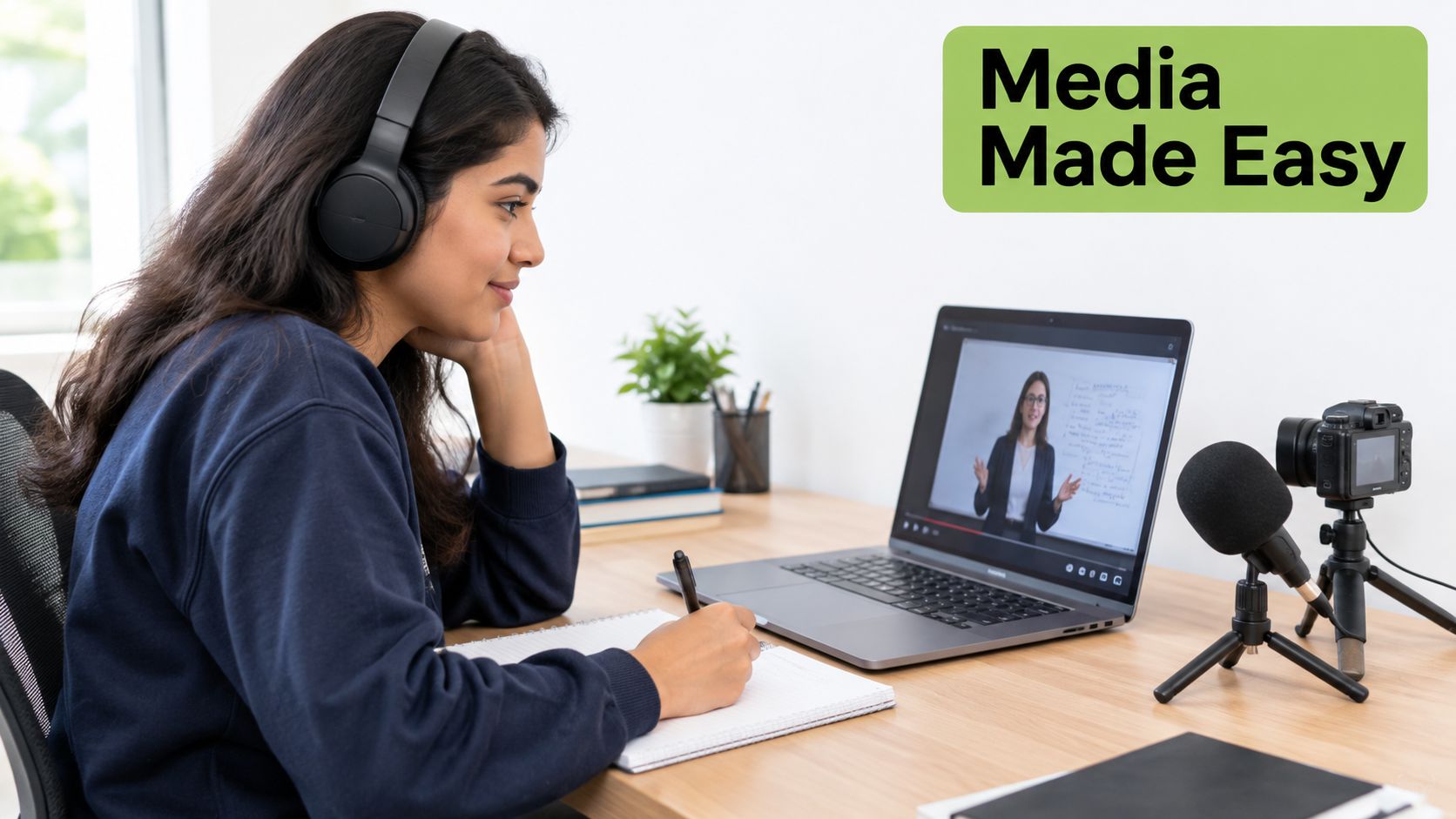
Consider a recorded anatomy demonstration. The instructor uploads the session to a managed media repository, trims the opening delay, checks the captions for clinical terms, adds a transcript, and embeds the result beside a short reflection prompt. Students can watch the relevant segment, answer the prompt, and submit a short video explanation if the learning outcome involves demonstration or communication.
This workflow supports both synchronous and asynchronous teaching. A live session can be scheduled and recorded, while the edited recording can later become a structured resource with chapters and captions. A student who can't attend can use the recording and transcript, and a student who attended can return to one difficult explanation without searching through a full-length file.
Design the activity around the learning outcome, not the novelty of the medium. A three-minute annotated explanation may teach more effectively than an hour-long recording with no signposting.
A platform such as MEDIAL can add an LMS-connected media repository for video and audio management, browser-based trimming, AI-assisted caption generation, live streaming, and video-based assignments. Those features should still be evaluated against local requirements for accessibility review, permissions, retention, deployment, and integration with the institution's VLE. Staff who want to understand the technical side can explore how learning technology works.
For a practical media sequence, publish the core video first, then add:
A purpose statement: Tell students what question the resource addresses.
Navigation cues: Use chapters or timestamps for major ideas.
An accessible alternative: Provide captions and a transcript, then check their accuracy.
A response task: Ask for a quiz answer, annotation, discussion contribution, or recorded explanation.
A feedback route: Explain whether students should use text, audio, or video feedback and where they'll find it.
The following video offers another way to frame the relationship between structured digital learning and media workflows.
The central operational test is simple. Students shouldn't need a separate account, an unfamiliar public link, or a different submission process for every media activity. Embedding the workflow within the LMS keeps the learning sequence visible and helps staff apply the same expectations for access, feedback, and privacy.
Critical UK-Specific Considerations for Implementation
A university can buy a feature-rich LMS and still deliver a fragmented student experience. The deciding factors are often less visible than AI tutors or gamification. They include whether systems exchange dependable data, whether media remains usable on constrained connections, and whether staff have a process for acting on information without making unsupported assumptions.
UK higher education operates in a mixed VLE environment. An analysis of 247 UK universities reported Moodle as the core VLE for about 51% of institutions, with Blackboard at 20% and Canvas at 19%. The same analysis estimated that roughly 40% of UK-based students use Moodle. Scotland showed a different distribution, with Moodle at 40%, Canvas at 27%, and Blackboard at 20%, according to the analysis of the UK VLE market.
That variation makes interoperability a procurement requirement, not a technical afterthought. Test single sign-on, embedded media, assignment submission, grade passback, content portability, and reporting in the institution's actual VLE. Ask vendors to demonstrate failure handling as well as the successful path.
Jisc identifies VLEs, student-record systems, library platforms, lecture-capture systems, and Microsoft Teams as potential data sources. A thorough specification should require:
Stable identifiers: Use consistent IDs for users, courses, modules, activities, submissions, attendance events, and outcomes.
Documented interfaces: Require APIs, export capability, webhook or scheduled-feed options, and clear data dictionaries.
Data quality controls: Detect missing enrolments, inconsistent course codes, duplicate identities, and incomplete event histories.
Operational monitoring: Show delayed, duplicated, rejected, and reconciled records.
Governance evidence: Define ownership, lawful use, access controls, retention, transparency, and appeal routes.
Analytics maturity also varies. UCISA's 2024 Digital Education Survey found that 29% of responding institutions used learning analytics in at least 50% of their courses. The survey identified the VLE, lecture capture, accessibility tools, and digital or learning repositories as tools used by more than half of responding institutions. An LMS should therefore expose useful course-level data without assuming that every department is ready for institution-wide predictive models.
Access equity deserves equal weight. Jisc's 2024/25 UK student survey, covering more than 15,000 higher-education learners, found that 60% experienced Wi-Fi problems and 37% lacked a suitable device at some point during their studies, as reported in Jisc's student digital experience findings. Only 37% had been offered opportunities to build digital skills for employment, and 34% had received an assessment of their digital skills and training needs.
That evidence supports a minimum viable access test. Can a student on a constrained connection open core content, complete an assessment, read captions, download an alternative, receive feedback, and contact staff using a phone or modest device? Test the answer with real students, not only with a well-connected administrator using a current laptop.
AI requires the same practical scrutiny. Jisc's 2024/25 evidence found that 34% of UK higher-education students used AI tools for learning, up from 22% the previous year, while only 23% reported institution-provided access, according to the published survey report. The gap means institutions should ask who authorises AI use, what data suppliers process, how outputs are checked, and how learners are told that generated content or feedback is being used.
Start implementation with a small pilot course. Test access on different devices and connections, follow a caption from generation through human correction, run a failed data synchronisation, review role permissions, and ask students where they become uncertain. An LMS is ready for wider adoption when those everyday tasks work reliably, not when a demonstration includes the longest possible feature list.
MEDIAL connects video and audio workflows with LMS platforms including Moodle, Canvas, Blackboard, and D2L Brightspace, supporting managed media, browser-based editing, caption workflows, live streaming, and video assignments. Visit MEDIAL to explore how its media features can support accessible, interoperable, and equitable digital teaching.
Comments