
10 Examples of Microlearning: Practical Formats That Work

A trainer has fifteen minutes before a team meeting. A new procedure needs explaining, but there's no time to build another hour-long course or gather everyone in a classroom. The practical answer is a short learning asset that handles one decision, one process, or one common mistake.
That's where microlearning earns its place. The strongest examples of microlearning don't just cut a long course into smaller pieces. They match one learning objective to one format, then place that format where learners can use it. A two-minute demonstration may suit a software task. A scenario may be better for judgement. A short live session may work when questions matter more than replay.
The formats below move from relatively quick assets to more demanding designs. Each example covers the learner moment it serves, the mechanism behind it, the production trade-off, and a build sequence you can repeat. For ideas that depend on a regular habit, compare these with ReadLab's short daily routines.
1. Micro-Videos
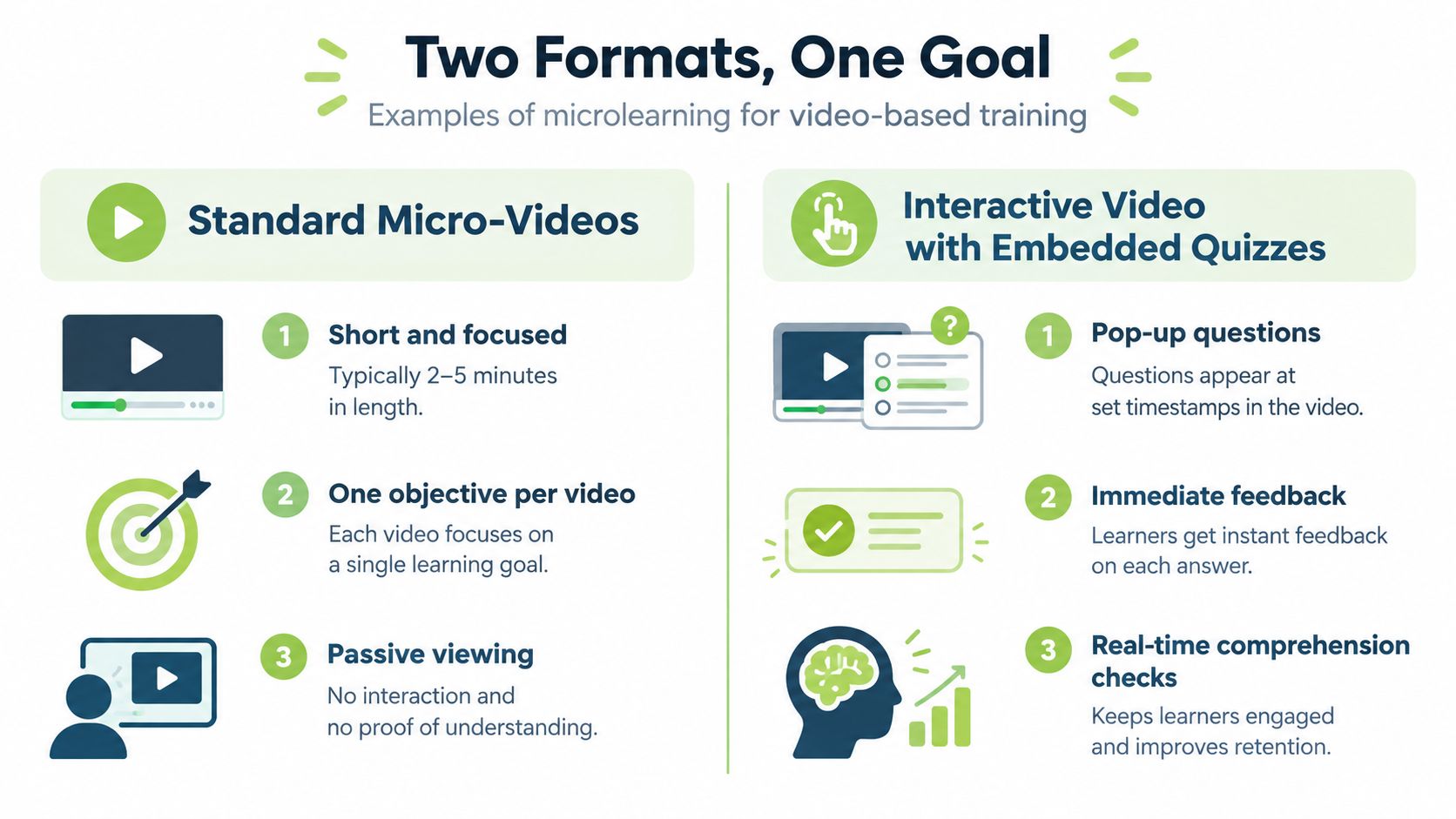
A micro-video is a single-topic explanation that learners can watch before a class, between meetings, or on a mobile device. The useful unit is not “a short lecture”. It's one concept, skill, or task with a clear starting point and finish.
A university professor might post a concise explanation of one statistical test before a problem set in Canvas. An L&D team might show employees how to file an expense report in the company LMS. In both cases, the learner arrives with a specific question, and the video answers only that question.
Build it around one outcome
Write the outcome before recording. For example, “Learners can submit an expense claim with the correct receipt” is more useful than “Learners understand expenses”. State that outcome immediately, demonstrate the relevant steps, and end with a prompt that asks learners to apply them.
The production cost is low compared with a filmed course, but poor editing still wastes attention. Remove pauses, repeated explanations, and irrelevant screen changes. MEDIAL's guide to trimming video clips is relevant when the recording contains useful material surrounded by dead air.
Practical rule: If the learner needs a second objective, make a second video.
Add captions, provide a transcript, and place the finished asset in a sequence rather than leaving it as an isolated file. A playlist can show progression without forcing learners through unrelated content. For low-confidence or low-bandwidth learners, offer a downloadable transcript or a text alternative instead of treating video as the only route.

2. Interactive Video With Embedded Quizzes
Interactive video changes the learner's role from viewer to respondent. At a chosen point, the video pauses for a question, poll, or decision. The learner answers, receives feedback, and then continues with a clearer sense of what they understood.
A nursing instructor can pause a clinical procedure before a critical step and ask what should happen next. A compliance trainer can present a safety incident, offer several responses, and explain why one response protects colleagues while another creates further risk. The format is useful when recall or judgement matters more than just reaching the end of a recording.
Use questions to expose confusion
The cost is higher than a standard video because someone must write credible distractors, feedback, and scoring rules. That effort pays off only when the questions test the intended behaviour. A question inserted every few seconds becomes an interruption rather than a learning aid, while a long uninterrupted recording loses the opportunity to check understanding.
Build the asset in this order:
Choose decision points: Pause where a learner would genuinely need to act, not at arbitrary timestamps.
Write diagnostic options: Include plausible mistakes so the response reveals the learner's reasoning.
Explain the result: Tell learners why an answer is correct or incorrect, rather than displaying a score alone.
Review the analytics: Look for questions that many learners miss, then clarify the video or revise the wording.
Link results to the LMS when the activity contributes to course outcomes. Keep practice activities low pressure where possible, especially when the purpose is to identify gaps before formal assessment. MEDIAL's practical guide to creating interactive video covers the production workflow for this type of asset.
3. Screencasts and Software Tutorials
Software training works best when the tutorial answers the question a learner has at the keyboard. A screencast records the screen while a narrator demonstrates one task, such as resetting a single sign-on password, searching a research database, or submitting a purchase request.
The learner moment is immediate. Someone has opened an unfamiliar system and needs the next action, not a tour of every menu. A three-minute clip in a staff portal can be more useful than a long induction recording that employees must search manually.
Make retrieval part of the design
The main production cost is maintenance. Software interfaces change, and a tutorial that was accurate last year can direct learners to the wrong button today. Name files after the task they support, use searchable tags, and record the version or date in the asset details.
A repeatable build sequence looks like this:
Select one task with a clear beginning and end.
Write the exact clicks and decisions before recording.
Capture the task in a clean environment without unrelated notifications.
Edit out hesitation, cursor wandering, and failed attempts.
Add captions and a transcript.
Test the tutorial with someone who hasn't completed the task.
Schedule a review after relevant software updates.
Avoid recording an entire workflow in one take. Separate clips make it easier to replace one outdated step without rebuilding the whole library.
A searchable collection becomes more valuable when it reflects real support demand. Review helpdesk questions and ask staff which tasks cause repeated errors. You can also supplement the LMS with a tutorial library on Vocuno when learners need an accessible reference point outside a formal course.
4. Scenario-Based Video Vignettes
A scenario vignette shows a realistic problem, stops at the decision point, and asks the learner to choose a response. It trains applied judgement rather than recognition of a policy definition.
A sales team might watch a customer object to price and choose how to respond. A healthcare group might view a patient handoff that goes wrong, then discuss which information was missed and what should happen next. These situations work because learners must interpret context, not just repeat a rule.
Spend on the decision, not the spectacle
Filming costs rise quickly when a scenario needs several locations, actors, camera setups, and alternative endings. Keep the cast small and use a setting learners recognise. Realism should come from the problem and dialogue, not expensive production design.
Build the vignette around a real performance gap:
Collect the incident: Ask managers or frontline staff for a recurring problem.
Define the decision: Identify the moment where the learner's action changes the result.
Write credible choices: Each option should reflect a behaviour someone might realistically use.
Reveal consequences: Show the operational, customer, safety, or team impact of each response.
Require reflection: Add a short written response or discussion post in the LMS.
The format is unsuitable when the subject requires a complete technical demonstration. Use it to practise judgement, communication, escalation, or prioritisation. Pair it with a procedure or reference resource when learners also need to know the exact steps.

5. Student Video Response Assignments
This format asks learners to create a short video that demonstrates, explains, or presents something. It changes the activity from consuming information to producing evidence of understanding.
A language instructor can ask students to record a self-introduction in the target language and respond to a peer. A business school can require a short pitch before the final presentation, giving students a chance to practise structure, delivery, and audience awareness. Written work alone may not reveal pronunciation, presentation technique, or practical demonstration.
Keep the task assessable
The design cost shifts from content production to review. Instructors need a clear prompt, a manageable rubric, and a feedback process that doesn't create an unworkable marking queue. Set a time limit, define the required elements, and distinguish low-stakes rehearsal from graded performance.
MEDIAL's record-and-assign tools can keep learner submissions, feedback, and the associated activity inside the LMS. That reduces the risk of students uploading files to separate services with inconsistent permissions.
A short submission is only useful when the learner knows what evidence to provide.
Offer retakes during practice and an audio-only route for learners who are uncomfortable on camera or face access barriers. Captions and transcripts can support review, but they shouldn't replace a rubric that explains what successful performance looks like. Ask students to watch or listen to a peer response only when the peer task has a clear purpose, such as identifying one strength and one improvement.
6. Audio Microlearning
Audio microlearning suits content learners can understand without watching a demonstration. A leadership team might release a short episode about giving feedback. A university department might publish an audio summary of recent research before a seminar.
The learner moment often occurs away from a screen. Audio can support commuting, routine work, or a walk, but it isn't a universal replacement for visual instruction. A procedure involving a dashboard, diagram, physical movement, or sequence of buttons needs another format.
Design for listening and search
Audio is inexpensive to produce, although clear scripting and sound quality still matter. Record one idea, use a consistent introduction, and finish with a direct takeaway or application question. Avoid filling the episode with background music that competes with speech.
Every episode should have a text transcript. It supports deaf and hard-of-hearing learners, gives screen-reader users an alternative, and makes the content searchable inside the LMS. It also helps learners who need to scan a point quickly rather than replay a recording.
A practical sequence is:
Prompt a problem: Start with the workplace or classroom question.
Explain one principle: Avoid turning the episode into a broad lecture.
Give an example: Use a specific conversation, decision, or mistake.
Set an action: Ask the learner to apply the principle before the next episode.
Publish consistently: A reliable rhythm helps learners know when to return.
Use audio for narrative, explanation, reflection, and coaching. Use video, images, or an interactive activity when learners must see or manipulate something.
7. Animated Explainers and Whiteboard Videos
Animation is useful when the subject is abstract, invisible, or difficult to film. A finance instructor can animate the way interest compounds. A corporate trainer can show how data moves through a privacy process. A whiteboard sequence can make relationships and stages visible without filming a physical workplace.
The mechanism is visual modelling. Learners hear a concise explanation while simple graphics show the structure being described. The risk is decorative motion. Movement that doesn't clarify the concept adds noise and increases production time.
Build the visual model first
Start with a storyboard that pairs each spoken sentence with an image, arrow, label, or transition. Keep narration and visuals synchronised, remove unnecessary elements, and use a repeatable template for title cards, captions, and closing prompts. MEDIAL's guide to animated explainer videos provides a useful reference for planning this format.
The production cost is higher than a basic screencast because someone must script, illustrate, animate, narrate, and caption the piece. Templates and reusable visual components reduce that cost when a team needs a series of related explainers.
Design test: If removing an animation doesn't make the explanation harder to understand, remove it.
Provide captions and a transcript. For international teams, consider localising narration or supplying a translated text version rather than rebuilding every visual asset. Animation is especially valuable for mental models, but it shouldn't replace practice where learners must perform a task under realistic conditions.
8. Spaced Video Flashcards and Retrieval Practice
A spaced video flashcard combines a very short clip with a prompt that asks the learner to recall an answer. The learner sees the question, responds from memory, checks the explanation, and meets the item again later.
A pharmacy programme could use short prompts to revisit drug interactions. A customer service team could review approved phrases before a shift. The format is strongest when the knowledge needs regular retrieval, such as terminology, safety decisions, product details, or standard responses.
Make the schedule respond to performance
The build cost is moderate at the beginning because someone must write good prompts and explanations. The library becomes easier to expand once the team has a consistent card structure. Keep each card focused on one concept and avoid turning a flashcard into a compressed lecture.
Use the LMS or calendar reminders to schedule returns. Learners who repeatedly miss an item need more support and explanation, not just more exposure to the same unanswered question. Learners who consistently recall an item can encounter it less often while the system prioritises weaker areas.
Build each card with:
A precise cue: Ask for one answer or decision.
A pause for recall: Give the learner time to answer before showing the explanation.
A corrective explanation: Clarify the principle behind the answer.
A later review: Return the item after other learning has occurred.
A confirmation task: Use a short quiz or applied prompt to check transfer.
Flashcards are not enough for complex competence. Add demonstration, feedback, and a realistic task when learners must act rather than recall.
9. Just-in-Time Performance Support Videos
Performance support videos answer a question at the moment work requires an answer. They aren't primarily courses, and they don't need to build knowledge in advance. Their value lies in helping someone complete an unfamiliar action safely and correctly.
A manufacturing site might link a short lockout procedure from an equipment control panel. A retail chain might place a returns-processing video inside its point-of-sale help menu. In both cases, the learner searches while working, so the first challenge is findability.
Design for the workflow
Keep each clip focused on one action and make the title match the language workers use. “Process damaged returns” is more useful than “Customer service module four”. Add tags for equipment, department, task, and procedure version. If workers can't locate the asset quickly, production quality won't rescue it.
The content also needs ownership. Assign someone to review clips when a policy, machine, system, or form changes. Outdated performance support can be worse than no support because it gives confident instructions that no longer match the task.
Start with demand rather than a catalogue:
Ask frontline staff which tasks generate repeated questions.
Review helpdesk tickets, incident notes, and supervisor observations.
Select one high-frequency action.
Record the correct sequence in the working environment.
Test retrieval with the people who'll use it.
Add the clip to the workflow tool or searchable LMS library.
Review usage and update requests.
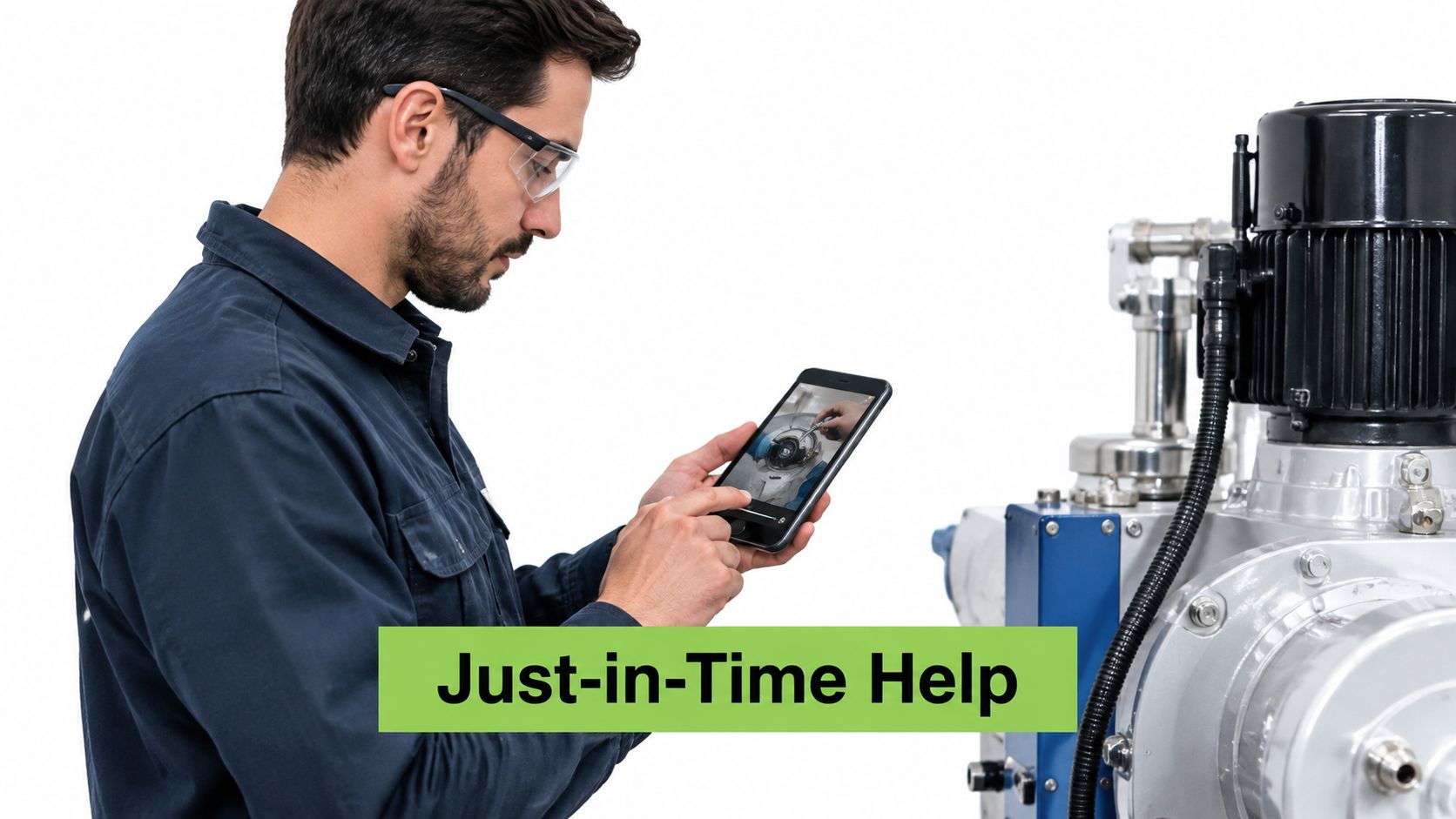
Use this format for immediate support, not as the only intervention for high-risk or complex work. It should sit alongside supervised practice, formal instruction, and clear escalation routes.
10. Short Live Micro-Sessions and Lightning Webinars
A live micro-session combines a brief explanation with real-time questions. It works when learners need immediacy, reassurance, or the chance to explain a problem in their own words.
A corporate L&D team could run a short session on benefits enrolment, then turn the recording into separate clips. A university could host a lunch-hour session on citation formats and provide the recording to students who couldn't attend. The live element makes it possible to correct misunderstandings while they're still visible.
Treat the recording as a reusable asset
The production burden includes scheduling, facilitation, moderation, recording, and follow-up. It's higher than publishing a standalone video, but the session can produce several assets if the facilitator keeps the structure tight.
A reliable sequence is:
Open with one outcome: Tell learners what they'll be able to do afterwards.
Teach the essential point: Avoid trying to cover a full course.
Use one poll or question: Check understanding during the session.
Reserve time for application: Ask learners to work through a realistic example.
Record and segment: Divide the replay into titled clips.
Publish supporting resources: Add captions, transcript, slides, and follow-up tasks.
Schedule at varied times when teams work across shifts or time zones. Don't assume the recording solves access by itself. Learners who miss the live event still need a clear route through the recording, questions, and application activity. A live session becomes microlearning when its scope is narrow and its replay is organised into usable units.
10 Microlearning Formats Comparison
Format | 🔄 Implementation complexity | ⚡ Resource & speed | ⭐ Expected effectiveness | 📊 Expected outcomes | 💡 Ideal use cases & key advantages |
|---|---|---|---|---|---|
Micro-Videos (2–5 Minute Explainers) | Low, simple scripting, shoot, edit | Low resources; fast to produce & update | ⭐⭐⭐⭐ | Higher completion rates; flexible reuse | Onboarding, refreshers, pre-class prep; tip: one objective per video |
Interactive Video with Embedded Quizzes | Medium–High, authoring + branching/assessment | Moderate resources; slower to design; needs LMS integration | ⭐⭐⭐⭐⭐ | Improved retention; real-time comprehension data | Compliance, procedure checks, formative assessment; tip: place Qs ~60–120s |
Screencast and Software Tutorials | Low–Medium, screen capture + narration | Low resources; quick updates; fast production | ⭐⭐⭐⭐ | Reduced help-desk requests; quicker task completion | IT training, how-tos, just-in-time workflows; tip: one task per clip |
Scenario-Based Video Vignettes | High, script, actors, location, editing | High resources & time; costlier production | ⭐⭐⭐⭐⭐ | Strong transfer to workplace decisions; memorable learning | Soft skills, judgment calls, branching scenarios; tip: base on real problems |
Student Video Response Assignments | Medium, platform setup + assessment workflow | Low production cost for students; higher grading effort | ⭐⭐⭐⭐ | Visible participation; improved speaking/presentation skills | Language practice, pitches, peer feedback; tip: provide rubric and retake option |
Audio Microlearning (Short Podcasts) | Low, recording and basic edit | Low resources; fast; portable for learners | ⭐⭐⭐ | Good for conceptual learning and habit-building | Commuting, conceptual summaries, accessibility; tip: include transcript |
Animated Explainers & Whiteboard Videos | Medium–High, design/animation work | Moderate–High resources; longer production time | ⭐⭐⭐⭐ | Clear conceptual models; reusable and localisable | Abstract concepts, processes, data flows; tip: follow Mayer's principles |
Spaced Video Flashcards & Retrieval Practice | Medium, content + scheduling/tracking system | Moderate resources; requires spaced-repetition system; quick learner sessions | ⭐⭐⭐⭐⭐ | Strong long-term retention; adaptive review | Vocabulary, compliance facts, terminology; tip: keep clips <60s and schedule reviews |
Just-in-Time Performance Support Videos | Low–Medium, create clips + tagging/search integration | Low resources per clip; immediate use at point of need | ⭐⭐⭐⭐ | Fewer errors and support requests; faster task completion | Frontline tasks, equipment steps, SOPs; tip: name/tag by task for fast retrieval |
Short Live Micro-Sessions & Lightning Webinars | Medium, facilitator + scheduling & tech | Moderate resources; scheduling constraints; recordings reusable | ⭐⭐⭐⭐ | Immediate Q&A; recorded content for reuse | Quick updates, Q&A, remote teams; tip: include one poll and repurpose recordings |
Turning These Examples Into a Microlearning Plan
The best starting point isn't a format. It's a recurring learner problem.
Look for a question that keeps returning, a procedure people perform inconsistently, a decision managers explain repeatedly, or a concept students forget before they can use it. Then match the problem to the format that supports the required behaviour. A screen task needs a screencast. A judgement problem needs a scenario. A recall problem may need retrieval practice. A question that depends on discussion may justify a live session.
UK delivery patterns make this practical. In 2024, 88% of training days were delivered online, compared with 67% in 2015, according to the Nuffield Foundation's research on employer investment in upskilling and reskilling. That shift supports searchable, reusable digital assets, but it doesn't mean every long classroom session should become a long recording. Break content into units that learners can revisit, then add an assessment or task that shows whether they can use it.
The economic case also needs restraint. UK employers invested 29% less in training per employee in 2024 than in 2011, while average training time fell from 7.8 days per trainee to 5.7 days. At the same time, 60% of employees still received training each year, as reported by People Management. Microlearning can reduce disruption and make limited release time more deliberate, but shorter content isn't automatically effective. Track whether people perform the target task afterwards.
Choose one pilot
Select one team or one course, then create one module. Don't begin by converting an entire catalogue. A small pilot reveals whether learners can find the asset, whether the duration fits the workday, whether captions and transcripts are usable, and whether the activity produces evidence beyond completion.
Set a baseline before release. Useful measures include:
Completion: Did learners open and finish the asset?
Repeat questions: Are managers still answering the same question?
Error rates: Did the targeted mistake become less common?
Assessment results: Can learners recall or explain the relevant point?
Task performance: Can they complete the procedure in the actual setting?
Access barriers: Can learners use the asset with low bandwidth, assistive technology, or limited digital confidence?
That last measure matters. 52% of UK adults reportedly lack basic work-related digital skills, and 69% of adults without basic digital skills have a disability or impairment, according to the Good Things Foundation's Digital Nation report. Shorter content doesn't automatically become accessible content. Provide captions, transcripts, downloadable materials, screen-reader-friendly layouts, clear navigation, and non-video alternatives. Offer tutor support when repetition alone won't solve the barrier.
Build a sequence when one asset isn't enough
A single micro-lesson is appropriate for a narrow task. Behaviour change and applied competence usually need a sequence. Start with a concise explanation, ask learners to complete a realistic task, collect evidence in the LMS, provide feedback, and return to the concept later through retrieval practice.
The University of Hertfordshire's “AI Bytes” example shows how short units can supplement, rather than replace, broader development. Across four days, 46 academic staff attended sessions, with each attendee taking part in an average of two sessions, while the university also provided an asynchronous LMS resource site. The QAA case study also reports that academic staff receiving AI training rose from 14% in 2024 to 26% in 2025, and reported use of AI to support learning and teaching rose by 14 percentage points to 36%. Attendance alone wasn't the outcome. Capability, confidence, resources, and follow-up all mattered.
For workplace operations, APC Overnight replaced several-hour presentations and informal toolbox talks with mobile microlearning lessons lasting approximately 2 to 3 minutes. Frontline employees represented about 80% of its workforce. The company reported a 2-point productivity increase, estimated at approximately £100,000 in monthly cost savings, and a 20% year-on-year reduction in workplace accidents, as documented in the APC Overnight case study. The useful lesson is the measurement design: connect participation with operational outcomes instead of treating completion as proof of learning.
Choose your first recurring problem, select the format that fits it, and pilot one module with one team. Record completion, repeated questions, and errors before you expand. MEDIAL can host, caption, edit, record, and sequence video and audio assets inside LMS environments such as Moodle, Canvas, Blackboard, and D2L Brightspace, keeping the learning where staff and students already work.
MEDIAL helps educators and training teams record, edit, caption, assign, and sequence short video and audio assets inside the LMS. Visit MEDIAL to explore a platform for turning these microlearning formats into searchable lessons, assignments, and live or on-demand learning activities.
Comments