
Corporate Training Solutions That Drive Real ROI

You've got a board pack in front of you that looks comforting and useless at the same time. Completion is up, managers are saying the right things, and nobody can point to a cleaner handoff, fewer errors, or faster time to competency. That's the trap with corporate training solutions in a UK enterprise, the buying decision gets all the attention, while the measurement design gets neglected.
The UK skills context makes that mistake expensive. Employers still train at scale, but the core question is whether the training changes work on the floor, in the branch, or in the back office. If your learning data stops at attendance, you're not running a performance system, you're running a record-keeping exercise.
Why Most Corporate Training Programmes Quietly Fail
Most training programmes fail in the same dull way. The content is decent, the launch is polished, and the completion report lands on time. Then the business asks the only question that matters, what changed, and the L&D team has nothing solid to show.
The root cause is rarely the learning material. It's the surrounding architecture, the intake process, the systems integration, the baseline, and the outcome metric. If those pieces aren't designed together, even a strong programme turns into a nice activity with weak business value.
Practical rule: if you can't name the operational metric before the rollout, you're not ready to launch.
That's why the measurement problem should come first. UK employers are still dealing with a stubborn skills gap, and the pressure to show impact is only getting sharper. A training catalogue won't satisfy a leadership team that wants proof of reduced errors, stronger compliance, or faster internal mobility.
The best L&D leads stop treating training as a content purchase. They treat it as a workflow that starts with a business problem, passes through delivery, and ends with evidence. Once you adopt that frame, vendor selection gets clearer, because you stop asking, “What can this platform host?” and start asking, “What can this platform prove?”
The Main Types of Corporate Training Solutions Explained
The market is crowded, but the core categories are manageable if you strip away the sales language. Consider a stack, not a shopping list. An LMS is the operating system, a content library is the app store, an authoring tool is the studio, video and live-streaming tools are the broadcast layer, and skills platforms sit on top to show where capability is building or stalling.
The five solution types that matter
An LMS such as Moodle, Canvas, Blackboard, or D2L Brightspace is where the record lives. It handles enrolment, access, completion, and the basic reporting that most compliance teams expect. Bought alone, it often becomes a tidy repository that does little to shape behaviour.
A content library like a course subscription solves the “we need material fast” problem. It works well for leadership, compliance, and technical refreshers, but it fails when the business needs local context or role-specific practice. Off-the-shelf content without workflow design tends to collect dust after the launch email.
Authoring tools like Articulate 360 are for teams that want to build their own modules. They're useful when policy, product, or process knowledge changes too often for external content to keep up. The common failure mode is overproduction, elegant courses that take too long to maintain.
Video and live-streaming platforms are the best fit for onboarding, demonstrations, panel sessions, and assignment-based learning. They add realism and human presence, especially when a classroom isn't practical. If they aren't connected to the LMS, though, they become another island of content and another reporting gap.
Skills and capability platforms with analytics help L&D teams see whether learning is spreading, sticking, and translating into use. They're strongest when the organisation already has content and delivery sorted, but needs evidence and prioritisation. For teams trying to improve the way training moves through the business, actionable process improvement steps are a useful companion resource because the same discipline applies to learning workflows.
The right stack is usually two or three tools, not one heroic platform. A UK enterprise often runs an LMS, a content source, and a video layer together, then adds analytics only after the workflow is stable.
That blend matters more than brand loyalty. If a supplier tells you their tool can replace everything, assume they're describing a demo, not your operating model.
Business Benefits That Hold Up in Board Meetings
Finance and operations leaders don't care about “engagement” unless it shows up somewhere they can defend. They care about fewer repeat mistakes, shorter ramp-up time, lower compliance exposure, and a workforce that can move faster without breaking process. That's the level corporate training has to reach.
The baseline in the UK is already high, so the bar isn't whether training exists. In 2022, 74% of employers with 10 or more employees provided some form of training, and among employers with 250+ staff, 99% trained employees, compared with 73% of small firms with 10 to 49 staff ONS employer training figures. In other words, the differentiator is standardisation and proof, not participation alone.
Translate benefits into operational language
If you want a board-ready case, stop using generic benefit labels and map each one to a metric.
Compliance becomes audit readiness, recertification status, and off-the-job training evidence.
Productivity becomes time-to-competency, rework, or throughput in the relevant team.
Retention becomes movement out of critical roles, internal transfers, or departure from teams that receive targeted development. For a practical retention lens, how to improve employee retention is a useful companion because it keeps the focus on movement, not sentiment.
Engagement becomes repeat usage, voluntary enrolment, and device-level access patterns, not just a smile sheet.
The point isn't to pile on more dashboards. It's to link the programme to the operational system that already carries the consequence. If a sales onboarding programme is working, the sales leader should see fewer basic process errors and less supervision time. If a compliance module is working, the risk lead should see cleaner evidence and fewer exceptions.
That's the test I'd use in any steering meeting. If the business can't point to the metric it expects to move, the programme is still a promise, not a solution.
A Vendor Evaluation Checklist You Can Actually Score
Procurement gets easier when you stop asking vendors to “show the platform” and start scoring them against the way your team works. A midsize UK firm with mixed classroom, digital, and workplace delivery needs a shortlist that can cope with integration, content flexibility, and reporting discipline. Everything else is noise.
Score vendors on what will break first
Use these criteria and ask one hard question for each.
Criterion | Weight | Vendor Question to Ask | Red Flag |
|---|---|---|---|
Integration fit | High | How does this connect to our LMS, HR system, and reporting stack without manual exports? | The demo depends on spreadsheets or one-off file imports |
Content flexibility | High | Can we update role-based learning quickly without rebuilding the whole course? | Every change requires a developer or a full re-export |
Analytics depth | High | What can we report beyond completion, and how do we connect training to business data? | The dashboard stops at attendance and quiz scores |
Compliance support | High | How does the platform handle evidence, recertification, and audit trails? | Compliance is described as “covered” but not shown |
Deployment model | Medium | Can we run this securely in our preferred environment and support our access rules? | The vendor is vague on hosting, access control, or support boundaries |
Total cost over three years | High | What will we pay once implementation, admin time, and add-ons are included? | Pricing looks simple until the extra modules appear |
The questions that expose weak vendors
Ask for a live walkthrough of reporting, not a slide. Ask how quickly a new workflow can be built without creating a new system shadow. Then ask what happens when one business unit needs a different rule set, because that's where brittle platforms show up.
Red flag to watch for: if the vendor keeps returning to learner experience but avoids workflow ownership, they're selling adoption theatre.
For video-heavy training, I'd also check how the platform handles assignments, feedback, and access across devices. The guide to choosing your video platform for education is relevant here because the same decision logic applies to corporate learning, especially when video sits inside the LMS rather than beside it.
A good scorecard won't choose the vendor for you. It will save you from buying a polished front end with no operational spine.
Integrating Training Into Your LMS, Video, and Workflows
Integration is where training programmes win or die. A platform that looks excellent in isolation can turn into a daily nuisance if it doesn't sit cleanly inside your existing systems, permissions, and reporting flow. The sensible unit of design is not the course, it's the workflow.
Use the LMS as the system of record
Your LMS should remain the place where enrolment, access, and completion are governed. Whether you use Moodle, Canvas, Blackboard, or D2L Brightspace, the logic is the same, one system records who did what, when, and under which rule set. If that record splits across tools, reporting gets messy fast.
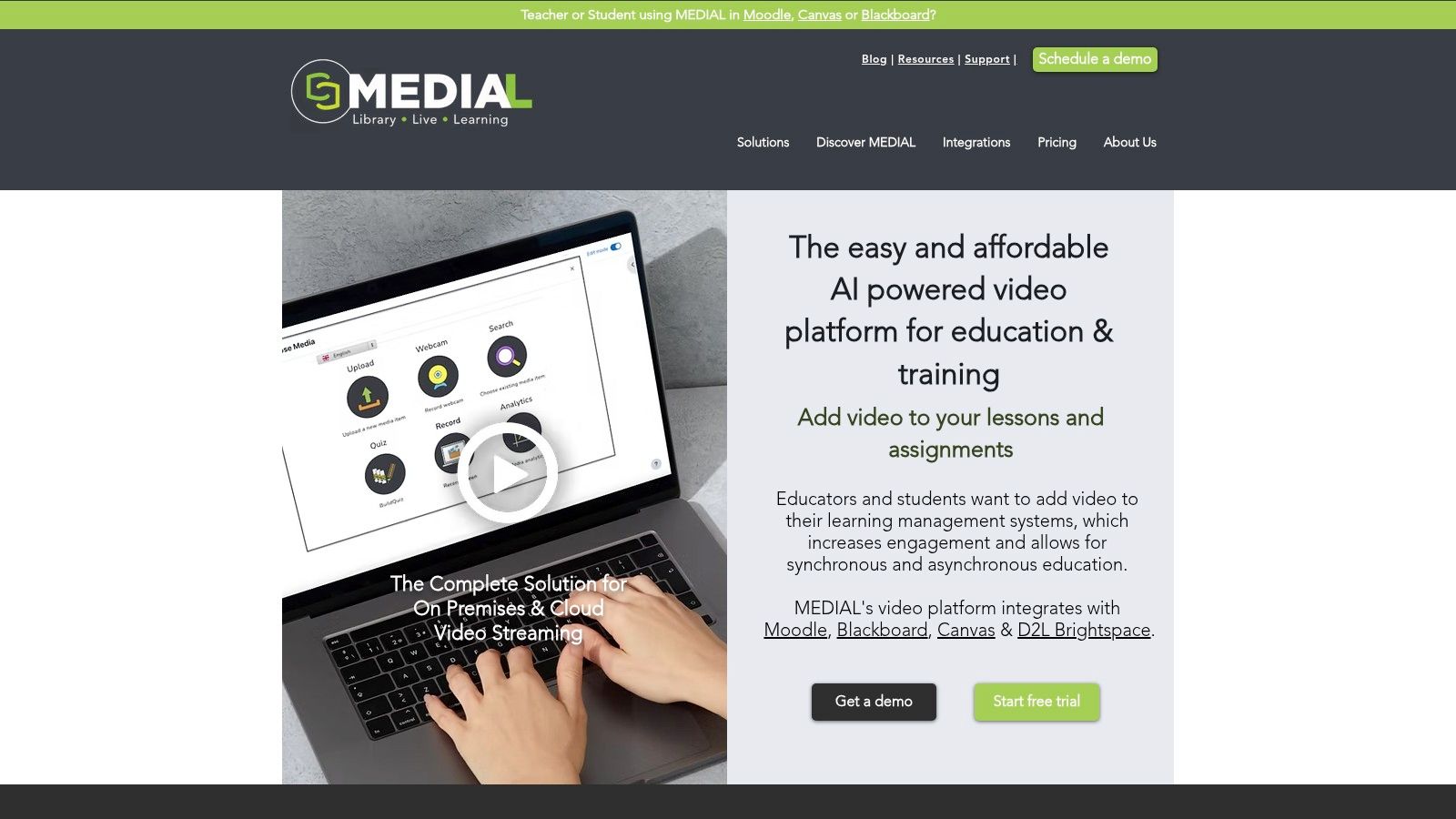
That's where video platforms earn their keep. Used properly, they sit inside the LMS workflow and enrich the learning experience with recorded demonstrations, assignment responses, feedback, and live sessions. MEDIAL is one example of a video platform built for LMS-native workflows, including secure media management, live streaming, and in-browser editing, but the design principle matters more than the label.
A practical onboarding rollout should look like this. HR creates the joiner list, the LMS enrols people automatically through SSO, the video module serves the content, and the completion data travels back to the LMS and the reporting layer. If you need richer event detail, wire the activity through SCORM or xAPI so the learning record isn't reduced to a single tick box.
Keep the media layer simple for users and strict for administrators. Learners should feel like they're inside one training journey, not moving between disconnected products.
Fit the media workflow around the learner task
The mistake most organizations make is adding video after the curriculum is already built. Do it the other way round. Decide which moments deserve video, for example manager welcome, system walkthrough, scenario demonstration, or peer response, then connect those moments to the LMS task and the report you want at the end.
The internal check you should use is blunt. If a learner can watch, respond, and be assessed without leaving the training environment, your workflow is probably sound. If they have to hunt for links, download files, or email evidence, the design is leaking value.
For a more detailed implementation lens, the learning management system integration guide is worth reading because it maps the practical handoff between media, LMS, and reporting layers. That's the architecture you want before you scale.
SCORM Versus xAPI and Why Compliance Teams Care
Compliance teams want one thing before anything else, evidence they can trust. The format question matters because the wrong choice can leave you with either too little detail or too much noise. SCORM and xAPI solve different problems, and you shouldn't pretend they're interchangeable.
Pick the format based on the proof you need
SCORM is the safe default for packaged e-learning. It's useful when the course lives in the LMS, the assessment is straightforward, and the main reporting need is completion or pass-fail. For traditional modules, that's often enough.
xAPI is for learning that spills beyond the course shell. It can capture views, practice activity, scenario interactions, simulations, and on-the-job events, which makes it far more useful when you need behavioural evidence. That detail matters in UK apprenticeship delivery, where at least 20% of an apprentice's paid hours must be spent on off-the-job training over the planned duration of the apprenticeship off-the-job training rule.
Format | Best use | Proof level | Weak spot |
|---|---|---|---|
SCORM | Standard e-learning inside an LMS | Completion and basic pass/fail | Thin evidence of real behaviour |
xAPI | Learning across LMS, video, practice, and tasks | Detailed interaction and performance evidence | Requires better data design |
The practical rule is simple. Use SCORM when you want reliable packaging and basic audit trails. Use xAPI when the learning happens outside the LMS or when compliance needs to show what learners did, not just whether they opened a module.
Compliance teams care about evidence density. If the rule is strict, the record has to be stricter.
For apprenticeship programmes, that difference isn't academic. If your evidence trail relies on self-reporting alone, you'll spend more time reconstructing training activity than managing it. If the event data is captured properly, the audit conversation gets much easier.
Measuring ROI Without Fooling Yourself
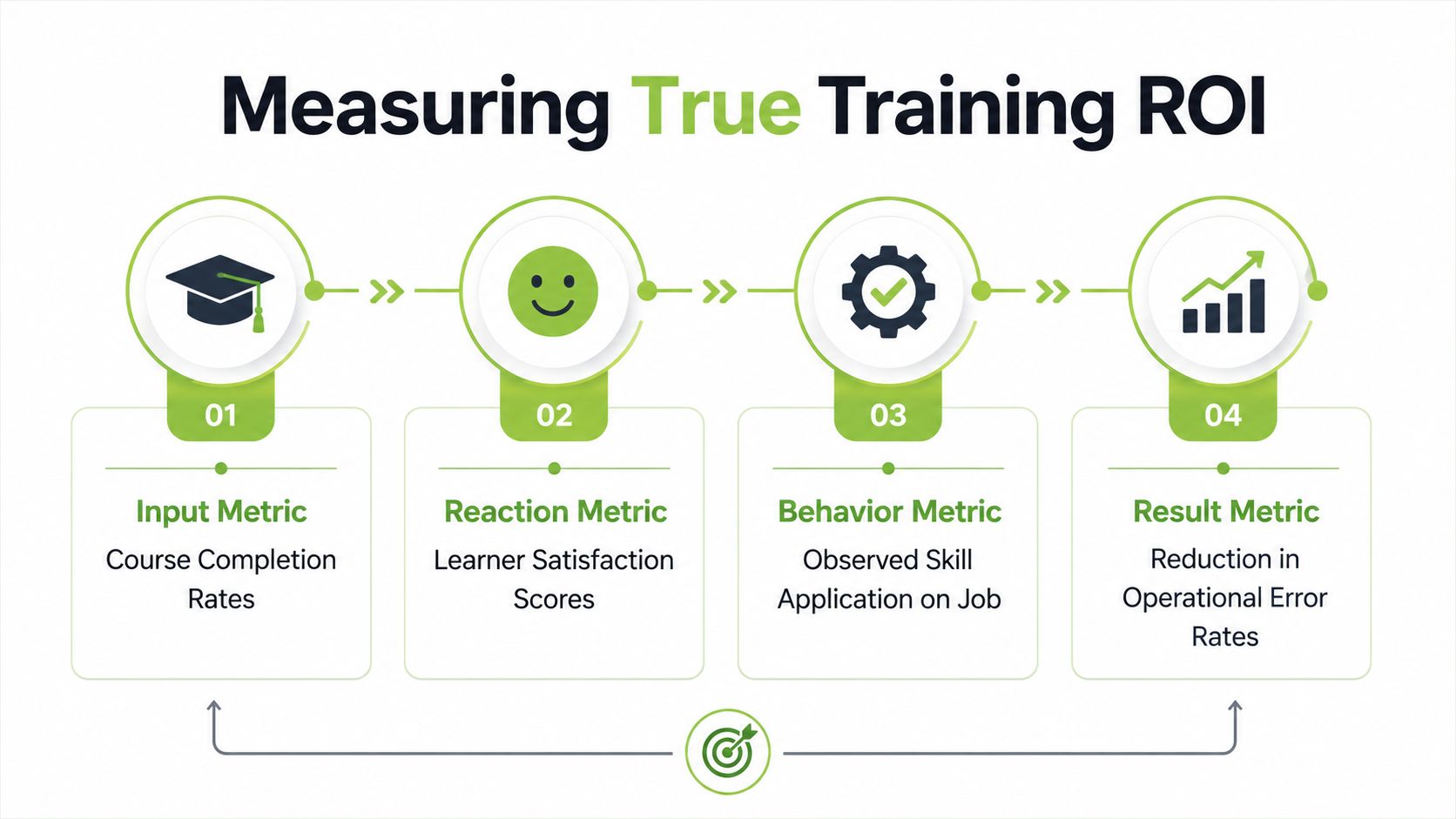
Completion rates and satisfaction scores are fine as first-pass indicators. They are not ROI. If you stop there, you will keep approving training that feels busy and proves very little. The test is whether learning changed behaviour, then whether that behaviour changed an operational result.
The most useful UK training analytics set is a chain, completion, proficiency, progress, satisfaction, utilisation, virality, and device usage training technology solutions. Each metric exposes a different failure mode. High completion with weak proficiency means people clicked through but did not master the material. Strong progress with poor utilisation means the content gets started but is not reused. Device usage can expose friction for mobile or shared-workstation staff.
Connect learning data to business systems
LMS reporting only becomes useful when it is joined to HR or performance data. That is the only way to estimate whether a training intervention reduced errors, improved throughput, or shortened time-to-competency. UK public-sector evidence on apprenticeships and technical education points in the same direction, outcome data matters, not just learner satisfaction data-driven evaluation approach.
A useful monthly pack should answer these questions:
Did people finish? If not, the deployment or manager workflow is weak.
Did they understand it? If not, the content or assessment is weak.
Did they apply it? If not, the transfer design is weak.
Did the business move? If not, the training problem may not have been the right problem.
That is the standard I would take into any budget review. The 2025 People Management reporting on persistent skills gaps, despite heavy training spend, is exactly why this matters skills gap and training impact. Spending without outcome tracking just creates the illusion of action.
For a deeper guide to measuring ROI from training, see a deeper guide to measuring ROI from training.
Your 30-Day Pilot Plan and What to Do Next
A pilot beats a debate. Pick one audience, one workflow, and one outcome metric, then force the system to prove itself. Anything broader turns into a politics exercise, and politics hides weak measurement.
Run the pilot like a tight operational test
Use this as the working checklist.
Choose one audience. Keep it narrow, such as new starters, frontline managers, or one compliance group.
Name one business outcome. Pick the thing leadership cares about, such as fewer errors or faster ramp-up.
Set the baseline. Capture the current state before training starts.
Run two or three real workflows. Don't test with toy examples.
Record both learning data and one operational measure. You need both sides of the story.
Review against your scorecard. If the platform can't prove value in a pilot, it won't magically improve at scale.
A good demo brief should force vendors to show the workflow, not the brochure. Ask them to demonstrate enrolment, media delivery, feedback, reporting, and evidence capture for one real use case. If they can't do that cleanly, they're not ready for enterprise deployment.
For video-led training, a personalised demo or free trial is worth the time because integration details are rarely visible in a sales deck. MEDIAL is one option to test if you want to see how LMS-native video, secure media handling, and live sessions fit into a corporate learning workflow. The point isn't to crown a winner, it's to verify fit before your team commits to a larger rollout.

Book one scoped pilot, define one outcome metric, and make the vendor prove the training changes work. If you want a video layer that fits inside an LMS rather than sitting awkwardly beside it, visit MEDIAL and see how it handles media workflows, live sessions, and learning tasks in one place.
Comments