
Online video platforms: Transform Education and Corporate Training

Imagine a secure, intelligent library built just for your organisation's video content. That’s essentially what an online video platform (OVP) brings to the table. Unlike public sites like YouTube, an OVP gives you a controlled, ad-free environment—perfect for schools, universities, and businesses that need to properly manage their educational or training media. For instance, a university can host sensitive guest lectures, or a company can share proprietary training videos without fear of them leaking to the public.
Understanding the Power of a Central Video Hub
At its heart, an online video platform is a dedicated solution for hosting, managing, and distributing video content inside a secure bubble. Don't think of it as a public stage; think of it as a private, organised digital library. Instead of having valuable training videos scattered across shared drives, personal cloud accounts, or risky public channels, an OVP brings everything together into one searchable, controllable space.
This centralised approach solves critical headaches. For example, a university might struggle with lecture recordings saved on individual lecturers' laptops or in various cloud services, making them a nightmare for students to find and for IT staff to manage. Similarly, a business might lose sleep over proprietary training materials on sales techniques being shared publicly by a former employee. An OVP tackles these issues head-on by creating one single source of truth for all video assets.
Beyond Simple Video Hosting
But an OVP is so much more than just a place to dump files. It’s an active system designed to make video a more effective tool for learning and communication. Key functions usually include:
Secure Access Control: You get to decide exactly who can view, share, or download specific videos. For example, you can restrict a "New Manager Training" series to only users in the "Management" group, ensuring sensitive HR content stays private.
Detailed Analytics: You can track who watches what, how long they watch, and where they drop off. This provides invaluable feedback. If you see that 80% of trainees stop watching a compliance video at the 5-minute mark, you know that section needs to be re-edited or clarified.
Seamless Integration: A good OVP connects directly with the tools you already use, like a Learning Management System (LMS). This means a student can watch a lecture and take an in-video quiz, with the score automatically appearing in their Canvas or Moodle gradebook.
Here’s a glimpse of what a clean, organised video library within an OVP can look like.

This kind of visual interface turns a chaotic mess of files into a user-friendly resource that actually encourages people to engage and makes finding content a breeze. To get this right, you really need a robust video content management system powering it all.
Why It Matters Now More Than Ever
The expectation for high-quality, on-demand video isn’t a niche demand anymore; it’s just how things are done. In the UK, we've seen a massive rise in on-demand video usage, with 85% of homes using at least one subscription service. This cultural shift means students and employees now expect the same slick, professional video experience in their learning environments—not a clunky, hard-to-navigate system.
For those curious about the tools making this happen, exploring options like an online learning platform app can offer some great insights into what’s possible.
An online video platform transforms passive viewing into an active, measurable educational experience. It’s the central nervous system for all your video-based learning and training initiatives.
The Core Benefits of Using an OVP for Learning
Let's move beyond thinking of video as just a file to be stored. A dedicated online video platform (OVP) offers practical answers to the headaches educators and corporate trainers deal with every single day. These platforms aren't just about convenience; they're about creating a learning environment that’s more effective, secure, and genuinely insightful.
The most immediate win? Bringing order to chaos. So many institutions struggle with "video sprawl," where priceless content is lost across local drives, consumer-sharing sites, and a dozen different cloud accounts. This makes it almost impossible for learners to find what they need and creates a massive management headache. An OVP acts as a central, organised library for all your media, just like a physical library but for digital video.
Consolidate and Centralise Your Content
Picture a university where the history, engineering, and business departments all record their lectures. Without a central system, these videos are stuck in separate silos. They’re basically invisible to students outside those specific courses, which kills any chance for cross-disciplinary learning and makes managing it all a nightmare.
With an online video platform, all this content comes together in a single, searchable home. A student studying industrial design could search for "material stress tests" and suddenly find a relevant lecture from the engineering faculty. This approach doesn't just make life easier—it squeezes every drop of value out of the videos your institution creates.
An OVP transforms scattered, underutilised videos into a unified, searchable, and secure educational library, unlocking the full potential of your organisation's knowledge base.
This centralisation means your content is preserved, properly tagged with metadata, and easy to find for years to come. Your video archive stops being a digital junk drawer and becomes a lasting institutional asset.
Enhance Security and Ensure Compliance
Sharing sensitive training material is a huge concern. A financial firm creating training videos on proprietary trading strategies can't just toss that content onto a public platform where it could be downloaded and shared. Using consumer-grade services for this kind of thing is a massive security and compliance risk waiting to happen.
Online video platforms are built with enterprise-grade security. They give you pinpoint control over who sees your content. Practical security features include:
Access Control Lists (ACLs): Grant viewing rights to specific user groups, such as allowing only the 'Sales Team' to view the latest product demo video.
IP Restrictions: Lock down video access to certain locations. For example, a university can ensure sensitive research videos are only viewable from on-campus IP addresses.
Single Sign-On (SSO): Plug directly into your organisation’s existing login systems for smooth and secure user access, eliminating the need for separate passwords.
This solid security framework means you can confidently share internal updates, compliance training, or sensitive research without worrying about it ending up where it shouldn't.
Boost Learner Engagement and Retention
Just passively watching a video is one of the worst ways to learn. Real learning happens when people can actually interact with the material. Modern OVPs are specifically designed to make this happen, turning passive viewers into active participants.
Imagine an online lecture. Instead of a static recording, a lecturer can embed an in-video quiz at the 10-minute mark to check understanding of a key concept. They could also add chapter markers like "Introduction," "Core Theory," and "Case Study," allowing students to easily jump to the sections they need to review. This kind of active participation has been proven to seriously improve how much people remember.
Gain Actionable Insights with Analytics
One of the most powerful features of an OVP is the ability to see exactly how learners are engaging with your content. An OVP gives you a goldmine of data to help you improve your teaching.
For instance, an instructor might notice that 75% of students stop watching a tricky lecture video at the same point. That’s a massive red flag. With that insight, the instructor can re-record that section, add a supplementary PDF explaining the concept, or address it in the next live session. You can learn more about how to use analytics to measure student engagement in our detailed guide.
This data-driven approach allows for constant improvement, making sure your educational content is as effective as it can possibly be.
Essential Features of a Modern Learning OVP
What separates a truly effective online video platform from a simple video hosting site? It’s not just about storage. The difference lies in a specific set of powerful features that transform a basic video library into a genuinely useful, integrated tool for learning. Think of these as the non-negotiable tools you need to solve real-world problems.
Without these core components, an OVP is just a private YouTube. The right features, however, work together to create a seamless experience for administrators, instructors, and learners by streamlining workflows, keeping content secure, and making video creation easy for non-technical users.
Seamless LMS Integration
This is the absolute must-have: deep integration with your Learning Management System (LMS), whether it’s Moodle, Canvas, or Blackboard. A simple link that kicks a student out to another website just doesn't cut it. Real integration means the video platform feels like a natural part of the LMS itself.
For instance, an instructor using Canvas should be able to click a button in the editor, browse their video library, and embed a lecture directly into a course page. Then, they could create an in-video quiz, and the student's score would automatically feed into the Canvas gradebook. This kind of smooth workflow saves lecturers hours of administrative work and keeps students focused on learning.
The image below breaks down the high-level benefits you get from a well-designed OVP.
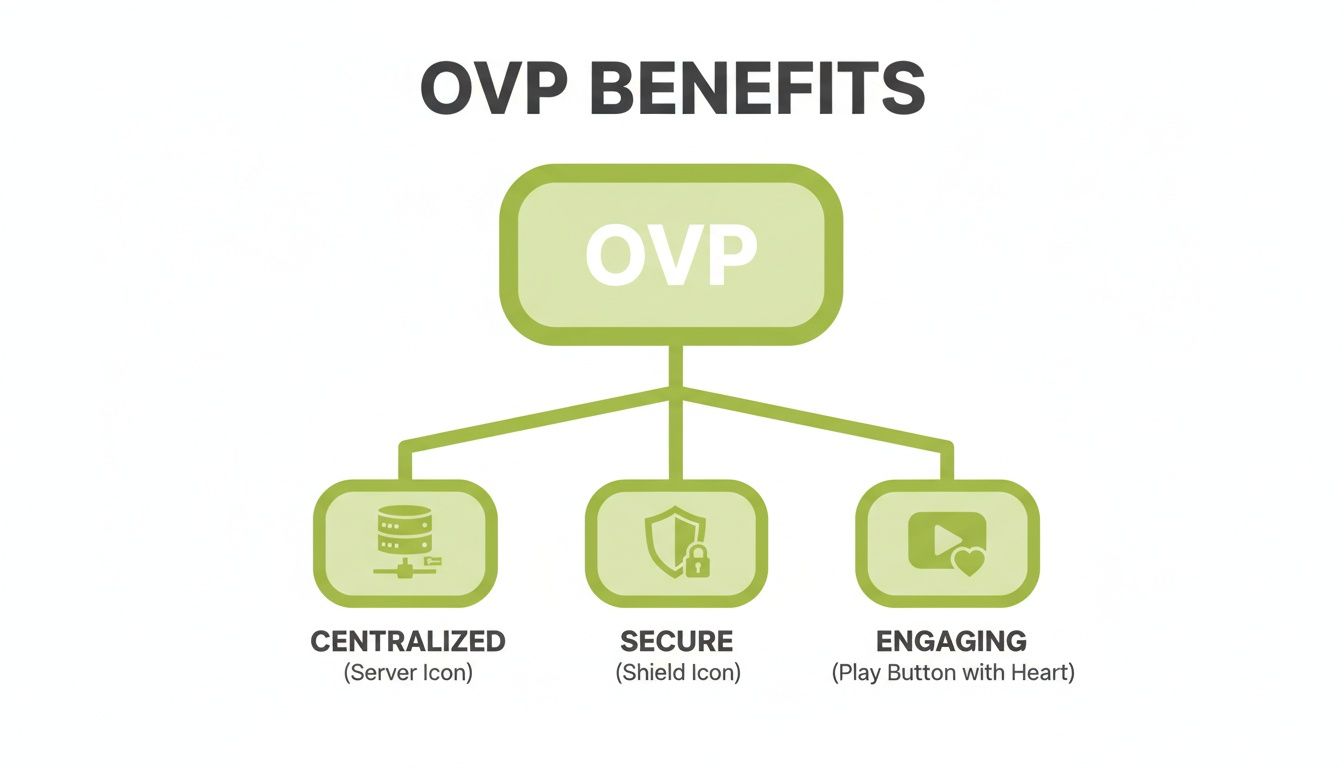
As you can see, centralising your content, locking down security, and boosting engagement are the pillars of a great OVP strategy.
Robust Security Protocols
In any university or business, not all video content is for public eyes. A modern learning OVP must provide granular control over who sees what. This goes way beyond a simple password. We’re talking about practical security tools, including:
IP Restrictions: Ensure content can only be viewed from specific locations, like on-campus networks or through a corporate VPN, preventing access from public Wi-Fi.
Signed URLs: Create time-sensitive, single-use links that stop people from sharing or downloading valuable videos without permission. This is perfect for sharing a preview with an external partner.
Single Sign-On (SSO): Tying into your organisation's existing login system (like Azure AD or Shibboleth) for secure, hassle-free access.
Protecting your platform from external threats is just as important. For high-stakes infrastructure, using things like DDoS protected dedicated servers is essential for safeguarding your digital assets. These layers of protection ensure your content stays safe and compliant.
In-Browser Editing and Accessibility
Most lecturers and trainers aren't video editors. The thought of downloading clunky software just to make a quick trim is a huge barrier. This is where simple, in-browser editing becomes a game-changer.
Imagine a lecturer finishes a live-streamed class and wants to share the recording. With in-browser tools, they can log in, chop off the first two minutes of setup chat and the last minute of goodbyes, and hit publish. The polished version is ready in seconds. No technical skills required.
Accessibility isn't an optional extra; it's a legal and ethical imperative. A modern OVP must have the tools to make content accessible to every single learner.
That brings us to another vital feature: automated captioning. High-quality, AI-generated captions are essential for meeting accessibility standards like WCAG 2.1. They also help everyone learn better. Many students use captions to focus in noisy environments or to reinforce their understanding of complex terminology.
To see how these capabilities fit together in a real-world platform, you can check out a full features list from a leading OVP.
Live Streaming and On-Demand Content
A truly versatile OVP has to master both live and pre-recorded video. The platform should be a complete ecosystem, supporting real-time events and self-paced learning.
Live Streaming: Perfect for a guest speaker webinar or a company-wide town hall meeting. A good platform handles the stream, records it, and makes it available almost immediately after the event ends.
On-Demand Content: This is the heart of your learning library. It includes evergreen training modules, recorded lectures, and other resources that learners can access whenever and wherever they need to.
A powerful OVP supports both formats seamlessly. An instructor could deliver a live lecture and, within minutes of finishing, have that same video automatically appear in their on-demand course library, fully captioned and ready for anyone who missed it. That flexibility is the key to any modern, blended learning strategy.
The needs of a university and a corporate training department can be quite different. This table shows where the priorities often lie for each.
Key OVP Feature Comparison for Education vs Corporate Training
Feature | Importance in Education (University/School) | Importance in Corporate Training (Business) |
|---|---|---|
LMS Integration | Critical: Must deeply integrate with systems like Moodle, Canvas for grades and workflow. | High: Important for integrating with corporate LMS/LXP for tracking and compliance. |
Security (SSO, IP) | Critical: Essential for protecting student data and intellectual property. | Critical: Non-negotiable for protecting proprietary information and trade secrets. |
Live Streaming | High: Great for guest lectures, virtual open days, and hybrid classes. | High: Used for town halls, webinars, and live training events. |
In-Browser Editing | High: Empowers non-technical staff to create polished content quickly. | High: Essential for trainers to quickly edit and update training materials. |
Automated Captioning | Critical: Required for accessibility compliance (e.g., WCAG 2.1). | High: Important for accessibility and for viewers in noisy environments. |
Advanced Analytics | Medium: Useful for tracking student engagement and content effectiveness. | High: Crucial for measuring training ROI and completion rates for compliance. |
While both sectors value these features, the emphasis can shift. For universities, deep LMS integration and accessibility are often legal and operational requirements. For businesses, granular security and detailed analytics are frequently tied directly to compliance and return on investment.
How to Choose the Right Online Video Platform
Picking an online video platform isn’t just about ticking boxes on a feature list. It’s about choosing a strategic partner. To get it right, you need to move beyond generic questions and ask for practical demonstrations of how the platform will solve your specific problems.
Forget asking if a platform has a certain feature. Instead, ask a vendor to show you how that feature works within your world. This simple shift in perspective is what separates a smart investment from a costly mistake.
Ask Deeper Questions About Integration
For any university, college, or corporate training team, this is the big one. How well does a video platform play with your existing systems? A flimsy, surface-level connection simply won’t cut it.
The real question you need to ask a potential vendor is: "Can you show me a live demo of how your platform's video quiz results feed directly into the gradebook of our specific LMS, Moodle/Canvas/Blackboard?"
A properly integrated system means an instructor can embed a video, create a quiz, and have the results automatically populate the LMS gradebook—without manual data entry. This creates a seamless workflow for your staff and an uninterrupted experience for learners, which is vital for adoption.
Evaluate True Scalability and Performance
Every vendor will say their platform is "scalable." The true test isn't on a quiet Tuesday afternoon; it's during peak exam season when thousands of students are hitting the system at once.
So, the critical question becomes: "Can you provide performance data from a client of a similar size to us, showing uptime and player load times during their peak usage periods?"
Ask for case studies and references from organisations of a similar size. Better yet, run a trial during one of your own high-traffic periods. A platform that stumbles under pressure doesn't just disrupt learning; it erodes confidence in your entire digital ecosystem.
Choosing an online video platform is about finding the best fit for your specific ecosystem, not just picking the one with the biggest market share. Your unique needs for security, integration, and user experience should guide your decision.
Prioritise the User Experience for Everyone
A platform is only as good as the number of people who actually want to use it. A clunky interface will kill adoption. You have to look at the experience from both sides of the screen.
Your checklist of practical tests should include:
For Administrators: Ask a non-technical colleague to try uploading, trimming, and captioning a video during a demo. How long does it take them? Do they get stuck?
For Viewers: Test the video player on a low-bandwidth mobile connection. Does it buffer endlessly? Does it remember where you left off watching if you close the browser?
A great user experience for everyone involved isn't a "nice-to-have"; it's a non-negotiable requirement.
Scrutinise Support and Pricing Models
Finally, think beyond the initial sale. When things go wrong, the quality of customer support becomes everything. A vendor that vanishes once the contract is signed is not a partner.
Ask potential vendors point-blank: "What does your standard support package include? Can we speak to a current client about their experience with your support team?"
Alongside support, demand total transparency on pricing. Ask for a full cost breakdown, including potential charges for storage overages, excess bandwidth usage, or additional transcoding. This ensures you understand the total cost of ownership, not just the attractive price tag on the quote.
Implementing Your OVP for Maximum Impact

Choosing the right online video platform is a massive step, but the real magic happens during implementation. A great rollout is a strategic process that focuses on people just as much as technology. A smart, phased approach is what guarantees a smooth transition, gets everyone on board, and maximises your return on investment.
Don't start with a big, company-wide launch. That’s a classic recipe for overwhelming your support team and frustrating users. A phased approach is far more effective.
Start with a Pilot Programme
First, identify a department or a small group of tech-savvy instructors who are already excited about using video. Let them be your pilot group. This smaller, controlled environment is perfect for ironing out technical wrinkles and gathering priceless feedback before you go big.
For example, work with the business school to move their lecture recordings onto the platform for one semester. This pilot group will create your first internal success stories. When the history department sees how the business school is saving time and engaging students, they become natural champions for the platform, creating organic buy-in that’s far more powerful than a top-down mandate.
Migrate and Organise Your Existing Content
Before you go live, you need a plan for your existing video library. Think of it as a chance for a digital spring clean. Don’t just drag everything over—audit your content and decide what’s still relevant.
Once you’ve sorted the keepers, set up a consistent organisational structure from day one. Actionable steps include:
Logical Folder Structures: Create a clear hierarchy, such as .
Consistent Naming Conventions: Decide on a standard format, like , so videos are easy to search and understand.
Strategic Tagging: Use metadata tags like , , or to make your library infinitely more discoverable.
A well-organised video library is a well-used one. Taking the time to tag and categorise content properly at the start prevents your new platform from becoming the same disorganised digital attic you're trying to escape.
Drive Adoption Through Training and Communication
Now for the most crucial part: getting people to actually use the platform. Your communication needs to focus on the "what's in it for me" factor.
Instead of saying, "We have a new video platform," send an email with the subject line, "A new tool to cut video assignment grading time in half." Frame the change around how it makes life easier for your educators, trainers, and learners.
To back this up, create a range of simple, accessible training resources. Short how-to videos (hosted on the new platform, of course), one-page PDF guides, and casual drop-in Q&A sessions can make a huge difference. By empowering your users with the skills and confidence they need, you’ll ensure your new online video platform becomes an essential part of your learning ecosystem.
How MEDIAL Brings It All Together
Knowing what makes a great online video platform is one thing. Seeing those features work together to solve day-to-day problems is another. This is where MEDIAL closes the gap, moving from the idea of powerful video learning to the practical reality of how your institution operates.
MEDIAL was built from the ground up to solve these real-world headaches. Instead of trying to patch together different systems, you get a central video hub that already knows how to work with the tools you rely on every day.
Deep Integration That Just Works
The best technology is the kind you don't even notice. MEDIAL gets this right by integrating so deeply with leading Learning Management Systems like Moodle, Canvas, and Blackboard that it just feels like part of the furniture. This isn't about slapping a video link on a page; it's about creating a single, unbroken workflow.
What does that look like in practice? An instructor can:
Open their Canvas course and use the MEDIAL button within the content editor to launch the assignment tool.
Students then record and upload their presentation submissions directly within the assignment, never leaving the LMS.
The video instantly appears in the SpeedGrader™ interface for the instructor to review and grade, cutting out all the usual hassle of downloading and managing large files.
This seamless connection removes the technical hurdles that often stop staff and students from embracing video, making it a natural, easy part of the teaching process.
Smart Automation and Security You Can Trust
In any modern learning environment, efficiency and security are non-negotiable. MEDIAL tackles both head-on. The platform’s direct link-up with Zoom and Microsoft Teams is a perfect example of practical automation.
MEDIAL automatically pulls in your cloud recordings from Zoom and Teams, then transcribes and secures them. It effortlessly turns those passing meetings into a permanent, searchable knowledge base for your entire institution.
As soon as a lecture or meeting is over, the recording is automatically ingested into the secure MEDIAL library. It gets captioned for accessibility and is then ready and waiting in the LMS for students who need to catch up. This hands-off process frees up countless hours of admin time and ensures every video is protected by security protocols designed specifically for education and the workplace.
Frequently Asked Questions
When you start looking at online video platforms, a few practical questions always pop up, especially if you're used to consumer tools. Let's tackle the most common ones.
How Is an Educational OVP Different from YouTube?
It comes down to three practical differences: control, security, and integration. YouTube is a public stage designed for broad reach. An educational OVP is a private, secure environment designed for learning.
You get a completely ad-free experience, and you can control exactly who can view a specific video—for instance, only students enrolled in 'CHEM101'. The biggest difference is the deep integration with your Learning Management System (LMS). This allows an instructor to embed an interactive video quiz into a course and have the results automatically sync to the LMS gradebook. That’s something public platforms are not built to do.
What Is the Biggest Challenge When Implementing an OVP?
The technology is rarely the biggest hurdle. The main challenge is almost always user adoption. Your staff and instructors have established workflows, and even if their current methods are clunky (like sharing videos via Dropbox links), they're familiar.
A successful rollout hinges on a solid plan that demonstrates clear benefits. Start with a small pilot group of enthusiastic users. These early adopters become your champions. When they show their colleagues how the new platform saved them five hours of admin work that month, you build momentum from the inside out.
The success of a new platform is measured by how many people use it willingly, not just by how many features it has. Focusing on training and demonstrating clear benefits is the key to winning over your team.
Can We Migrate Existing Video Content to a New OVP?
Absolutely. A core function of professional online video platforms is to make bulk content migration as painless as possible. The best first step is to audit your existing videos. Is that department update from 2018 still relevant? Probably not.
From there, the platform should provide tools and support to handle the upload. For example, many platforms offer a drag-and-drop interface for uploading hundreds of files at once. Use this migration as an opportunity to get organised. By applying tags like or from the start, you can transform a messy pile of files into a beautifully structured, searchable video library.
Ready to see how a dedicated online video platform can transform your learning environment? MEDIAL offers the security, deep LMS integration, and user-friendly tools you need. Schedule a demo or start a free trial today to discover the difference.
Comments