
Digital assets management system: Transform Educational Content & Workflows

A digital assets management system is essentially a central hub—a smart, secure library for all your institution's digital files. Whether it's videos, images, lecture recordings, or training documents, it brings everything together. It’s the tool that moves an organisation from digital chaos to streamlined efficiency. For example, instead of your marketing team searching through five different shared folders for the official university logo, they can find the one approved version in seconds, ensuring brand consistency across all materials.
What Is a Digital Assets Management System
Think about all the valuable media content your university or company creates. Right now, it’s probably scattered everywhere: shared drives, individual laptops, buried in email chains, and spread across various cloud accounts. Finding one specific training video or lecture clip can feel like a frustrating treasure hunt with no map. That’s the all-too-common reality of digital disorganisation.
This is exactly the problem a digital assets management (DAM) system is designed to solve. It acts as a single, authoritative source for all your media. Instead of a messy digital closet, a DAM provides a high-tech library where every file is perfectly catalogued, instantly searchable, and securely managed from creation to archival.
Moving from Chaos to Control
The real shift a DAM introduces is moving from passive storage to active management. A shared drive is just a container; it has no idea what’s inside the files you drop into it. A DAM, on the other hand, actively enriches each asset with valuable information.
For example, when a professor uploads a lecture video on cellular biology, the system can automatically:
Add metadata tags like the course code (), topic (), and date ().
Generate transcripts and closed captions, making the content accessible for all students.
Set permissions so only students enrolled in BIO-201 can view it, protecting intellectual property.
This intelligent cataloguing turns a simple video file into a powerful, reusable educational resource. It’s a world away from basic storage, especially when you’re dealing with a large volume of content. While lots of platforms can handle files, you can learn more about what video specifically needs by checking out this guide on the top video content management system for your business.
A DAM system transforms your digital content from a liability that's hard to find and easy to lose into a strategic asset that fuels learning, maintains brand consistency, and saves countless hours of administrative work.
The Practical Difference in Daily Workflows
To see how this works in the real world, let's compare the old way with the new.
Comparing Manual File Management with a DAM System
This table breaks down the difference between relying on scattered shared drives and using a centralised DAM for common media-related tasks.
Task | Manual Management (Without a DAM) | With a Digital Assets Management System |
|---|---|---|
Finding a Specific Video Clip | Search through multiple folders, drives, and email chains. Hope the file is named . | Type a keyword (like "mitosis" or "Dr. Smith") into a central search bar and find it instantly. |
Updating a Training Video | Manually find every location the old video is used and replace each one. Risk missing a copy on the company intranet. | Update the single master file in the DAM. All embedded links across the LMS and website update automatically. |
Sharing with External Partners | Send large files via email (often fails) or use temporary WeTransfer links that expire and lose tracking. | Generate a secure, shareable link with password protection and a set expiry date. Track who has viewed it. |
Ensuring Brand Consistency | Hope everyone is using the latest approved logo from a messy shared folder full of outdated versions. | Everyone accesses the same approved brand assets from a single, controlled source, ensuring consistency. |
Adding Captions to a Lecture | Find a third-party service, upload the video, wait for the file, and manually add the file to the video player. | The system automatically generates captions upon upload, making the video accessible right away with no extra steps. |
The difference isn't just about convenience; it's about efficiency, compliance, and peace of mind.
Let's take a corporate training manager who needs to update a safety compliance video used across multiple departments. Without a DAM, they’d have to manually track down every instance of the old video—on the intranet, in the LMS, everywhere—and replace them one by one. It's not just tedious; it's risky. An outdated version left floating around could lead to serious non-compliance issues.
With a digital assets management system, the process is completely different. The manager simply updates the master file in the DAM. The system then automatically pushes the new version to every single place it's embedded. This ensures consistency and compliance with almost no effort. This ability to properly organise, store, and distribute content is what makes a DAM an essential tool for modern education and corporate training.
Core Features That Power Modern Learning
A powerful digital assets management system is much more than a simple storage solution; it's an active engine that organises and automates the way you handle educational content. To really get a sense of its impact, we need to look past a basic features list and understand why these tools are so essential in today's learning environments.
The entire foundation of a DAM is centralised storage. This isn't just about dumping all your files in one place. It's about creating a single, authoritative source for every piece of learning content you own. This simple act immediately puts an end to the version control nightmares that plague so many institutions.
Actionable Insight: Start by auditing where your most valuable content currently lives. Create a simple spreadsheet listing key assets (e.g., "Onboarding Video Series," "Annual Compliance Training") and their locations (e.g., "Marketing Shared Drive," "Jane's Dropbox"). This map will be your starting point for centralisation.
Think about it. When a corporate trainer updates a compliance video, they no longer have to hunt down every old version scattered across the company intranet and various shared drives. They simply replace the master file in the DAM. Instantly, every link automatically points to the new version, ensuring everyone sees the right content with zero manual clean-up.
This concept map shows how a DAM acts as the central hub to organise, store, and distribute all your digital files efficiently.
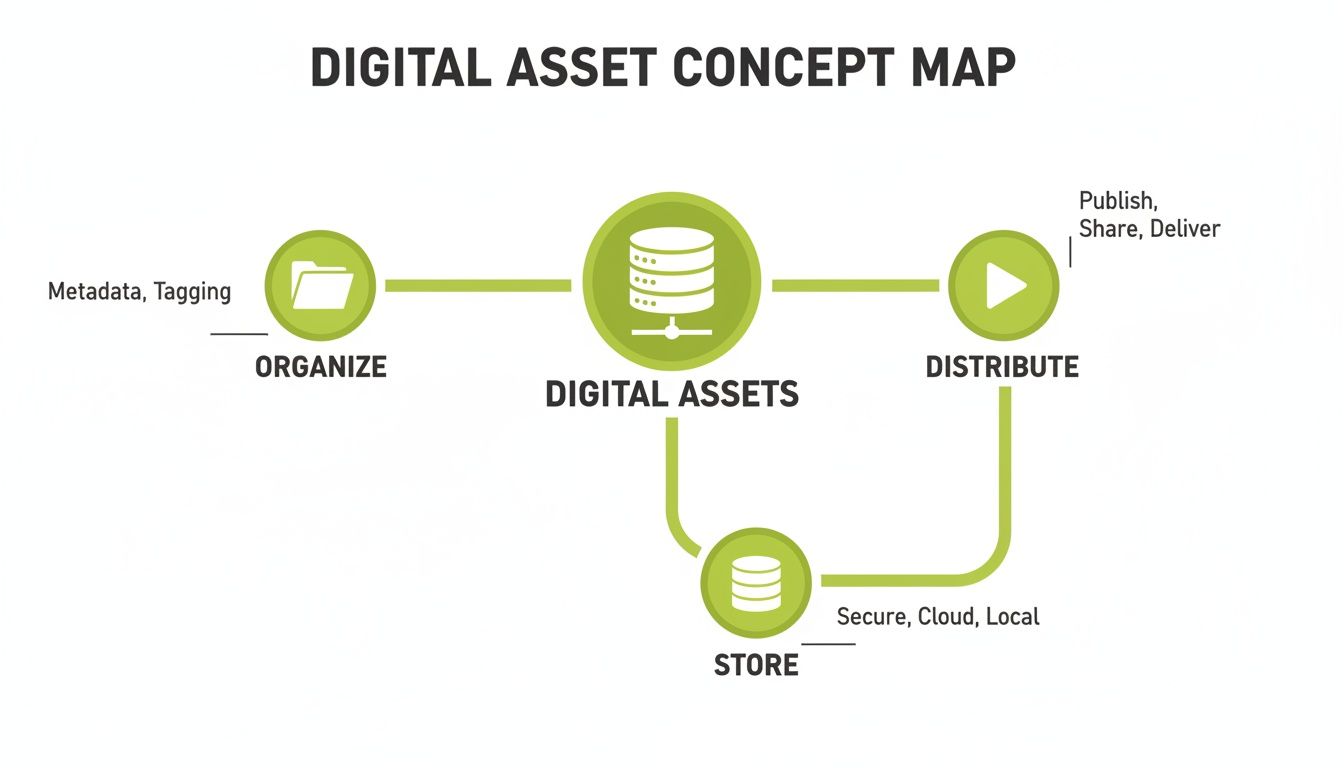
As you can see, a DAM system fundamentally connects the dots between organising assets, securing them, and making them easy to distribute. It creates a seamless lifecycle for all your content.
Unlocking Content with Advanced Metadata
While centralised storage solves the "where" problem, advanced metadata and tagging solve the "what" problem. Metadata is really just data that describes other data. Think of it like a library card catalogue, but infinitely more powerful.
A DAM doesn't just see a file named . It understands what's inside that file. When you upload a video, the system can automatically apply tags for things like:
Course Code: e.g., "CHEM101"
Lecturer: e.g., "Dr. Evans"
Topic: e.g., "Organic Chemistry"
Date Recorded: e.g., "15 October 2025"
This means a student revising for an exam can search for "Dr. Evans' lectures on organic chemistry" and instantly pull up every relevant video, document, and image. It turns a passive archive into a dynamic, searchable knowledge base.
Securing Intellectual Property and Ensuring Compliance
In both universities and corporate settings, not all content is meant for public eyes. This is where granular user access controls and permissions become absolutely critical. A sophisticated digital assets management system allows administrators to define precisely who can view, edit, download, or share specific content.
A modern DAM provides robust security, ensuring that sensitive research data, proprietary training materials, and faculty intellectual property are protected from unauthorised access while remaining easily available to the intended audience.
Practical Example: A university can set permissions so a medical school's surgical training videos are only accessible to enrolled students and faculty in that specific department. This protects sensitive content and valuable intellectual property. At the same time, the university's marketing team can be given access only to a curated collection of approved promotional photos and videos, preventing accidental use of unreleased material.
Integrating Seamlessly into Your Learning Ecosystem
Perhaps the most important feature for any educational DAM is its ability to integrate with the Learning Management System (LMS) you already use. Deep LMS integration with platforms like Moodle, Canvas, or Blackboard is what turns a DAM from a standalone library into a fully connected part of the teaching process.
Imagine this everyday workflow:
A professor records a guest lecture and uploads it directly to the DAM, right from within their Canvas course page.
The DAM automatically kicks in, generating AI-powered transcriptions and closed captions to make sure the content meets accessibility standards.
The system then tags the video with the right course information and makes it available only to students enrolled in that specific course.
This seamless connection removes technical headaches for educators, automates tedious admin tasks, and delivers a better, more accessible experience for learners. It ensures the digital assets management system isn't just another tool to manage but an integral component that powers the entire educational journey.
What's the Real Impact on Education and Training?
Bringing a digital assets management system into the fold is so much more than a simple IT upgrade. Think of it as a strategic move that fundamentally changes how your university or training department works. The real win isn't just about saving server space; it's about reclaiming countless hours, boosting learner engagement, and drastically cutting down on institutional risk.
For universities, a DAM is the perfect partner for modern teaching methods like asynchronous learning. It helps you build a secure, central, on-demand video library. For example, a student juggling a part-time job can catch up on a missed physics lecture at 10 PM, while another student can re-watch a complex chemistry demonstration multiple times before an exam. That kind of flexibility is a must for today’s learners.
It also puts a protective arm around the faculty's valuable intellectual property. Instead of crucial research videos or unique course content living on unsecured personal drives, everything is housed in a controlled environment. With granular permissions, you can be sure only the right people have access.
Driving Consistency and Compliance in the Corporate World
In a corporate setting, the strategic payoff is just as big. A digital assets management system acts as the backbone for brand consistency, especially for Learning and Development (L&D) teams. It's the single source of truth that ensures every training manual, onboarding video, and sales deck uses the latest, officially approved logos, templates, and messages.
This simple change wipes out the brand risk that comes from well-meaning employees grabbing an old logo or an outdated presentation from a messy shared drive. For instance, a global sales team can access a "Sales Toolkit" collection in the DAM, knowing with 100% certainty that the product spec sheets and presentation templates are the most current versions, ensuring a unified message to customers worldwide.
Compliance is another area where a DAM really shines. For mandatory training on topics like safety or data privacy, L&D managers can see exactly who has watched the required content and when. This creates a solid, auditable record that’s absolutely vital for meeting regulatory requirements and heading off legal headaches.
The Hidden Cost of Doing Nothing
Putting off the move to a modern DAM system has a surprisingly high price tag. All those little moments spent searching for scattered files add up, costing thousands of hours in lost productivity every single year. More importantly, sticking with fragmented, outdated systems leaves you wide open to serious vulnerabilities.
You can see a stark parallel in the UK public sector, which spends over £26 billion a year on digital tech while grappling with massive legacy systems. A government review pointed out that most departments don't even have a complete list of their own digital assets. This forces massive organisations like the Department for Work and Pensions (DWP) and NHS England to spend a staggering 70-85% of their tech budgets just keeping the old lights on, rather than innovating. You can read more about these challenges in the State of Digital Government report.
This trap of pouring money into obsolete systems is a cautionary tale for any large organisation. The cost of doing nothing isn't just financial—it's a strategic dead end that kills growth and innovation.
Measuring What Really Matters
Calculating the ROI of a DAM isn’t just about the money you save. While the direct savings are great, the true value is in the strategic impact it has on your entire operation.
By centralising media, a digital assets management system transforms content from a scattered, hard-to-manage liability into a secure, searchable, and reusable strategic asset that directly supports educational and business goals.
Actionable Insight: To build a business case, start tracking time. For one week, ask five team members to log how much time they spend searching for files, verifying versions, and re-creating lost content. The total hours will likely shock you and provide powerful data for justifying a DAM investment.
When you're looking to assess the impact, think about these key areas:
Time Saved: Work out how many hours your team currently loses to searching for, checking, and sharing digital files. A DAM can slash this time by over 80%.
Increased Engagement: Look at how having easily accessible, high-quality media affects learner completion rates and satisfaction scores, both in university courses and corporate training.
Reduced Risk: Try to put a number on what it would cost to prevent a single compliance breach, intellectual property leak, or major brand mistake. The cost of just one of these incidents is often far more than the investment in a DAM.
At the end of the day, a digital assets management system provides the framework for a more agile, secure, and effective learning environment. It frees up your educators and trainers to do what they do best—create amazing, impactful content—instead of getting bogged down in digital logistics.
How to Choose and Implement the Right DAM System
Picking and launching a digital assets management system is a big move, but it doesn’t have to be a headache. If you break the process down into two clear stages—evaluation and implementation—you can confidently find a long-term partner that actually fits your organisation, rather than just buying another piece of software. The real goal is to find a system that empowers everyone, from the tech-savvy admins to the non-technical professors.
The whole journey kicks off with a proper evaluation. This is where you put together a checklist of your absolute must-haves, specifically for your educational or corporate training environment. After all, a feature might look fantastic on a marketing website, but how does it actually hold up in a real classroom or a day-to-day training workflow?
Doing your homework here is essential. A well-researched guide can give you a solid overview of the market and help you shortlist the main contenders. For instance, this list of the 12 Best Digital Asset Management Software Picks for Creators is a great starting point for seeing what's out there.
Your Evaluation Checklist
Before you even start looking at demos, get your key people in a room and figure out what success actually looks like for you. Your checklist needs to be practical, focusing on how the system will be used every single day.
Deep LMS Integration: How well does the DAM talk to your Learning Management System, whether it’s Canvas, Moodle, or Brightspace? Actionable test: Ask a vendor to demo a professor uploading a video, adding it to a course module, and creating a video quiz—all without leaving the LMS interface.
Intuitive User Experience (UX): Is the interface simple enough for a professor with limited tech experience to use confidently? A complicated system will just gather dust, no matter how powerful its features are.
Robust Security and Compliance: Does the platform offer granular user permissions, secure hosting, and features that help you meet accessibility standards like WCAG? Protecting your content and making sure it's accessible to every learner is non-negotiable.
Scalability for Growth: Will this system grow with you? Think about your five-year plan. The DAM needs to handle a huge jump in users and content without slowing to a crawl.
Deployment Flexibility: Do you need a cloud-based (SaaS) solution for easy access and low maintenance, or an on-premises setup for total control over your data? A good provider should offer both to match your institution's IT policies.
A Proven Implementation Strategy
Once you’ve found a digital assets management system that looks promising, a phased rollout is the secret to a smooth launch and getting everyone on board. Rushing this stage is a classic mistake that can sink the entire project.
Choosing the right DAM is only half the battle. A thoughtful implementation plan that prioritises user buy-in and a smooth transition is what ensures the system becomes an indispensable part of your educational ecosystem.
Follow these simple steps to get your team on board and guarantee a successful launch.
Run a Small Pilot Programme: Before you go all-in, pick a small group of enthusiastic users—maybe one academic department or a single training team. Let them put the system through its paces in their daily work. Their feedback is pure gold for spotting problems and showing everyone else how great the DAM can be.
Secure Stakeholder Buy-in: Take the success stories from your pilot and use them to build your case. Practical example: Show leadership a report from the pilot group detailing a 50% reduction in time spent searching for files. Concrete data makes the benefits impossible to ignore.
Plan Your Data Migration: Let's be honest, moving thousands of existing files can be the trickiest part. Work with your DAM provider to map out a clear plan. Decide what content needs to move, what can be archived, and how you’ll tag everything so your new library is searchable from day one. A little planning here prevents a chaotic "digital garage sale" and makes sure your new system starts off clean and organised.
AI and Automation: The New Engine for Asset Management
The future of managing content isn't just about storage; it's about intelligence. Artificial intelligence (AI) has moved from a buzzword to a genuinely practical tool, completely changing how universities and businesses look after their digital media. Inside a modern digital assets management system, AI and automation are the secret ingredients, quietly turning tedious manual jobs into slick, automated workflows.
Think about a world where accessibility isn't an afterthought but is woven into the very fabric of your content. That's exactly what AI-powered features like automatic video transcription and closed captioning deliver. Practical Example: When a lecturer uploads a two-hour recording of a complex scientific lecture, the AI can generate a highly accurate, time-synced transcript and captions in minutes. This not only aids students with hearing impairments but also allows all students to search the video for specific keywords like "photosynthesis" and jump directly to that point.
From Manual Labour to Intelligent Organisation
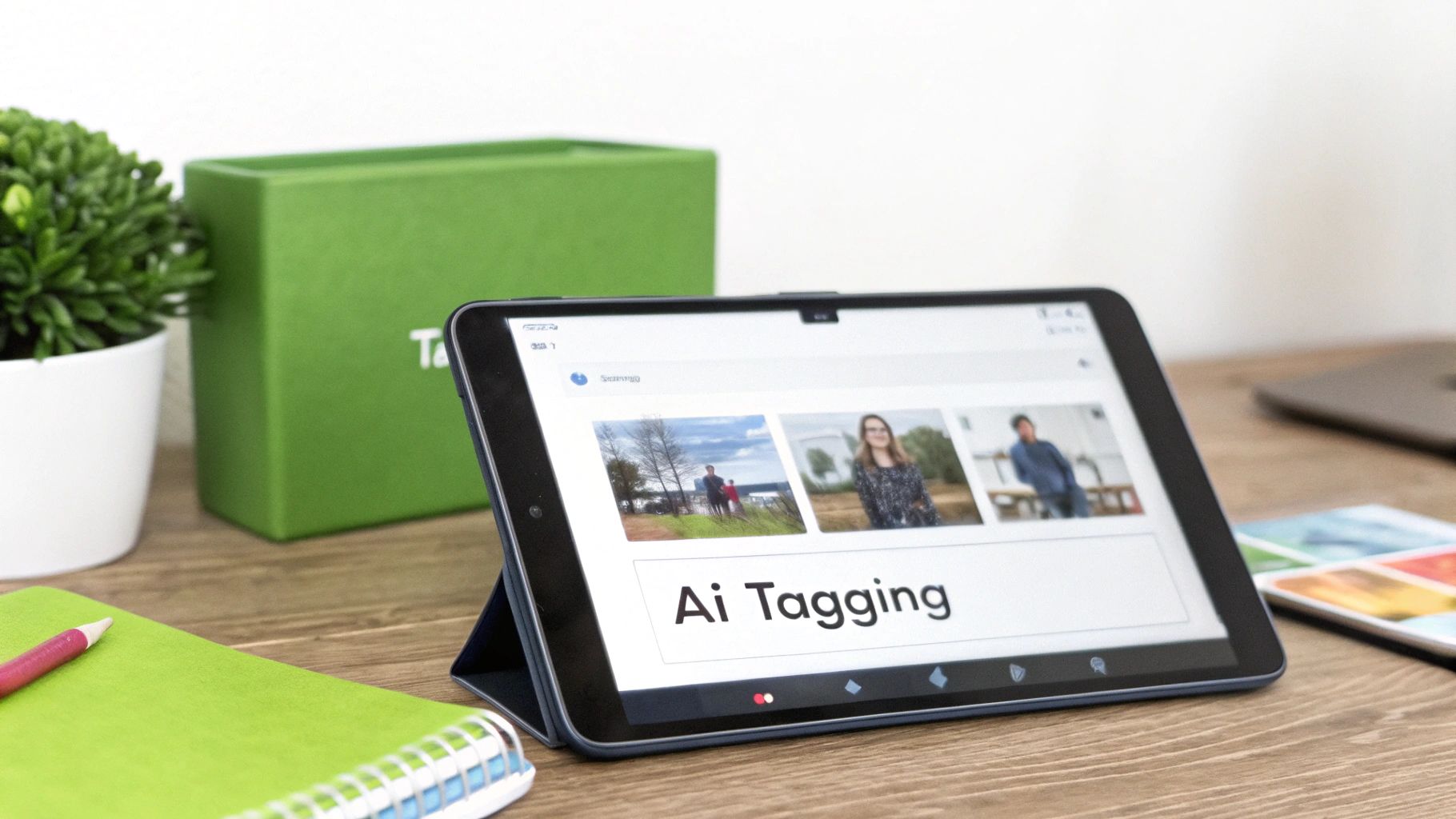
One of the cleverest uses of AI in a DAM is intelligent metadata tagging. Forget about asking a staff member to sit and watch hours of video just to add relevant keywords. AI can analyse the content itself—spoken words, on-screen text, even visual objects—and automatically suggest the right tags.
AI-driven automation is a strategic move to future-proof your learning ecosystem. It transforms your media library from a static archive into a dynamic, intelligent resource that actively supports teaching and training goals.
This one feature alone can save hundreds of hours of manual work, ensuring your entire media library is consistently organised and incredibly easy to search. A training manager could instantly pull up every video clip that mentions "workplace safety procedures," even if those words were never typed into the file's title. Tools like AI Reel Generator tools take this even further, automatically creating snappy, short-form videos from longer lectures, squeezing every drop of value from your existing assets.
Meeting Accessibility Standards Effortlessly
For educational institutions, meeting accessibility standards like the Web Content Accessibility Guidelines (WCAG) isn't just good practice—it's often a legal requirement. AI is a total game-changer here. Platforms like MEDIAL use AI to help institutions hit these standards with minimal fuss. For us, this commitment to accessibility is a core function, not just a box to tick.
This shift towards AI is happening everywhere. UK asset management firms are jumping on board, with 75% already using it to handle digital assets and another 10% set to join them within three years. This has already boosted productivity for 59% of these firms, helping them streamline work as digital demands grow. For teachers and L&D managers, these numbers highlight just how essential AI is becoming in managing digital content.
MEDIAL puts these ideas into practice with features like AI-powered closed captioning and in-browser editing for both video and audio. This functionality plugs directly into an LMS like Canvas or Brightspace, letting instructors assign and manage video tasks without ever leaving their familiar environment. You can learn more about unlocking accessibility with AI auto-captioning in our detailed guide. This intelligent weaving of a digital assets management system into daily workflows is where the real power of AI shines, turning compliance from a chore into an automated benefit.
Building Your Centralised Video Library
This entire journey, from digital chaos to an organised learning environment, shows that a digital assets management system is far more than just another bit of IT software. It’s a strategic tool that empowers educators, engages learners, and protects your institution's most valuable content.
The core transformation here is turning those forgotten archives of scattered files into a living, searchable, and secure video library that actually fuels learning and development. This single shift turns your content from a storage problem into a reusable asset.
This proactive approach to content is fast becoming standard practice. The UK, for instance, is making significant financial reforms to advance digital assets management, prioritising new technologies and building regulatory frameworks for digital solutions. This mirrors the growing need for robust systems in education and training, a topic explored in this deep dive into UK digital asset regulations.
From Liability to Living Asset
Let’s be honest: without a central system, your digital content is a liability. It's difficult to find, impossible to track, and vulnerable to misuse. A DAM completely flips this script.
A digital assets management system is what transforms your content from a scattered collection of files into a cohesive, secure, and fully accessible knowledge base that actively supports your educational mission.
For example, a corporate training team can guarantee every employee worldwide sees the same up-to-date compliance video, completely eliminating the risk of someone acting on outdated information. In the same way, a university can safeguard a professor's entire lecture series, making it available only to enrolled students while protecting the intellectual property behind it.
Taking the First Step
The path to an organised system always begins with a clear-eyed look at your current digital challenges. Where are the friction points in your workflows? Think about the journey from content creation and distribution right through to long-term storage and retrieval. Just thinking about these issues is the first step toward finding a real solution.
Actionable Insight: Your first step should be to define a basic content governance policy. Who has the authority to upload new content? What are the mandatory metadata fields (e.g., department, creation date)? When should content be reviewed or archived? Answering these simple questions creates a solid foundation.
Effective management also means planning for the entire content lifecycle, including knowing what to keep and when to retire old material. A great place to start is to implement an effective video content retention strategy. This simple step ensures your library stays relevant and manageable, paving the way for a more efficient and secure future for all your institution's content.
Still Have Questions?
Deciding how a digital asset management system fits into your world naturally brings up a few practical questions. It's a big step. We get it. Here are some straightforward answers to the questions we hear most often.
How Is a DAM Different from Cloud Storage?
It’s a great question. While cloud storage like Google Drive or Dropbox is fantastic for storing and sharing general files, a digital asset management system is purpose-built for media. Think of it as the difference between a simple storage locker and a smart, searchable library.
A cloud drive knows a file's name. A DAM, on the other hand, understands what's inside the file. It can automatically pull out searchable metadata, generate transcripts, and manage complex user permissions. For example, you can't search Google Drive for every video that mentions "project budget," but you can in a DAM because it has transcribed the audio.
How Deeply Can a DAM Integrate with Our LMS?
The best DAMs don't just sit next to your Learning Management System (LMS)—they weave themselves right into it. Whether you use Canvas, Moodle, or Brightspace, a quality DAM should feel like a natural part of your setup. We're not just talking about a simple link.
True integration means educators can upload, manage, caption, and embed video content directly within their course page without ever needing to switch applications. This seamless workflow is crucial for user adoption and efficiency.
Practical Example: An instructor can create a video assignment in Canvas. Students then use their webcams to record and submit their video responses directly within the assignment page. The DAM processes these videos in the background, making them instantly available for the instructor to grade, all within the familiar LMS environment.
How Difficult Is the Migration Process?
The thought of moving thousands of legacy files can feel pretty daunting, but it's a far more manageable process than you might think, especially with the right partner and strategy. A good DAM provider will work closely with you to map out a clear migration plan.
This usually involves a few key stages:
Audit: First, we figure out what you actually have—identifying which assets are essential to move, which can be archived, and which are just duplicates. Actionable Tip: Use a "C.A.R.S." model: Keep Content that is Current, Accurate, Relevant, and Strategic.
Strategy: Next, we decide on a metadata and tagging structure. This is vital for ensuring your new library is perfectly organised from day one.
Execution: Finally, we use bulk upload tools and scripts to move the content over efficiently, often in phased batches to keep any disruption to a minimum.
How Does a DAM Help Meet Accessibility Standards?
Meeting accessibility and compliance rules, like the Web Content Accessibility Guidelines (WCAG), can be a real headache. A DAM is a powerful ally here, automating many of the technical hurdles.
For instance, when a video is uploaded, a system like MEDIAL can use AI to automatically generate accurate, time-synced closed captions and transcripts. This simple step makes sure your content is immediately accessible to learners with hearing impairments, but it also benefits everyone by making videos fully searchable and easier to study from. This transforms a compliance task into a powerful learning enhancement with no extra effort from staff.
Ready to see how your institution could get a handle on its digital media? Explore how MEDIAL provides a secure, integrated, and intelligent platform built for educational video. Schedule your personalised demo today.
Comments