
Corporate Training Video Guide That Actually Works

You've probably got one of these sitting in your backlog right now. A compliance refresher nobody finishes, a manager onboarding video that drags past the useful part, or a screen recording in Teams that seemed fine when you published it but tells you nothing once it lands in the LMS.
That's the problem with a corporate training video. Teams spend their energy on recording, then hope engagement, completion, and auditability sort themselves out later. They don't.
In UK workplaces, digital learning is already normal rather than experimental. The Department for Education's Employer Skills Survey 2024 found that 70% of employers who trained staff in the previous 12 months had funded or arranged online training or e-learning, up from 67% in 2022 and 51% in 2017, with £53.0 billion spent on training and development and around 111 million training days delivered in 2024 (UK workplace learning figures). The question isn't whether to use video. It's whether your workflow makes video measurable, accessible, secure, and worth repeating.
Why Most Corporate Training Videos Fail to Engage
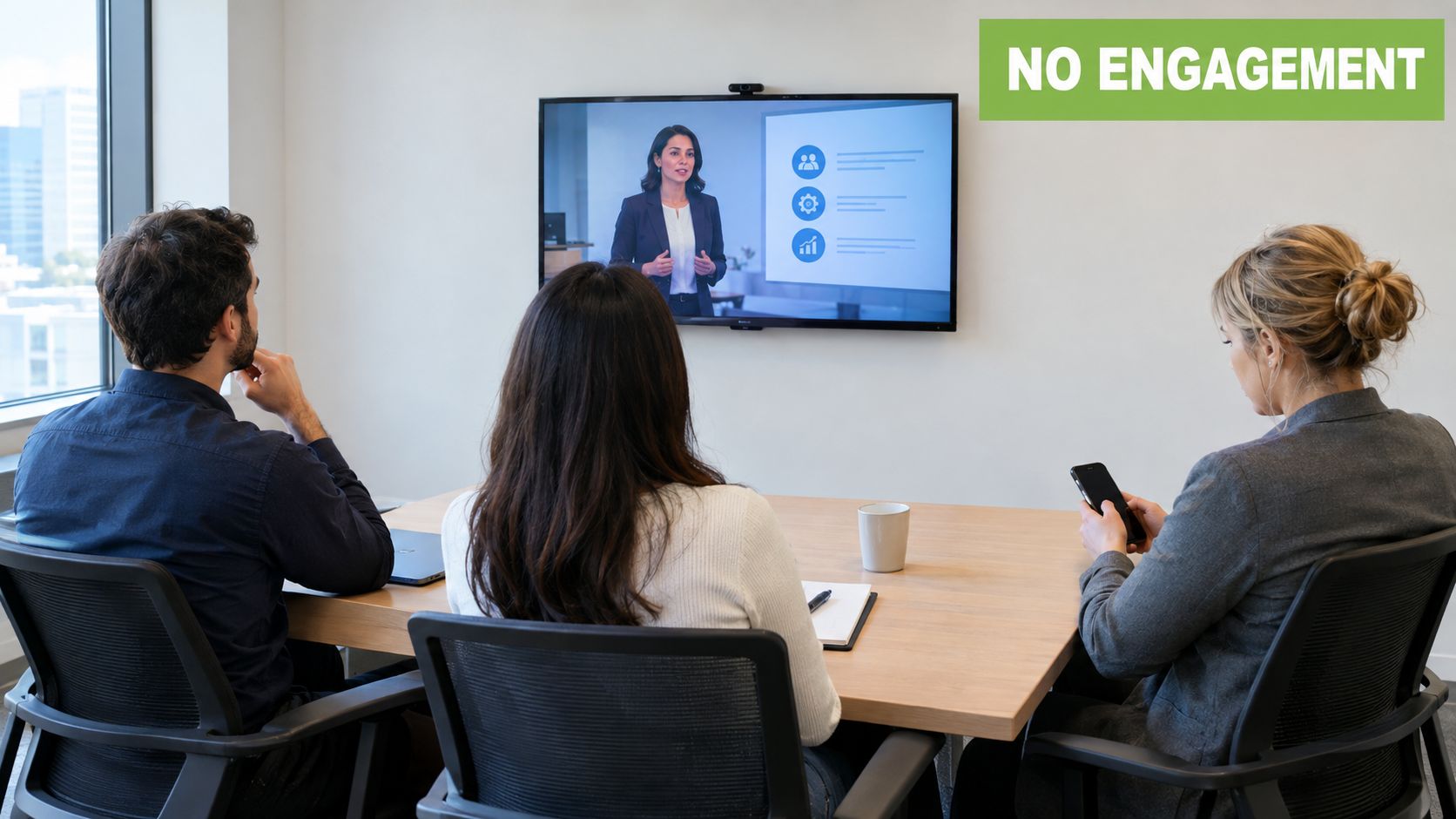
The usual failure pattern is easy to recognise. Someone says, “We need a video for this.” A subject matter expert opens PowerPoint, records a ten-minute monologue, uploads it to Moodle or Teams, and ticks the delivery box. Three weeks later, learners have skimmed it, managers still answer the same questions, and nobody can tell whether behaviour changed.
That happens because the video was treated as a file, not a workflow. The objective was “make content available” instead of “help people perform a task correctly under normal working conditions”.
The engagement problem usually starts before recording
A lot of poor training videos are polite transcripts of policy documents. The presenter reads bullets. The slides repeat the script. The learner gets no reason to care, no scenario to apply, and no follow-up in the LMS.
UK evidence points to a more practical standard. A 2025 training-video report cited a UK survey where only 10% of respondents said their corporate training was “very effective”, while 25% said it was “completely ineffective”; the same report said short videos (48%) and strong video quality (40%) were the main engagement drivers (training video effectiveness and design choices). That lines up with what most L&D teams see in practice. Learners will forgive a simple setup. They won't forgive a vague, padded video that wastes their time.
Outcome-first rule: if you can't state what the learner should do differently after watching, you're not ready to record.
What actually keeps people watching
Three things usually matter more than polish.
A clear job task: “Submit an expense claim correctly” beats “Learn about expenses policy”.
Tight runtime: one decision, one task, one process per module.
Visible next step: quiz, checklist, assignment, manager prompt, or linked SOP.
Adult learners also need relevance. If you're building for experienced staff, skip the lecture and move straight to consequences, examples, and edge cases. That's where adult learning principles in workplace training are more useful than generic video advice.
A useful side note comes from the sales training world. The PreSales Unleashed GmbH podcast episode talks through a familiar remote-training problem: cameras off, low interaction, passive attendance. The lesson applies well beyond presales. If the session asks nothing of learners, most will give you minimum visible compliance.
Content swap is the wrong mental model
The strongest shift I've seen is simple. Stop asking, “How do we turn this deck into video?” Start asking, “What evidence inside the LMS would prove the learner can now do the work?”
That changes everything. The script gets shorter. The examples get sharper. The publishing workflow includes captions, permissions, and tracking from the start. The manager gets a follow-up task. The learner gets a practical reason to finish.
Planning Your Corporate Training Video for Real Learning Outcomes
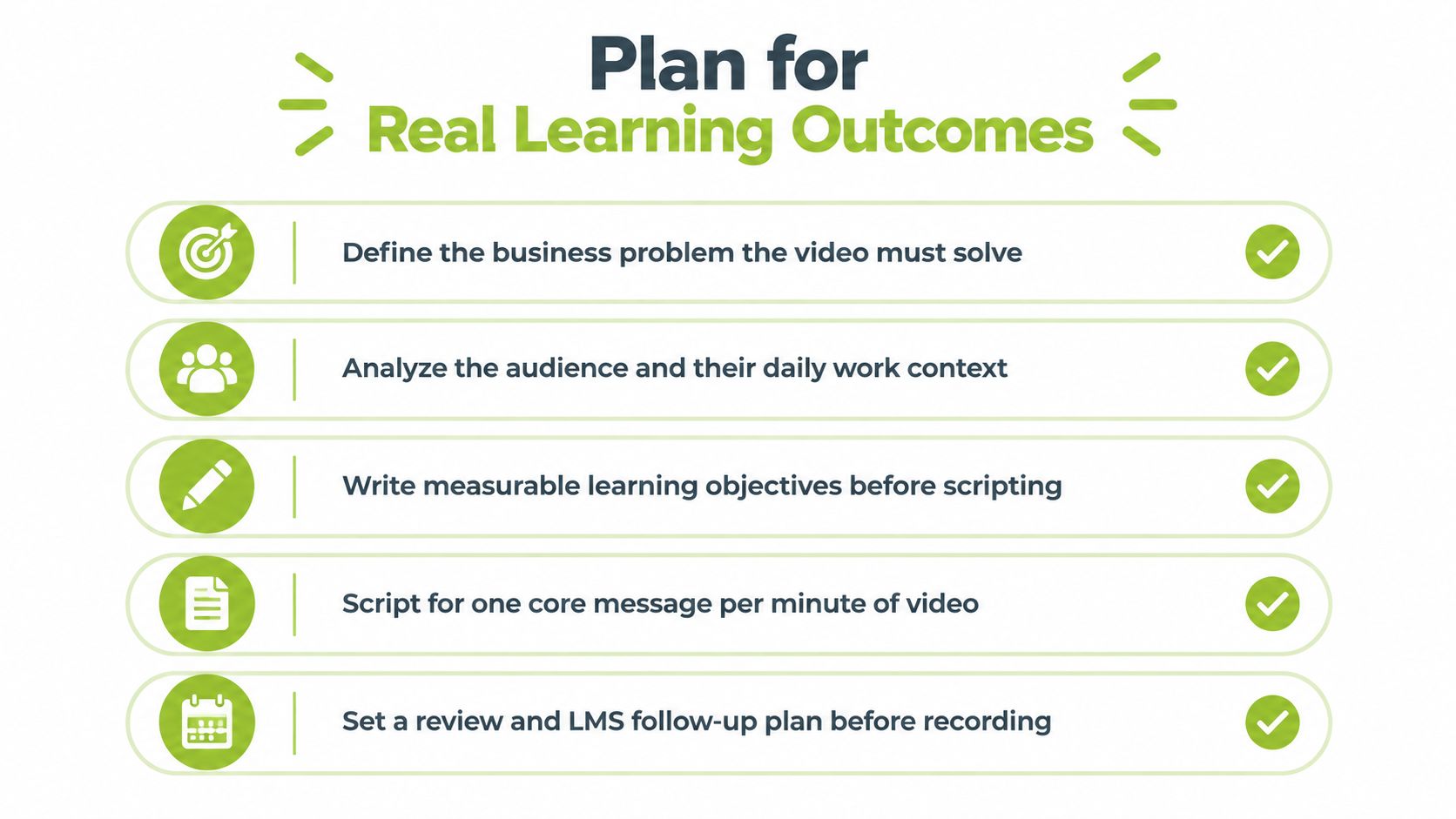
Planning is where most rework is either created or avoided. If the objective, audience, and follow-through aren't settled before recording, teams end up fixing structural mistakes in editing. That's slow, frustrating, and expensive even when the tooling is simple.
Start with the business problem, not the content
A good planning conversation sounds like this:
Onboarding: What should a new starter complete without asking for help by the end of week one?
Compliance: What risky action must staff avoid, and what correct action must they take instead?
Skills refresh: Where are experienced staff making preventable errors or slowing each other down?
The UK evidence base is useful here because it pushes teams away from content dumping. The Department for Education data, as discussed in a CIPD-linked review, shows online training is mainstream across UK employers, and use rises from 62% of sites with 2 to 4 staff to 92% of sites with 100+ staff; the same evidence review notes a practical approach of defining outcomes first, blending formal and informal learning, tailoring content to role and skill level, and embedding hands-on workplace scenarios (digital learning evidence review).
That's the right sequence. Write the performance outcome first. Then decide whether video is the lead format, the practice prompt, or the reinforcement layer.
Build around role, context, and friction
A single “all staff” video often means nobody gets exactly what they need. The finance team needs a different level of detail from field engineers. First-line managers need scenarios and judgement calls. New hires need orientation plus system basics.
A short planning sheet is usually enough:
Who is this for? Name the role, not the department.
What are they trying to do at work? Use a real task.
What goes wrong now? Capture the recurring mistake or delay.
What should happen after viewing? Choose observable behaviour.
What confirms success? Quiz result, submitted task, manager sign-off, or reduced support tickets.
If you need a template for the broader rollout, this guide to an employee training plan is a useful anchor before you ever touch a camera.
The best script usually starts with a mistake the learner already recognises.
Script for one action per segment
Shorter videos aren't automatically better. Shorter videos with a single job outcome usually are.
A planning shortcut that works well is one core message per minute. Not one topic per minute. One message. That forces you to cut introductions, legal throat-clearing, and repeated slides. It also makes later LMS analytics easier to interpret because each video has a clear purpose.
Here's a practical split:
Onboarding module: “How to request leave in the HR system”
Manager module: “How to approve leave requests and spot missing information”
Policy reinforcement clip: “What happens if approval is delayed”
These are separate assets, not chapters buried in one long recording.
Design the follow-up before filming
Many corporate training video projects fail. Teams plan the media but not the learner action after the media.
Use one of these follow-ups:
A short quiz for terminology, rules, or process order
A video or written assignment where the learner explains how they'd handle a case
A manager checklist for live observation on the job
A linked job aid for repeat use after the module ends
If the topic needs judgement, add a scenario. If it needs repetition, add a checklist. If it needs audit evidence, add a required completion and timestamped confirmation in the LMS.
Recording Corporate Training Videos Without a Studio Budget
A manager blocks 45 minutes to record a policy update, shares a polished video, and the comments fill with the same three problems. Nobody can hear the key point. The screen text is too small on mobile. The process changed again two weeks later, so the whole asset needs replacing. Budget was not the failure. Recording choices were.
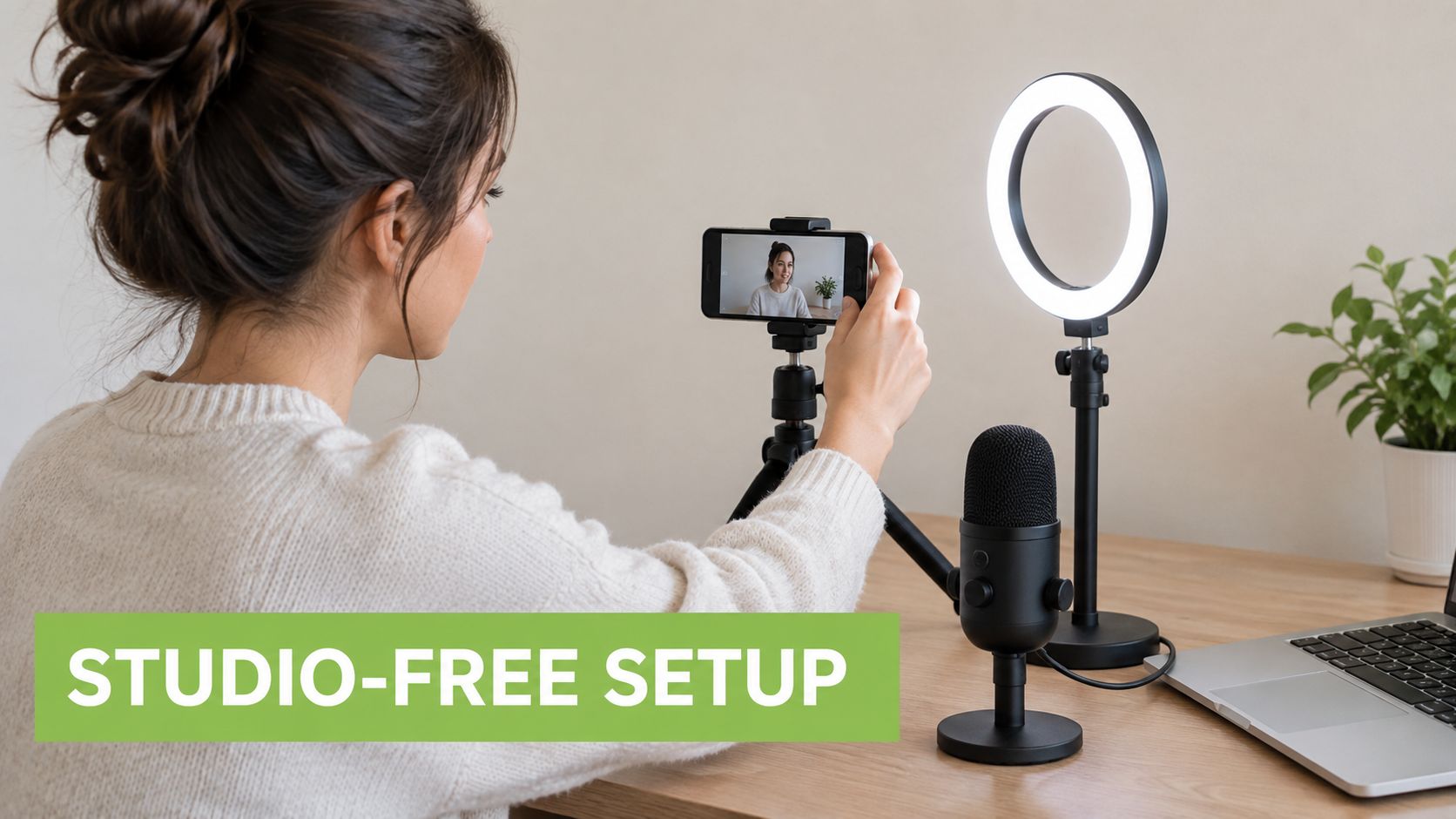
You can ship effective corporate training video with a laptop, a decent mic, and a repeatable setup. What matters is whether the recording method fits the task, survives review, and can be updated without rebuilding the whole module.
Prioritise audio, then legibility
Poor audio causes drop-off faster than an average camera ever will. In Moodle and Teams rollouts, I have seen learners tolerate a plain office background, uneven lighting, and a webcam image. They stop trusting the training when names, numbers, and instructions are hard to hear.
Spend first on a USB microphone or a reliable lapel mic. Then check the two things that break software and process training at scale: font size and cursor movement. If learners watch on a laptop dock, a tablet, or a phone in the field, tiny UI text becomes a support ticket later.
A low-cost setup is usually enough:
USB mic or lapel mic: clearer voice, fewer retakes
1080p webcam or current smartphone: good enough for presenter-led clips
Natural light or one basic light source: consistent face visibility
Quiet room with soft furnishings: less echo, less cleanup
Screen capture tool with system audio control: fewer edit fixes after recording
Match the recording format to the business risk
Format choice affects more than production time. It affects sign-off speed, learner accuracy, and maintenance.
Use screen capture for systems training where clicks, fields, and sequence matter. Use talking head video for manager messages, culture topics, or anything where tone carries the message. Use overhead or phone video for hands-on tasks such as packing, equipment checks, or front-of-house standards.
For higher-risk tasks, record proof, not polish. Show the exact handoff, the exact safety check, the exact customer interaction. If a procedure depends on space, movement, or environmental cues, immersive approaches can earn their cost. These virtual reality staff training examples are useful reference points for location-specific training where flat video leaves too much open to interpretation.
Record for maintenance, not just first release
This is the workflow shortcut many teams miss. Record in small replaceable units.
A six-minute walkthrough of a finance process sounds efficient until one approval screen changes and compliance asks for an update by Friday. Three clips of two minutes each are easier to review, easier to caption, and easier to retire in the LMS without breaking completion rules or audit history.
Use these habits during recording:
Keep one task per clip: one policy step, one system action, one behaviour standard
State version-sensitive details carefully: avoid reading dates, policy numbers, or ownership lines unless they must be in the video
Pause between sections: clean edit points save post-production time
Capture a clean room tone sample: useful if edits create awkward audio gaps
Name files for governance: course code, audience, language, version, and date
Good file names are boring and that is the point. “leave-request-manager-v2-final-FINAL” causes publishing mistakes. “HR-022_mgr_leave-approval_en_v03_2026-09-21” does not.
Brief presenters like process owners
Subject matter experts usually know too much, not too little. They skip steps, use internal shorthand, and assume the learner can infer what happens between screens.
Give presenters a narrow brief before recording. Who is this for? What should the learner do immediately after watching? What error should this video prevent? Those three questions tighten delivery fast.
Practical coaching helps:
Record standing if energy is flat
Put the first action in the first 15 seconds
Read from prompts, not a full script on screen
Demo workflow when possible, using a safe training environment
Say menu names exactly as they appear, especially if captions and search indexing matter
That last point helps later when learners search the LMS or Microsoft Stream transcript for a term and need the right result.
Later in the process, it helps to show stakeholders what “good enough” looks like in a live walkthrough or demo video format. This kind of embedded example gives teams a concrete benchmark for pacing and framing:
Keep recording conditions consistent across a series
Consistency matters more than polish once you publish at volume. If one onboarding clip is loud, another is muffled, and a third has different terminology for the same step, learner confidence drops and support requests rise.
Batch record related modules with the same mic, framing, and screen resolution. Use the same intro line, the same cursor size, and the same demo account type. That consistency pays off later in analytics too, because lower completion or replay spikes are easier to trace to the content itself rather than random production differences.
Record the smallest useful unit. It is faster to replace, simpler to approve, and safer for compliance teams who need a clear version trail.
Editing Branding and Publishing Directly Inside Your LMS
Editing and publishing should be one operational chain. When teams split them apart, version control goes sideways fast. Someone trims in one tool, exports locally, renames the file badly, uploads the wrong copy to the LMS, and forgets to replace the captions. That's how outdated content stays live for months.
Build one post-production workflow
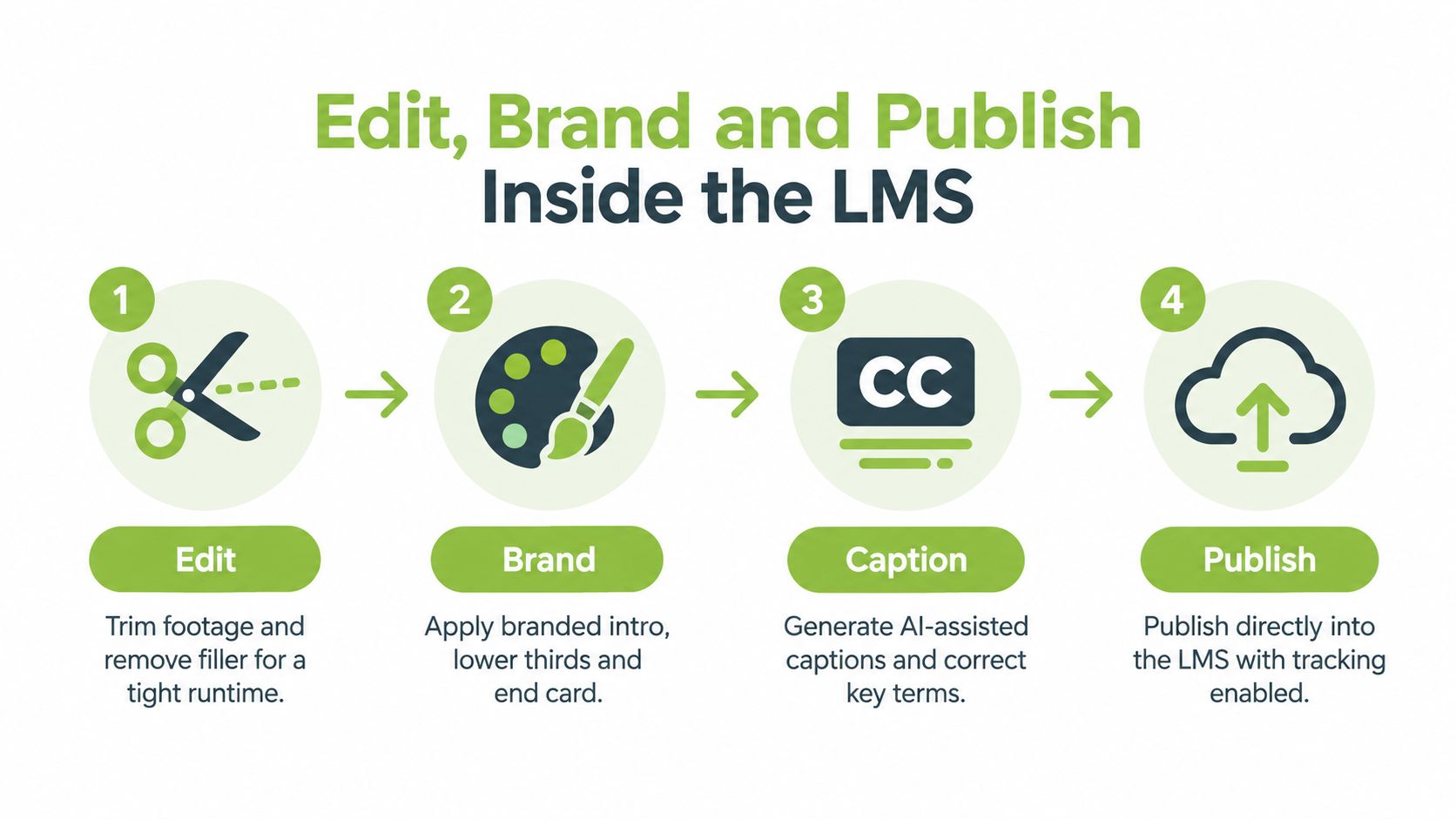
A simple workflow works better than a clever one:
Trim dead air and restarts.
Add branded intro, lower thirds, and end card only where useful.
Generate captions, then quality-check names, acronyms, and product terms.
Publish into the LMS with the right access settings and tracking.
That's enough for most internal training libraries. A more advanced stack can help, but it doesn't fix muddled governance.
If your team is still juggling separate tools for capture, trimming, and LMS upload, it's worth reviewing a cleaner video editing workflow for education and training teams. The same logic applies in corporate environments.
Keep branding light and consistent
Branding should orient the learner, not delay them. A two-second opener, a simple title card, and a consistent end slide usually do the job. The point is recognition and trust. It's not an advert.
The stronger operational gain comes from consistency:
Naming convention: role + task + version
Thumbnail style: same visual pattern across a course
Caption style: same formatting and review process
Archive rule: retire or hide superseded versions immediately
Captioning and live delivery need quality control
AI-assisted workflows help, but only if someone checks the output. UK accessibility guidance is clear on the basics. The Government Digital Service says video content with audio must provide captions, and all live content should provide an accurate script in advance while allowing automatic captions, though those alone don't satisfy WCAG because of inaccuracy (UK government guidance on subtitles transcripts and captions).
Imperial College London adds a practical rule that captions should be provided for synchronised video content where possible, with closed captions recommended for online video, and that text-only alternatives are only enough when there are no important visual details (Imperial guidance on video and audio accessibility).
For editing teams, Norfolk County Council's checklist is one of the most useful operational summaries: captions should include all speech and important sounds in brackets, be accurately spelled and punctuated, appear roughly in time with the audio, stay visible for at least one second, and avoid covering important visuals (caption quality control guidance).
Publishing check: if captions haven't been reviewed by a human, the asset isn't ready.
Hosting choice affects governance
Where you host the video changes permissions, analytics, and support overhead. Keep the decision boring and practical.
Workflow Option | Best For | Key Benefit |
|---|---|---|
Direct upload into the LMS | Small libraries, straightforward compliance modules | Simple learner access in one place |
Linked enterprise video platform with LMS embed | Larger libraries and cross-team reuse | Central asset control with course-level delivery |
Teams or Zoom recording published into the LMS | Live sessions that need replay | Fast turnaround from event to on-demand access |
Integrated media platform such as MEDIAL | Organisations using Moodle, Canvas, Blackboard, D2L Brightspace, Zoom, or Microsoft Teams | In-browser editing, AI-assisted caption generation, and LMS-connected publishing in one workflow |
Choose the workflow before launch day
A useful test is to ask three operational questions:
Who can replace the video when policy changes?
Who approves captions and metadata?
Where will the learner completion data live?
If nobody owns those answers, the publishing model is still too loose.
Measuring Impact With Engagement Analytics and Assessments
A corporate training video isn't successful because people clicked play. It's successful when the right people finish it, understand it, and do the work better afterwards. That sounds obvious, but plenty of LMS setups still report only enrolments and raw completions.
The more useful view is behavioural. Where do people stop watching? Which segment gets replayed? What question do they miss in the quiz? Which teams finish the module but still need manager intervention?
What to track inside the LMS
Use a small metric set tied to the training goal.
Completion status: useful for mandatory content and audit trails
Rewatch points: good for spotting confusion in process steps
Quiz results: helpful when there's a right and wrong answer
Assignment evidence: stronger than quizzes for judgement or communication skills
Manager confirmation: essential when the learner must apply the skill in live work
UK usage patterns support video as a natural fit for adult learners. A UK learning survey reported that 28.97% of respondents said watching videos online was their preferred learning method, and a separate UK-focused training article reported that 44.68% of people had attended an online training course for work compared with 50.92% who had attended in-person training (UK virtual learning preferences and workplace participation). That doesn't mean every video works. It means learners are already open to the medium, so poor outcomes usually point back to design or follow-through.
Pair viewing data with a practical check
Analytics alone won't tell you whether someone can do the job. Add a light assessment layer.
For example:
A data handling module can end with a short scenario quiz.
A manager coaching video can require a recorded response to a staff situation.
A software tutorial can ask the learner to complete the task and upload evidence.
That's especially important because evidence on progression and organisational outcomes remains mixed in parts of the digital learning environment, as noted in the UK review cited earlier. Completion is useful. It isn't proof of capability.
If a learner passes the quiz but still can't perform the task, the assessment was too abstract.
Use the data to shorten the next version
The best analytics use is revision, not reporting theatre.
If many viewers replay the same step, isolate it into its own micro-module. If most quiz errors come from a policy term, rewrite that section in plain language. If managers keep answering the same follow-up question, add that question to the next cut as a worked example.
One practical discipline helps here. Review a new training video after the first cohort completes it, not months later. The memory of production is still fresh, and small fixes are easier before the library grows.
Secure Accessible and Compliant Corporate Training Video Delivery
Teams often think about accessibility and security at the end. That's late. By then the course owner wants to launch, the policy sponsor wants completion data, and nobody wants to hear that captions are incomplete or permissions are too broad.
The safer position is to treat accessibility, compliance, and access control as release criteria. If one fails, the video waits.
Accessibility isn't optional
The practical standard is straightforward. If the video has audio, caption it. If it's live, prepare an accurate script in advance. If critical information appears visually, don't assume a transcript alone will cover it.
For a final quality-control pass, use this checklist:
Captions included: every pre-recorded training video with audio has captions.
Key terms corrected: product names, acronyms, and names are reviewed by a human.
Important sounds captured: warnings, alerts, or meaningful non-speech audio appear in captions.
Timing checked: captions appear in sync and remain visible long enough to read.
Visual overlap reviewed: captions don't block menus, buttons, or critical on-screen instructions.
Live script prepared: live town halls or compliance broadcasts have an accurate script ready beforehand.
This isn't just a standards exercise. It cuts support requests and makes content usable in noisy offices, shared spaces, and low-audio environments.
Security and permissions need boring clarity
A corporate training video often contains internal process detail, product information, or compliance material that shouldn't drift outside the intended audience. Security controls don't need to be dramatic. They need to be consistent.
Focus on these controls:
Role-based access: learners see only what matches course or team permissions.
Version control: outdated policy videos are removed from view, not left searchable.
Controlled sharing: avoid loose public links for internal training assets.
Recorded live sessions: edit before replay if the original session included sensitive Q&A.
Platform ownership: know whether IT, L&D, or compliance approves publishing rights.
Governance matters more now because implementation is the bottleneck
One of the more useful UK-linked signals is that adoption isn't the main hurdle any more. Recent industry coverage points to AI-assisted production, micro-learning, and interactive branching, while noting that the gap is governance, captioning, LMS tracking, and evidence of value in UK environments; this matters because 44.68% of people in the UK had attended an online training course for work, while digital learning use rose rapidly but more approaches had stalled (UK implementation gap in virtual learning).
That tracks with day-to-day delivery. Most organisations can now make video. Fewer can operationalise it cleanly at scale without trust problems, patchy analytics, or accessibility debt.
Launch small and verify the whole chain
Pilot one workflow before you standardise it. Pick a real use case like manager onboarding, cyber hygiene, or a recurring software process. Then verify all of it:
objective
recording
editing
captions
LMS release
assessment
analytics
archive process
If any part still depends on memory or heroics, tighten it before rolling out more content. A scalable corporate training video programme isn't built from better filming tips alone. It's built from repeatable operational decisions.
If you want one platform to handle recording, in-browser editing, AI-assisted captions, secure hosting, live delivery, and direct LMS integration, MEDIAL is built for exactly that workflow. It fits teams that need training video to be measurable and compliant inside Moodle, Canvas, Blackboard, D2L Brightspace, Zoom, or Microsoft Teams, without stitching together separate tools by hand.
Comments